


150W CO2 Laser Engraver

The Ultimate Laser Engraving Buying Guide - Monport
A laser engraver engraving machine could be an essential investment in your business. If you move with a proper plan, you might not get into trouble so much. We understand that choosing the high powerful laser and ideal laser engraving machine from a list of choices is not easy. You may need to go through some research to find the ideal one. In this case, this article may save you some time for analysis. In this case, this article may save you some time for analysis. Remember to choose the best high power laser engraver to ensure quality. Special Offer | Monport 150W CO2 Laser Engraver & Cutter (64" x 40") Ⅰ.What Materials do You Want to Engrave? Your material requirements directly determine whether a laser 150w co2 machine is the right choice. If you mainly work with metals, then a fiber laser may be more suitable. However, if your focus is on non-metal materials, a laser 150w co2 engraver is the perfect solution. For non-metal engraving and cutting, the laser 150w co2 system can handle materials such as wood, leather, acrylic, fabric, rubber, and glass with excellent precision. It is important to choose a reliable laser equipment supplier when investing in a laser 150w co2 machine. Proper support ensures long-term machine performance and stability. CO2 Lasers Fiber Lasers Marking/Engraving Cutting Mark/Engraving Wood Wood Acrylic Leather Leather Hard Plastics Plastics Plastics Brick Acrylic Acrylic Aluminum Fabrics Fabrics Sliver Rubber Rubber Gold Glass Paper Stainless Brick Foam Brass Marble Cardboard Titanium Ⅱ. How Much Power do You Want? When choosing a laser 150w co2 engraver, power is one of the most important factors. Beginners who engrave occasionally may not need high power, but businesses with higher production demand benefit greatly from a laser 150w co2 system. A higher-powered laser 150w co2 machine allows faster cutting, deeper engraving, and improved production efficiency. However, it also comes at a higher cost. For example, a laser 150w co2 machine like the Monport 150W model can cut up to 1.4 inches of plywood. This level of performance is comparable to many CNC machines. The laser 150w co2 system is ideal for users who need both speed and deep cutting capability in one machine. Ⅲ. How Large Laser Machine do You Need? Another important consideration is machine size. A laser 150w co2 engraver typically comes with a large working area, allowing you to process bigger materials in a single run. For example, the Monport laser 150w co2 machine has a working bed large enough for industrial-scale projects, while its packaging size may exceed 89 inches. Before purchasing a laser 150w co2 system, ensure your workspace can accommodate both the machine size and ventilation requirements. Ⅳ. Laser Engraver Software Comaptibilty Another important factor to consider when purchasing laser engraving and cutting machines is software compatibility. There are two software options for these engraving machines. Some models are design software compatible, allowing you to create laser cutting projects in Adobe or CAD and then transfer them to laser engraving machines. The second model comes pre-installed with engraving machine software, making it simple to complete all tasks. A machine with pre-installed software, on the other hand, may be a cost-effective option, but it will limit your creativity and design options. As a result, check and select the machine with software designed to use specific programs on the object surface. Lightburn is compatible with both desktop and industrial CO2 laser engraving machines in Monport. K40 Laser Cutter Software Selection and Installing will serve as a resource for K40 users. The figure below depicts the operating system selection of almost all CAD, CAM, and control software. CAD CAM Control OS Internet Paid/Free LightBurn Yes Yes Yes Windows, Mac,Linux Occasionally Paid Adobe Illustrator Yes No No Windows, Mac Occasionally Paid CorelDRAW Yes No No Windows, Mac Occasionally Paid DraftSight Yes No No Windows, Mac Occasionally Paid Inkscape Yes No No Windows, Mac,Linux No Free Solid Edge 2D Yes No No windows No Free TurboCAD Designer Yes No No Windows, Mac Occasionally Paid OpenBuilds CAM No Yes Yes Web-based (OS-independent) Yes Free OpenBuilds Control No Yes Yes Windows, Mac,Linux Occasionally Free RDWorks No Yes Yes Windows Occasionally Free LaserDRW No Yes Yes Windows, Mac Occasionally Free EZCad No Yes Yes Windows Occasionally Free LaserGRBL No Yes Yes wins No Free Ⅴ. Laser Engraving Machine Recommends Monport Desktop laser engraver: The best-budgeted option There are many reasons you should choose Monportlaser machines among the other brands. However, among those notable reasons, after-sale service and the laser machine price are the most important considerations when choosing an laser engraving machine. Monportlaser offers high-quality products and the best-budgeted option for their customers. Monport laser engraver price ranges between $500 to $10,000 based on the different power levels. Most of the CO2 laser engraving machines of 60W input power price range between $2000 - $3000. These prices are undoubtedly lower than any other brands in the world. It is important to note that all these machines are suitable for engraving thin metal sheets, wood, plastics, or acrylics. On the other hand, the price of other laser engraving machines of the same kind ranges from US $3000 to US $20000. Obviously, compared with the price range of laser engraving machines, Monportlaser offers the best budget option. Monport Industrial laser engraver: The best-quailfied option Monport considers the carving experience of various customers and makes new adjustments to our machine observation windows. It not only converts the observation windows to PC materials, but it also includes a slew of new features. Monport laser review highlights the importance of these upgrades in improving user experience. Monport makes adjustments not only to high-power machines like the 150w and 130w, but also to other 60w and 80w machines. As a result, our fire protection series can provide complete coverage from 60w to 150w. So you don't have to be concerned that the machine you're buying in Monport lacks a fireproof observation window. The performance of the engraving machine varies due to its power, but only for our 60w machine. Monport laser review points out that these upgrades make their machines suitable for a wide range of users. Unlock Professional Results with Monport Black Laser Marking Spray Experience effortless metal marking with Monport Black Laser Marking Spray, designed specifically for CO2 laser engraving machines of 25 watts and above. This 14 oz aluminum can delivers a fine, black agent that transforms into permanent, high-contrast marks on metals like aluminum, stainless steel, and brass. With a quick shake, spray, and five-minute dry time, it’s ideal for customizing jewelry, labeling tools, or personalizing glassware. This black laser marking spray features an anti-clog nozzle for smooth, even application, and its advanced nanoparticle formula provides better coverage with less product. Once engraved, simply rinse to reveal sharp, durable marks that resist heat and wear. No alcohol is included in the package, ensuring safe and clean handling. Whether you're a DIY enthusiast or a professional engraver, Monport Black Laser Marking Spray makes it easy to achieve high-quality results. Its ease of use, powerful performance, and effortless cleanup make it an essential tool for anyone working with metal engraving. Conclusion Investing in a laser 150w co2 machine is a strategic decision for any business involved in engraving or cutting non-metal materials. The laser 150w co2 system offers powerful performance, wide material compatibility, and excellent scalability. Whether you are starting a small workshop or expanding an industrial operation, choosing the right laser 150w co2 engraver ensures long-term success, higher productivity, and better product quality.
Read more150W CO2 Laser Engraver

Wood Laser Engraving Tips and Tricks for Beginners
This guide explains how to laser cut and engrave wood, choose the best wood for laser engraving, set proper engraving parameters, and avoid burn marks. Ideal for beginners and professionals using wood laser engrave machines.
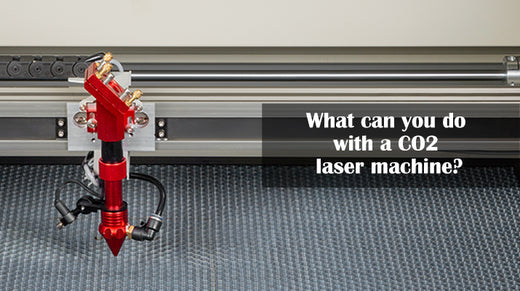
What can you do with a CO2 laser machine?
Laser cutting and engraving machines revolutionize numerous industries with their precision and versatility. They efficiently cut and engrave non-metal materials, creating detailed designs for wood, leather, fabric, advertising, packaging, and more. Industries like furniture, crafts, and fashion benefit from high-speed, cost-effective, and automated processes, boosting production quality and efficiency. With unparalleled accuracy, smooth edges, and minimal material waste, laser technology enhances design possibilities, reduces costs, and accelerates manufacturing. Widely adopted across sectors, it drives innovation, from crafting intricate models to meeting high-demand industrial needs, while also offering energy efficiency and scalability.