


Seasonal crafting offers one of the most profitable opportunities for makers, especially during the fall holidays. Choosing a high-performing co2 laser engraver can instantly turn simple raw materials into custom Halloween signs, pumpkin displays, and spooky party favors. Whether you operate a small home studio or run a growing custom shop, using a desktop CO2 laser cutter simplifies complex designs, reduces production time, and ensures clean, repeatable results on every build.
Selecting the right system requires balancing cutting capacity, overall machine footprint, and precise speed controls. This comprehensive guide breaks down the essential factors for choosing a co2 laser engraver suited for seasonal projects, helping you maximize your creative potential with a desktop CO2 laser cutter.
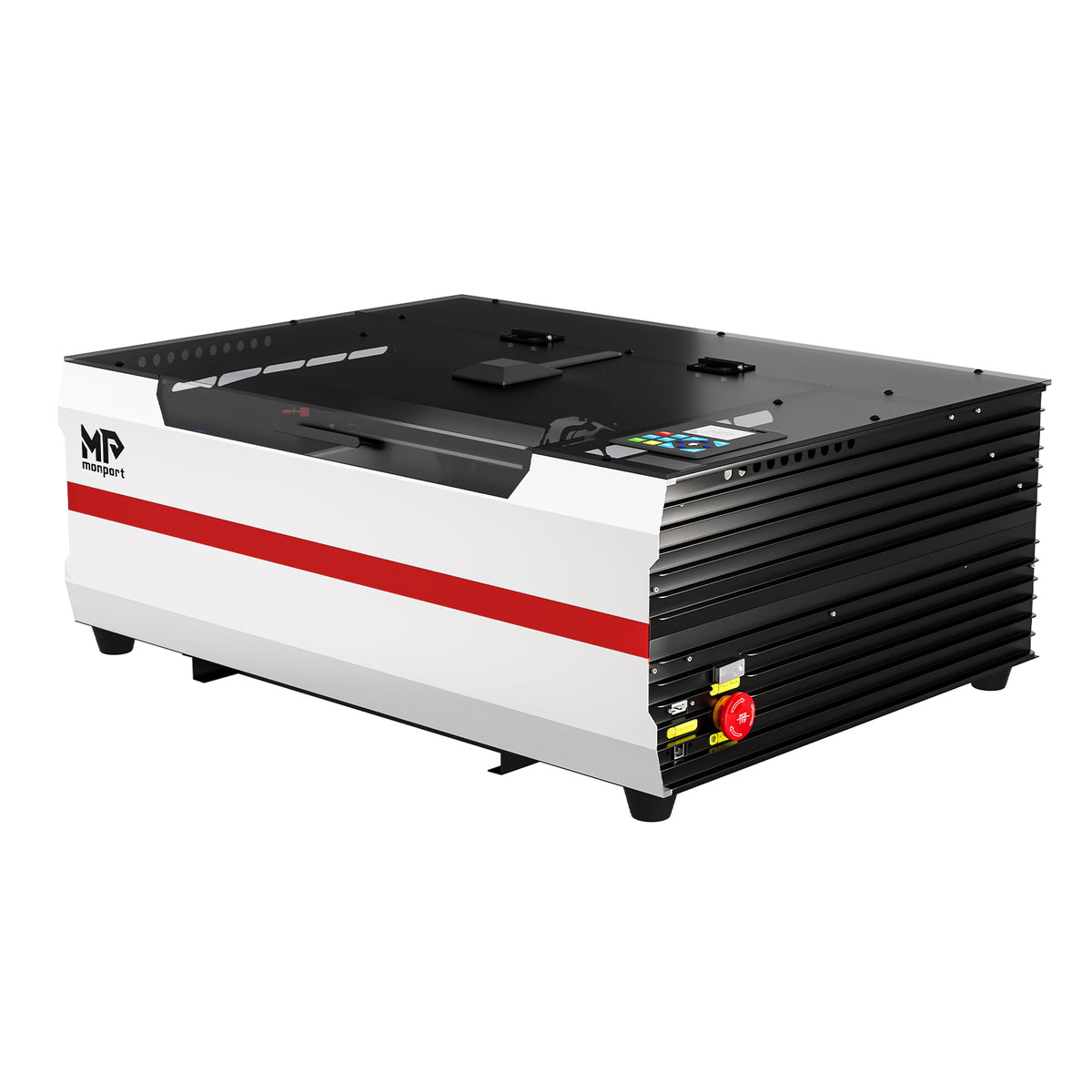

Understanding Key Features for Holiday Laser Crafting
Seasonal items demand versatility across diverse materials including plywood, acrylic, genuine leather, and clear glass. Evaluating power output, bed dimensions, and motion control systems helps guarantee your equipment handles heavy holiday workloads efficiently.Work Area and Z-Axis Clearance
Working with varied material thicknesses requires adequate interior room. Standard flat cutting platforms limit your ability to process taller items like thick wood blocks or pre-assembled decorative boxes. A machine featuring generous Z-axis adjustment accommodates deep items easily without forcing you to modify your design files or remove structural components.
Processing Speed and Motion Mechanics
Holiday order spikes demand efficient production. High-speed vector movement coupled with lightweight gantry systems permits fast processing without sacrificing mechanical accuracy or leaving burn marks along tight curves.
Integrated Air Assist and Thermal Cooling
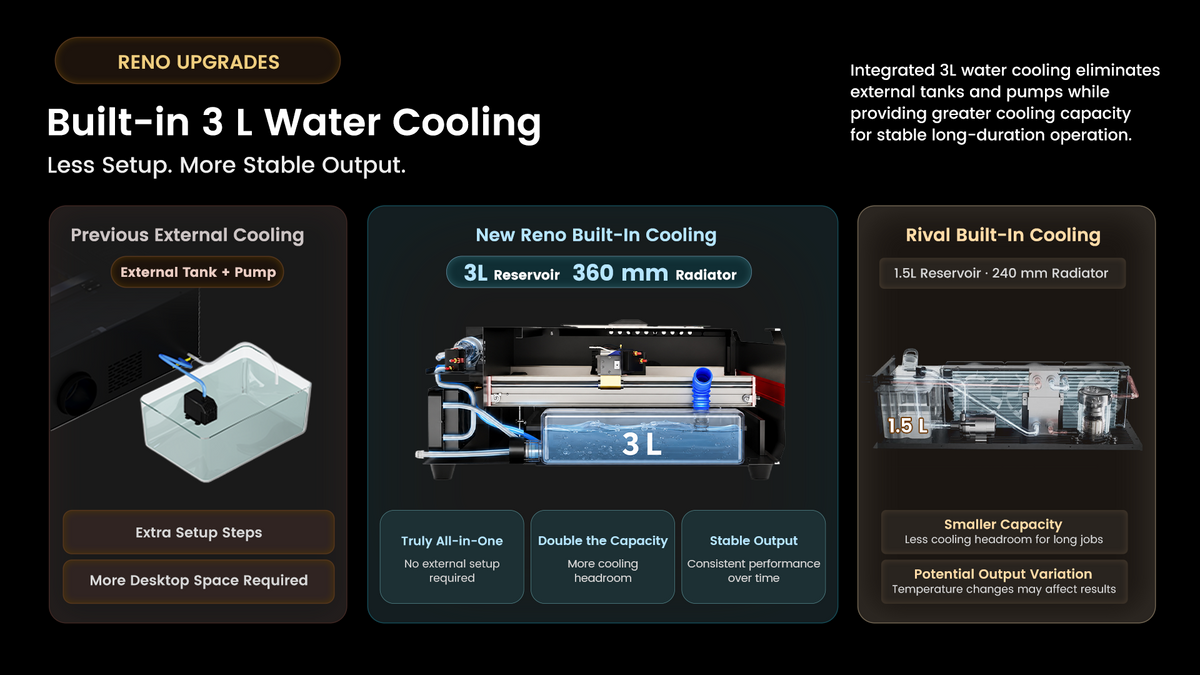
Active air assist clears vaporized resin and smoke from the focal zone, preventing charring on delicate wooden laser crafts. Meanwhile, built-in water cooling maintains consistent tube temperatures during long operational runs, preserving overall laser tube longevity.
Material Selection for Halloween Engravings and Cuts

Working with holiday-themed materials requires understanding how different surfaces react to laser energy. Below is a practical guide for processing popular crafting media without burning or melting.
| Material Type | Recommended Halloween Projects | Processing Advantages |
| Baltic Birch Plywood | Tiered pumpkin signs, spooky door hangers | Clean edges, high contrast dark engraving |
| Cast Acrylic | Glowing ghost signs, witch hat cake toppers | Flame-polished edges, vivid color choices |
| Natural Leather | Custom trick-or-treat bag patches, journal covers | Premium texture, precise raster detail |
| Clear Glass | Etched potion bottles, candle lanterns | Elegant frosted finish, zero material warping |
Selecting wood specifically suited for laser work ensures smooth results. Specific woods ideal for fall laser projects include baltic birch plywood, basswood sheets, cherry lumber, walnut boards, maple stock, alder planks, oak veneer, cedar panels, mahogany blanks, and balsa blocks. Additional excellent choices include pine boards, poplar sheets, beech wood, hickory planks, ash stock, bamboo panels, medium density fiberboard, aromatic cedar, red oak, and white oak. For smaller detailed pieces, consider birch craft wood, finished maple, unlined basswood, thin cherry stock, exotic padauk, purpleheart accents, zebrawood inserts, paulownia blanks, radiata pine, and draftboard sheet.
If you're looking for more creative seasonal projects to make with your laser engraver, explore these Halloween Crafts for Adults for additional ideas for home decorations, gifts, and festive projects.
Comparing Desktop CO2 Machines for Small Spaces
Compact workshops need efficient desktop systems that deliver commercial-grade capabilities without occupying valuable floor area. Comparing available desktop options highlights the clear technical advantages built into modern laser platforms.
Here is a structured comparison table comparing popular desktop CO2 laser engravers designed for small spaces and home workshops:
Comparing Desktop CO2 Machines for Small Spaces
| Feature / Specification | Monport Reno45 (45W) | Glowforge Plus (40W) | OMTech K40 (40W) |
| Laser Power | 45W | 40W | 40W |
| Work Area | 16" x 12" (400 x 300 mm) | 11" x 19.5" (279 x 495 mm) | 12" x 8" (300 x 200 mm) |
| Machine Dimensions | 31.50" x 22.64" x 11.22" | 38" x 20.75" x 8.25" | 31.5" x 19.5" x 10" |
| Z-Axis Travel (Depth) | 4" (100 mm) | 2" (50.8 mm) | ~0.5" (12.7 mm) |
| Max Engraving Speed | 500 mm/s | 300–400 mm/s | 300 mm/s |
| Max Acrylic Cutting Capacity | Up to 15 mm | Up to 6 mm | Up to 3 mm |
| Focusing System | Magnetic Assisted Focus | Autofocus (Camera-based) | Manual Focus |
| Cooling System | Built-in 3L Water Cooling | Internal Closed-Loop | External Water Bucket / Pump |
| Air Assist System | Built-in 11W Pump (20 L/min) | Built-in Fan | External Air Compressor needed |
| Passthrough Slot | Hidden Front Passthrough | Front/Back Passthrough | None |
| Software Compatibility | LightBurn, LaserGRBL | Glowforge Cloud App | LaserGRBL, K40 Whisperer |
| Best For | Heavy cutting, high versatility, compact setups | Ease-of-use, drag-and-drop cloud design | Entry-level budget DIY projects |
The Reno45 offers a 4" (100mm) Z-axis adjustment, vastly outperforming entry-level alternatives like the K40. Its proprietary laser tube research and high-grade optics allow it to cut acrylic up to 15mm thick. Magnetic assisted focus ensures rapid set-ups, while the customized lightweight drive system reaches processing speeds up to 500mm/s (19.7ips).
Noise control remains central to its design. The built-in 3L water cooling system utilizes a 360mm radiator, removing the need for external water tanks. An integrated 11W air pump delivers 20 L/min at 30 kPa pressure operating on-demand to minimize noise and power use. Combined with dual working platforms (blade flat platform and honeycomb) and a hidden front passthrough design, it supports seamless execution with LightBurn and LaserGRBL software.
Practical Tips for Clean Halloween Laser Projects

Achieving clean laser cuts requires proper parameter settings and clean focal lenses.
-
Apply painter's tape across wood surfaces prior to rastering to prevent smoke staining around intricate gothic fonts.
-
Set high air assist volume when cutting dense acrylics to sweep away melted debris instantly.
-
Keep optical lenses clean using isopropyl alcohol wipe-downs after every four hours of continuous wood burning.
-
Use honeycomb pins to hold light basswood sheets perfectly flat, eliminating inconsistent focal depth errors.
Key Takeaways
-
Selecting a high-grade co2 laser engraver ensures crisp cuts across plywood, acrylic, glass, and genuine leather.
-
Look for machines with generous Z-axis travel and accessible passthrough slots to handle varied seasonal blanks.
-
Integrated cooling and quiet air assist components minimize operational clutter and maintain a tranquil workshop setting.
-
A reliable desktop CO2 laser cutter like the Monport Reno45 offers top-tier processing speeds up to 500mm/s alongside deep 15mm acrylic cutting power.
Frequently Asked Questions
What is the best laser engraver for cutting thick Halloween wooden signs?
A 45W desktop CO2 unit provides the ideal power range for slicing through multi-layer wood sheets smoothly while keeping desktop space intact.
Can a desktop CO2 laser cutter safely engrave clear glass potion bottles?
Yes, CO2 lasers fracture the surface of glass efficiently, creating a beautiful frosted finish suitable for custom holiday decor.
What software is recommended for running seasonal laser cutting projects?
LightBurn and LaserGRBL are the industry standard software choices, offering complete vector controls, layer setups, and precise speed adjustments.
How do I prevent burn marks on wooden Halloween decorations?
Using an active air assist system along with protective masking tape on the wood surface prevents smoke residue from settling around laser cuts.
Is a built-in water cooling system better than an external water bucket?
An integrated 3L water cooling setup keeps the machine footprint compact, lowers setup complexity, and prevents external fluid contamination.
Conclusion
Investing in a versatile co2 laser engraver opens endless options for crafting high-margin holiday items. From delicate acrylic ghost cake toppers to heavy wood door signs, a reliable desktop CO2 laser cutter gives you the precision, speed, and material capability needed to handle busy seasonal rushes effortlessly.





