Projects and Ideas
8 Laser Engraved Wood Anniversary Gifts
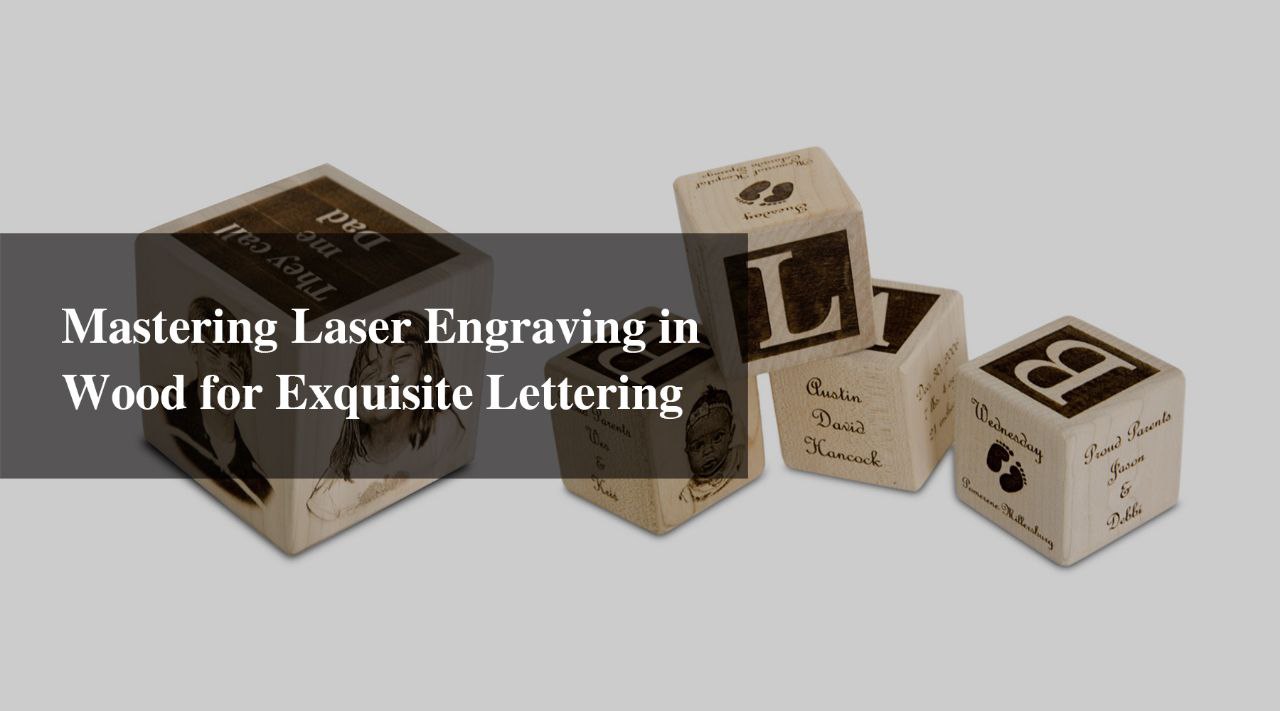
Anniversaries are a celebration of love, commitment, and the time spent together by a couple. A thoughtful and unique laser engraved wood anniversary gift can make this occasion even more special. In recent years, laser engraved wood anniversary gifts have emerged as a popular and personalized way to express your love and appreciation. The combination of natural wood and intricate engraving creates a timeless piece that can be cherished for years to come. In this blog, we have curated a list of 8 laser etching device engraved wood gifts for anniversary that will surely impress your significant other. Custom Engraved Cutting Board A custom engraved cutting board is a practical and beautiful gift for couples who enjoy spending time in the kitchen. You can personalize the board with the couple's names, wedding date, or a special message. Choose from various wood types, such as bamboo, walnut, or cherry, to suit their taste and kitchen décor. This functional gift will serve as a reminder of your love every time they prepare a meal, making it one of the most thoughtful gifts for wooden anniversary. Personalized Photo Frame A picture is worth a thousand words, and a personalized photo frame can make that memory even more special. Laser engrave a wooden photo frame with a heartfelt message, the couple's names, or the anniversary date. Add their favorite photo from their wedding or a memorable moment spent together to make this gift truly one-of-a-kind. This is undoubtedly one of the most sentimental wood anniversary gifts. Engraved Wooden Wall Art Celebrate your love story with a custom engraved wooden wall art. Choose a design that symbolizes your relationship, such as a tree with your initials carved into it, a romantic quote, or a significant date. The beauty of wood and the intricacy of the laser engraving will create a stunning piece of art that will be a constant reminder of your love and commitment, making it a perfect choice among wood gifts for anniversary. Personalized Wooden Coasters For the couple that enjoys entertaining, a set of personalized wooden coasters is a thoughtful and useful gift. Choose from various designs and customize them with the couple's initials, names, or a special message using a laser etching device. These coasters will not only protect their furniture but also serve as a conversation starter during gatherings. This is another excellent option for gifts for wooden anniversary. Engraved Wooden Jewelry Box A beautifully engraved wooden jewelry box is the perfect way to store precious memories and keepsakes. Customize the lid with a romantic quote, the couple's names, or a significant date. The intricate engraving and natural wood grain make this a timeless and elegant wood anniversary gift. Wooden Anniversary Clock Mark the passage of time together with a personalized wooden anniversary clock. Choose a design that reflects the couple's style and customize it with their names and wedding date. This functional piece of art will serve as a daily reminder of the time they have spent together and the many more years to come, making it a meaningful choice among wood gifts for anniversary. Personalized Wooden Wine Box For the wine-loving couple, a personalized wooden wine box is the perfect anniversary gift. Laser engrave the lid with a special message, the couple's names, or the anniversary date. Add their favorite bottle of wine to complete the gift. This thoughtful and unique present will be a cherished keepsake for years to come, and it is an ideal choice when looking for gifts for wooden anniversary. Engraved Wooden Recipe Book For the couple that loves to cook together, a personalized wooden recipe book is a thoughtful and practical gift. Engrave the cover with their names, a special message, or a meaningful quote using a laser etching device. The couple can fill the pages with their favorite recipes, creating a collection of cherished memories and delicious meals. This is another fantastic option among wood anniversary gifts. In conclusion, laser etching device engraved wood anniversary gifts offer a unique and personalized way to celebrate your love. The natural beauty of wood combined with intricate engraving creates a timeless piece that will be cherished for years to come. Consider one of these 8 gift ideas for your next anniversary celebration and make it an unforgettable experience for both of you. These wood gifts for anniversary are not only beautiful but also meaningful, ensuring that your significant other will treasure them for a lifetime.
Read moreProjects and Ideas
How to Make a Custom T-shirt with Monport 40W Laser
Creating a custom t-shirt is an excellent way to express your unique style and personality. With the Monport 40W Laser,It's easier than ever to create an engraved t-shirt that will make you stand out from the crowd. In this blog post, we'll walk you through the process of making a laser print t-shirt using the Monport 40W Laser, especially when paired with black laser marking spray for bold, contrasting designs,and we'll discuss the benefits of creating an engraved t-shirt. https://monportlaser.com/collections/monport-desktop-40w-co2-laser-engraver/products/monport-40w-lightburn-laser-engraver Unlock Big Savings at Monport Laser! Use code BESTMP10 at checkout for an exclusive discount – Click here to shop now! Why Choose an Engraved T-shirt? Engraved t-shirts offer a unique and lasting design that is not only stylish but also durable. Unlike traditional screen printing or heat transfer methods, laser print t-shirt techniques create a precise and detailed design that won't fade or wear away over time. Plus, the Monport 40W Laser allows for intricate and detailed designs that are not possible with other methods. Materials You'll Need To create your custom engraved t-shirt, you'll need the following materials: A plain t-shirt (preferably made of cotton or a cotton blend) Monport 40W Laser engraver Laser-safe fabric paint or dye (optional) A computer with design software (such as Adobe Illustrator or CorelDRAW) A heat press or iron (optional) Step 1: Design Your T-shirt Before you can start engraving your t-shirt, you'll need to create a design. Using design software like Adobe Illustrator or CorelDRAW, create a vector image of the design you want to engrave. Be sure to consider the size and placement of your design on the laser print t-shirt. Step 2: Prepare Your T-shirt Before you can engrave your t-shirt, you'll need to prepare it. First, wash and dry your t-shirt to remove any sizing or residue that could interfere with the laser engraving process. Then, iron your t-shirt to remove any wrinkles and ensure a smooth surface for engraving. Step 3: Set Up Your Monport 40W Laser Follow the manufacturer's instructions to set up your Monport 40W Laser. Be sure to set the laser's power and speed settings according to the type of fabric you're using. For cotton t-shirts, a lower power setting and slower speed will typically yield the best results for a clean laser print t-shirt. Step 4: Engrave Your Design Place your t-shirt on the laser bed, ensuring it is flat and smooth. Use the laser's software to import your design and position it on the t-shirt. When you're ready, start the engraving process. The Monport 40W Laser will engrave your design onto the t-shirt, creating a unique and lasting design. Step 5: Add Color If you want to add color to your laser print t-shirt, you can use laser-safe fabric paint or dye to fill in the engraved areas. Follow the manufacturer's instructions for applying the paint or dye, and be sure to allow it to dry completely before wearing or washing your laser print t-shirt. Step 6: Heat Press or Iron If you've added color to your engraved t-shirt, you may want to heat press or iron the design to help set the paint or dye and ensure it lasts through multiple washes. Follow the manufacturer's instructions for heat pressing or ironing your t-shirt, especially when using black laser marking spray to create lasting, vibrant designs. Enjoy Your Custom Engraved T-shirt! Now that you've created your custom laser print t-shirt with the Monport 40W Laser, you can enjoy wearing a unique and stylish design that showcases your personality. With proper care, your laser print t-shirt will remain vibrant and durable for years to come. So go ahead and show off your creativity with a custom laser print t-shirt! Read More: Ink Your Style: Step-by-Step Instructions for Vinyl Printing T-Shirts Using a Laser Engraver
Design Your Custom Wooden Wall Art for Your Home
Whether you've chosen a simple design or an intricate masterpiece, your custom wood wall art decor is sure to be a conversation starter and a cherished addition to your home for years to come.
50 Inspiring Wedding Ring Engraving Ideas
Explore the best ring inscription ideas and engraving ideas for rings. Use Monport Fiber Laser Engraver to create precise, lasting engravings on engagement and wedding rings.
How to Make Laser Cut Wood or Acrylic Keychain Holder
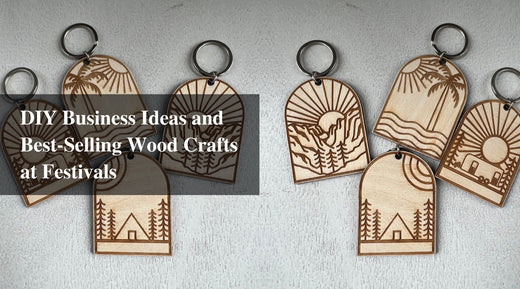
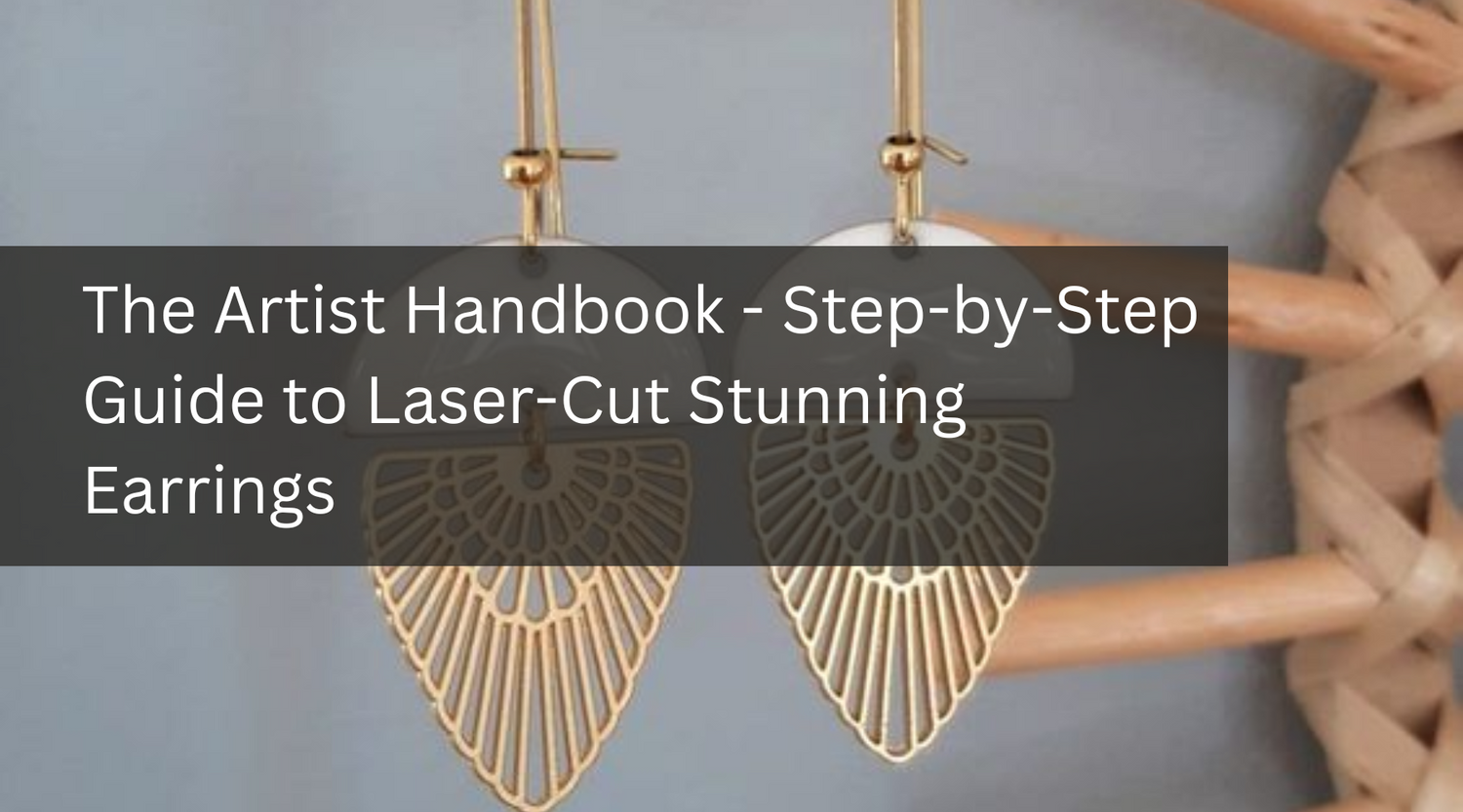
Here’s the text revised to include the keyword "best laser for cutting": With a CO2 laser for cutting and carving machine, you can create unique decorations and useful items for both you and your customers. You can create a ton of things and draw in a sizable audience, from creating jewelry from scratch to carving prefabricated parts. With a CO2 laser for cutting and carving machine, you can create unique decorations and useful items for both you and your customers. You can create a ton of things and draw in a sizable audience, from creating jewelry from scratch to carving prefabricated parts. Using a laser engraver wood machine opens up a world of possibilities for crafting personalized items. Engraved keychains add a personal touch to the gift, making it even more special and meaningful. You can engrave a message, a quote, a name, a date, or a special design onto the keychain, making it unique and one-of-a-kind with the best laser for cutting. Things You Will Need 1. Monport 40W Desktop CO2 Laser You can use a personal laser cutter or access a maker space or fabrication lab that has one. Monport 40w LightBurn can safely engrave or cut any laser-compatible material including wood, glass, acrylic, fabric, leather, paper, cardboard, rubber. The Monport 40W is also a great laser engraver wood. 2. Wood for laser cutting /Acrylic for laser cutting For a keychain holder, a lightweight and durable material is ideal. Both cast acrylic and basswood are suitable options. Cast acrylic is lightweight and durable, and is available in a variety of colors and thicknesses. Basswood is a lightweight and softwood that cuts well with a laser cutter and can be easily sanded to remove any rough edges. If you prefer a clear keychain holder, you can use clear cast acrylic. If you prefer a colored keychain holder, you can use colored cast acrylic. If you prefer a more natural look, you can use basswood and finish it with a clear coat to protect it from moisture. It is recommended to choose a material thickness of 3mm or less for your keychain holder, as this will be lightweight and easy to carry. You can also experiment with different thicknesses to find the right one for your design and the type of laser cutter you are using. A laser engraver wood can handle various thicknesses, but it's important to adjust the settings accordingly. 3. Software for laser engraving Adobe Illustrator, Inkscape, CorelDraw, etc. 4. Glue You might need to paste the earring blank stud bases. Secondly, if your earrings are multilayered, you need glue to stick all the layers together. 5. Paint If you are using MDF or any other wood, you will have to paint the earrings to make them more appealing. Acrylics do not need paint. Their natural color and shine are more than enough. 6. Tools Tools for removing rough edges or burrs (such as sandpaper or a deburring tool). Steps to Acrylic or Wood Laser Cutting Keychain Holder Using a Laser Engraver Wood You can use Monport 40W LightBurn to make keychains. We are going to show you the exact steps to make earrings using Monport 40W LightBurn. You also can learn more from HL ModTech Monport 40W CO2 Laser Engraver Acrylic keychain Lightburn test video about specific steps. Step 1: Get the Wood/Acrylic Laser Cutting Keychain Design Files You can search online for free or paid laser cut design files for keychain holders. Websites like Thingiverse, CNCKitchen, and Etsy have a large selection of design files that you can download and use for your project. With the best laser for cutting, you can bring these designs to life with precision and ease. Many designs are specifically tailored for use with a laser engraver wood. Step 2: Material Settings for Wood Laser Cutting Keychain Holder The specific material settings for cutting a 3mm MDF (medium-density fiberboard) sheet with the best laser for cutting, such as the Monport 40W laser cutter, will depend on several factors, including the laser cutter's specifications, the MDF quality, and the desired result. However, here are some general guidelines that you can use as a starting point: Power: 30-40% for a 3mm MDF sheet. Speed: 80-100mm/s for a 3mm MDF sheet. Popular Wood Laser Cutting Acrylic Earrings Designs Here are 10 popular laser cut wood and acrylic keychain designs: Name or Initial Keychain: A keychain with the name or initial of the user. Geometric Shape Keychain: A keychain with a geometric shape, such as a triangle, square, or hexagon. Map Keychain: A keychain featuring a map of a city, state, or country. Personalized Photo Keychain: A keychain with a personalized photo, such as a family photo or a pet photo. Wooden or Acrylic Keychain with Quotes: A keychain with a quote or message laser engraved or cut into the wood or acrylic. Custom Logo Keychain: A keychain with a custom logo, such as a company logo or a personal emblem. Nature Keychain: A keychain with a nature-themed design, such as a tree or a flower. Animal Keychain: A keychain with an animal design, such as a cat, dog, or bird. Sports Keychain: A keychain with a sports-themed design, such as a basketball, football, or soccer ball. Puzzle Keychain: A keychain in the shape of a puzzle piece, perfect for couples or best friends. These are just a few popular laser cut wood and acrylic keychain designs. The possibilities are endless, and with the best laser for cutting, you can create any design that you can imagine. Conclusion Engraved keychains also make great keepsakes, as they can serve as a lasting reminder of a special moment or memory. Whether it's for a special occasion such as a birthday, anniversary, or graduation, or simply as a thoughtful gesture, an engraved keychain can be a great gift for anyone. With the best laser for cutting, you can create precise and personalized engravings that turn a simple keychain into a unique and meaningful gift. The precision of a laser engraver wood is unmatched, making it the perfect tool for creating memorable gifts. Using a laser engraver wood adds a personal and professional touch.
7 DIY Laser Engraver Projects You Can Do Right Now
Unleash your creativity with DIY laser engraving! Discover 7 project ideas for custom wooden coasters, leather keychains, & more. Learn essential tips & popular kits to get started.
Free Laser Cutting Files: What Do They Offer?
Whether you’re running a business or crafting at home, tapping into laser files free is a smart way to save time and explore your creative potential. With hundreds of design files available online and versatile machines like Monport, you're equipped to produce beautiful, custom items without the guesswork.
7 Jewelry Engraving Ideas with Monport Laser
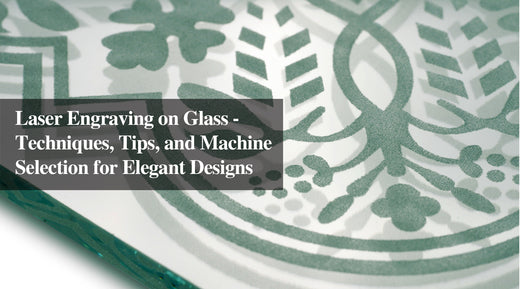
Unleash your creativity with Monportlaser! When buying jewelry as a gift for your special someone, many jewelry stores offer private customization to increase sales. For expensive jewelry, professional engraving is usually needed. But for more affordable jewelry pieces, laser engraving is more than sufficient. Invest in a CO2 laser engraving machine or a fiber laser and you can even start a small business! Ⅰ. What kind of engraving jewelry machine do you choose? First of all, we need to define the material of the jewelry you want to carve. Decorations are not only made of metal, but also made of other materials. Different materials should be handled by different carving machines. Generally, there are not many types of engraving machines on the market that can be used to add drawings and words to jewelry, which can be roughly divided into two types: physical engraving and chemical engraving, including the traditional CNC laser cutter, fiber lasers and CO2 laser machines. What is your laser engraving material? Are you in the market for jewelry engraving machines? Different materials require various approaches - manual tools, laser engraving machines, CNC engraving machines, and more. If you're looking to engraver metals, we suggest fiber laser and diode laser carving machines. For materials with high light transmittance, such as ruby, physical cutting with CNC engraving machines or engraving machines with metal rotating tips may be the answer. For non-metallic materials like wood and glass, CO2 laser cutters are the way to go. Get the perfect engraving machine for your needs! What engraving effect do you want to achieve? In addition to the jewelry materials, the carving effect you want to achieve is also important. If you want to imitate the results of traditional chisel and hammer carving, manual engravers are the ideal choice. However, the biggest disadvantage of traditional carving is that it cannot be used on some materials. Traditional rotary engraver cannot be used for delicate objects sensitive to heat and pressure. You will not be able to engraver any jewelry made of plastic or glass, as rotary engraving can easily damage or damage these materials. If you need to achieve exquisite works, laser engraving will be very suitable for you. How much space can you provide for the engraving machine? For small jewelry or narrow spaces like inner ring, both CO2 laser engraving machines and optical fiber marking machines have desktop models, which will not be limited by the operating area. Monport provides CO2 laser engraving machines of various sizes. There are 40W lightburn desktop models that can completely realize various materials that can be engraved by ordinary CO2, and there are also high powered laser that can achieve cutting of materials with high hardness. Ⅱ. Best Jewelry Engraving Machine Monport 30W Fiber Laser Engrver When it comes to laser engraver for metal, most people think of a fiber laser, Monport 30W Fiber Laser Engrver is an 8x8-inch fiber laser engrver that belongs to the solid laser metal etching machine with the EzCad2 Galvo lens Red Dot. It has an advanced galvanometer system that can reach an impressive 7000mm/s. Therefore, it will complete more projects in a shorter time, thus improving productivity. This computerized jewelry carving machine is also very easy to use. The rotary axis supporting bending jewelry can help the laser focus on the material, but because the function of the fiber laser machine is generally more advanced and expensive, it is suitable for experienced engravers. Monport 60W CO2 Laser Engraver Reach your engraving and cutting goals with our Mid-Range CO2 Laser Engraving Machines. Offering power levels of 60W to 80W, these laser cutters and laser engravers have the capacity to cut through wood and acrylic. Monport 60w and 80w machines, both in the fireproof series and built-in water chiller series, come equipped with auto focus system and enclosed guide rails. So you can also use wood, acrylic and other materials to make jewelry from scratch. As it is a high-speed engraving machine, you can complete more work in a shorter time without affecting the quality or accuracy. Ⅲ. Custom Engraved Jewelry For Perfect Gifts 1. Engraving Ideas for Wedding Bands or Engagement Rings If you are the creator of a small business, often carve some small goods. Personalize your jewelry far beyond adding a simple name inside the ring. There are many kinds of materials for rings. The general marking machine can carve many kinds of materials. Metals, including brass, copper, precious metals and some coated metals, can be used. These fiber marking machines can be used for marking. When engraving a ring type ring, you can use a rotary shaft to carve. When you need to carve on the inside of the ring, you can also use some other fixed objects to find the corresponding angle, But at the same time, it also has the ability to edit the pattern of the sculptor. Because it is not carving on the plane, it will produce certain errors. Whether it is engraving rings or bracelets, these difficulties need to be considered. 2. Engraving Ideas for Leather Bracelets Leather jewelry is very common. It usually combines some gemstones with leather. This kind of jewelry is very popular and can be carved on leather. A leather bracelet is the perfect jewelry for men, free delivery. You can give it to you as a gift for Christmas, Father's Day, Valentine's Day, anniversary and birthday... as long as you want. You can engraver your own information to the person you love. You can also customize the appropriate size according to your own preferences. 3.Engraving Ideas for Name Bar necklace These fashionable label style necklaces are unique from time to time. They can not only carve names, but also carve fingerprints, which is an excellent and unique way to carve a piece of jewelry. This applies to parents regardless of their child's age. You usually need a larger surface, such as a flat necklace or small necklace, a cuff bracelet, or the back of a watch. 4.Engraving Ideas for Personalized Photo Necklace In addition to metal, acrylic and some other plastics, they can be used as materials for this kind of jewelry. That means they will be permanent mementos for many years to come, without losing their luster. You can decide whether to attach your necklace with your favorite photo on one side or on both sides so that you can laser engraver your innermost words on one side of the necklace. All you need to do is choose the photo you want and decide on the message to engraver. 5.Engraving Ideas for Personalize Picture Locket Necklace Traditional necklaces will also be very popular, especially the jewelry with built-in private pictures generally needs to be customized. The CO2 laser engraving machine can carve photos, and can also carve exclusive words and patterns on the external metal. 6.Engraving Ideas for Crystal Pendant Crystal and glass materials can be used as materials for this transparent pendant. Laser engraved glass looks very different from the glass marked by other personalized methods. You can get high-quality engraving results, but you can't get any significant depth. In most cases, CO2 lasers work by evaporating the surface of the engraved material. However, the laser can shatter or destroy the surface of crystal and glass, which may leave very small flakes or fragments, and may lead to uneven appearance of the filled area. When this happens, sometimes it can be polished with very fine sandpaper to make it smoother. Of course, the most important thing is to choose materials with less impurities to avoid this situation to a large extent. 7.Engraving Ideas for Wooden Earrings Wood carving machines can be used to personalize, brand and decorate wooden items. CO2 desktop laser engravers offer enough wood laser engraving experience! Ⅳ. Conclusion Engraving your jewelry is a great way to add a personal touch or create a unique look. When choosing jewelry to engrave, be sure to consider the design or message you want to convey. A reliable jewelry engraver can help you create the perfect piece of jewelry for yourself or as a gift.
Best Websites to Download Laser Cut Files
Laser machine for marking is gradually moving towards various fields, whether in the art or business field. Buying a laser engraving machine suitable for engravers may have puzzled some who want to enter the world of laser engraving. Some professional designers usually use powerful design tools such as Illustrator, Photoshop, CorelDraw and AutoCAD to use BMP, DXF, SVG and vector files for laser engraving.beginners can quickly dive in using from laser engraving sites that offer ready-to-use designs. Many of these platforms provide laser engraving files free download so you can create detailed works without being a design expert. Monport 40W Lightburn-ready (12" X 8") CO2 Laser Engraver & Cutter with FDA Approval - 40W Basic Five types of cut files for most laser cutters Not all graphic design files are equally suited for laser engraving. To make the most of your laser machine for marking, it's crucial to understand which file types work best. Fortunately, many websites not only provide these file types but also offer free laser cutter files for users looking to test or kickstart projects without extra design work. Vector file Vector formats like AI, EPS, SVG, and CDR are built from scalable paths and curves. These are ideal for clean, detailed engravings, no matter the size. Many laser engraving platforms feature free laser cutter files in vector formats, making them perfect for scalable designs without quality loss. Raster/Bitmap files These are graphic images composed of pixels, often used for engraving or etching. Bitmap files such as BMP, GIF, PNG, and TIFF can be converted into vector formats and then used with laser cutters. These are often included in bundles offering laser engraving files free download, which are useful for beginners seeking free laser cutter files to experiment with LightBurn or other design software. CAD Another laser cutting design file format is a CAD file created with CAD software, including AutoCAD, FreeCAD, TinerCAD, DraftSight, etc. CAD file formats mainly include DXF and DWG. CAD files mainly focus on complex engraving design. Many repositories now provide laser engraving files free download for various CAD programs to ease the workflow. Gcode Files Gcode files are also common for laser cutting machines and CNC machines. Where can you get these engraving files? If you lack the skill or time to design your own files, there are countless websites offering both paid and free laser cutter files. Whether you’re looking for inspiration or production-ready blueprints, these platforms provide thousands of downloadable resources to kickstart your creativity. In addition to cost savings, these websites supply various file types. For those unfamiliar with design software, downloading free laser cutter files may be the easiest and fastest route to begin crafting. Many of these platforms update regularly with new and exciting content, ensuring a steady stream of creative options. 3 axis.co Format: DXF, CDR, PDF, BMP, DWG, STL Free DXF files, Coreldraw vectors, designs, silhouettes, 3D puzzles, vector art for CNC routers, laser cutting, plasma cutting machines, wood cutting and carving. 3axis. Co has 21413 files available for free download or online viewing. 3Axis can provide a large number of free vector files for laser cutting to solve the design problems in the files for your laser carving journey. In addition, you can convert the file to any major format without any problems. Almost all files on 3Axis can be downloaded for free. In short, as long as you know what you want, all the content on this website can be downloaded for free without download restrictions, and this website does not require registration and other cumbersome requirements, as long as you enter the website, you can start your download journey. Ponoko.com File Formats:EPS, SVG Quantity of Files: 200+ Costs: Free Ponoko offers a series of free designs created by Ponoko or other customers who have used Ponoko's services and want to share their ideas. The files are provided in EPS or SVG format. In addition, you can customize the file according to project requirements. Although Ponoko does not support postscript, there are converters that can convert this design to a DXF format suitable for Ponoko. Ponoko also accepts EPS, SVG and Ai files. To download these free laser files, you need to log on to their website and maintain an active user account. Vecteezy File Formats: AI, EPS, JPG, PDF Quantity of Files: 1,000,000+ Costs: Free In addition to providing many vector files, Vecteezy also contains many other pictures and videos. Sculptors can search for carving files through various theme classifications. Compared with other websites that prefer design functionality, Vecteezy websites prefer to use creative themes for classified navigation. However, a large number of vector files on this website are worthy of being designed and used by sculptors. Top 3 Paid Laser Cutting Design Files Download Websites Etsy File Formats: AI, CDR, DXF, EPS, PDF, SVG Quantity of Files: 63,000+ Costs: Paid Etsy website has different paid carving files, which are generally more selective than free carving software. Carving files of the same style even have personalized designs. These are not comparable to free carving files. If you want different carving files, the paid website can meet your needs. The seller will design the carving files you want according to your needs, But this kind of design is generally based on a basic design type. If you want to try a truly unique design, you need to find other specialized designers to deal with it. The Hungry Jpeg File Formats: DXF, EPS, JPEG, PNG, SVG Quantity of Files: 100,000+ Costs: Free & Paid This website requires registration to view the content of specific files, but you can also save a large number of templates through cloud storage through registration. If you want to pay for templates, it is necessary to register an account. The content of design files is similar to that of Etsy. The classification is very detailed and complete. The design style of other software cuttings is different. The design of this website tends to be unique to a small number of people. If you want to find some unique carving files, this website will definitely bring you surprises. So Fontsy File Formats: SVG, PSD, PNG, EPS Quantity of Files: 100,000+ Costs: Paid So Fontay website has a variety of design types for others to choose from, ranging from design documents in various fields to laser engraving documents in special sections. Various typesetting classifications can make it very easy for engravers to find the design documents they want. This website has many designers to design eye-catching wonderful designs, especially the festival carving documents which are very unique and interesting, and may give the engravers a glimpse. Many of their promotional bundles feature laser engraving files free download as a bonus. Why Monport Is the Best Choice for Your Laser Machine for Marking Choosing a Monport laser machine means investing in durability, versatility, and ease of use. Whether you’re engraving leather, wood, acrylic, metal, or glass, Monport has a solution tailored to your needs. Shop Now: Celebrate Business Week with Monport and get up to 30% OFF our premium laser machines! Buy a CO2 Laser → Get a FREE Water Chiller, Rotary Axis & LightBurn software Buy a Fiber Laser → Get a FREE Rotary Axis Bundle Deals → Get $130 OFF + 30% OFF laser materials Use code BESTMP10 at checkout – Click here to shop now! FAQs What materials can Monport laser machines handle?Monport lasers work on wood, acrylic, metal, leather, glass, and more—ideal for versatile engraving and cutting. What are the benefits of Monport CO₂ laser engravers?They offer high precision, large work areas, and powerful cutting ability, perfect for creators and small businesses. Why choose a Monport fiber laser?Monport fiber lasers are built for speed and accuracy, making them excellent for metal engraving and industrial use. Are Monport machines beginner-friendly?Yes, many models come pre-assembled or semi-assembled, with intuitive controls and tutorials for easy setup. What makes Monport stand out from competitors?Monport offers affordable pricing, solid build quality, and great software compatibility—ideal for hobbyists and pros alike. Takeaways Laser Engraving Versatility: Laser machine for marking is increasingly used in both artistic and business applications. File Types Matter: Understanding different file types, such as vector, bitmap, CAD, and Gcode files, is essential for successful laser engraving with a laser machine for marking. Tools and Software: Professional design tools like Illustrator, Photoshop, CorelDraw, and AutoCAD are commonly used for creating laser cut files. Beginner Resources: Beginners can start with free laser engraving files to quickly experience the joy of creating without needing advanced graphic design skills. Top Free File Sources: Websites like 3axis.co, Ponoko, and Vecteezy offer a variety of free design files suitable for laser engraving. Paid File Options: For more unique and customizable designs, paid websites like Etsy, The Hungry Jpeg, and So Fontsy provide high-quality engraving free laser files. Ease of Use: Many websites offer user-friendly interfaces and do not require extensive technical knowledge, making it easier for users to find and use design files. Conclusion The world of laser engraving is more accessible than ever. With an abundance of free and paid design free laser files from top laser engraving sites, even beginners can create stunning, professional-grade work. Combine those resources with a Monport laser machine for optimal results in any application—from custom signage to intricate art pieces. Read more: Free Laser Files for Lightburn: Best Websites with Free Files for Laser Cutting — Discover a curated list of user-friendly platforms offering a wide range of free laser cut files compatible with LightBurn, including tips on file formats and usage. Celebrate Business Week with Monport! Enjoy up to 30% OFF on our premium laser engraving machines and unlock incredible free gifts to elevate your projects. Buy a CO₂ laser and receive a FREE Water Chiller, Rotary Axis, and LightBurn software. Purchase a Fiber Laser and get a FREE Rotary Axis. Plus, score a special $130 OFF on bundle deals and 30% OFF laser engraving materials. Don’t wait — use code BESTMP10 at checkout and click here to shop now!
Tips and Tricks for Photo Laser Engraving
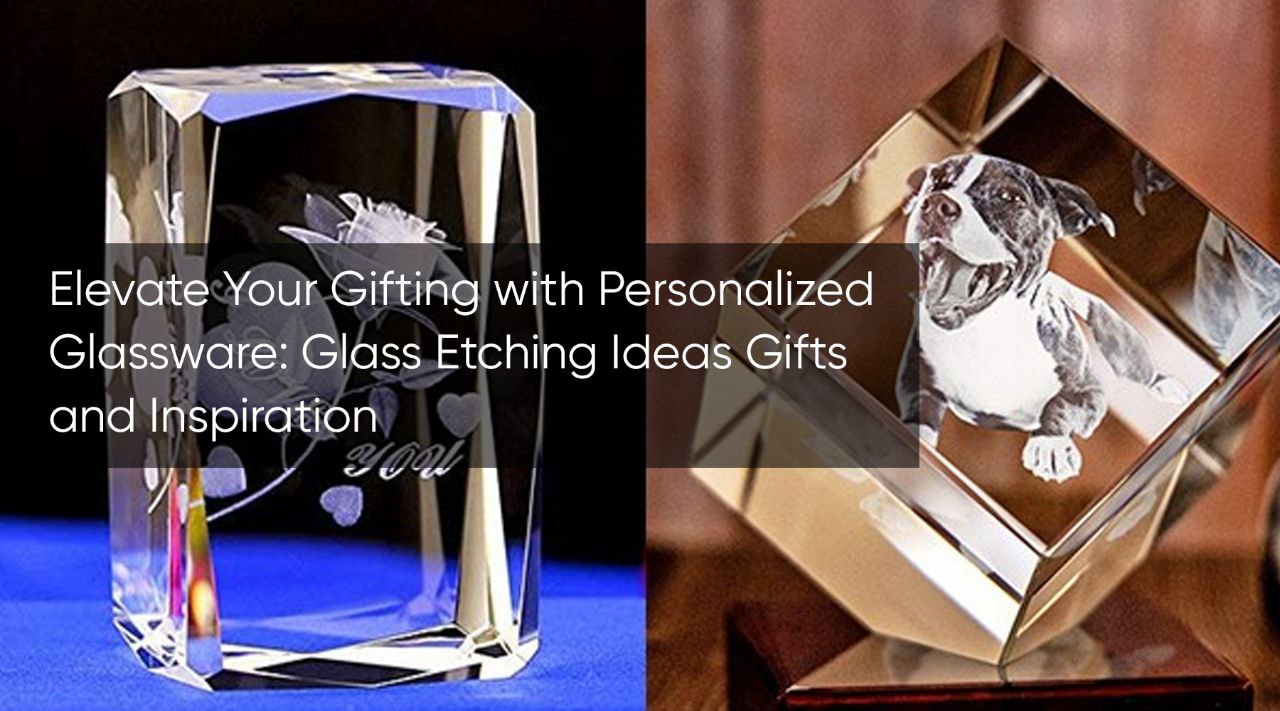
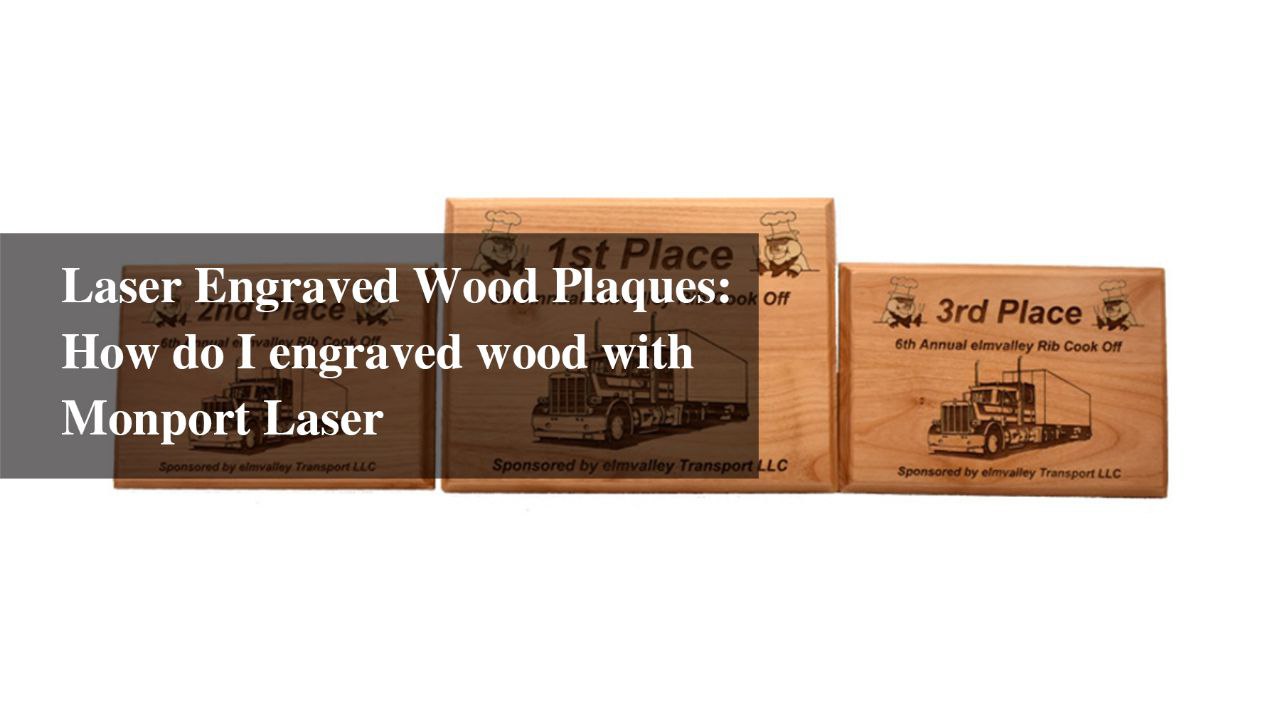
Laser engraving machine can be photos and all kinds of images engraved on a variety of materials, and this is where photo laser engraving truly shines. Laser engraving can not only efficiently process scanning images but also engrave most engraving materials with clarity and detail. All kinds of photos, designs, and logos can be turned into lasting pieces. Many users now prefer to laser engrave photos for personalized gifts, branding, and custom decor because the process is quick, accurate, and visually impressive. A wide range of materials often sculpted by carvers such as stone, wood, ceramics, metal and even jewelry can be used for photo carving. The finished product is usually unique because the photos are up to you. Photo carvings as gifts or custom items are sure to liven up your small business, especially when using photo laser engraving for high-quality and consistent results. Laser engraving works as simple as selecting the image you like on your computer. Then use your PC to open the laser interface or the graphics software you need to use, and upload your image, whether it's a design or a photo. Third, if desired, you can add unique text or color to further personalize the image. Finally, press the Print button, which makes it very easy for the laser engraver to print the image onto the material of your choice. Many users who want to laser engrave photos appreciate this simplified process. Monport 150W CO2 Laser Engraver & Cutter (64" x 40") with FDA Approved Materials for photo engraving Image engraving can be used on different materials, such as wood, metal, plywood, acrylic, glass, crystal, and other surfaces that are very suitable for printing detailed images. When using photo laser engraving, the carved idea can be implemented in different styles, such as wood picture souvenirs, crystal glass sculptures, or metal color marking. Such color marking can also achieve a leap from black-and-white to more expressive results. The following are examples of various sculpting materials that can sculpt pictures and allow you to laser engrave photos flawlessly. Wood photo engraving In carving wood it is easy to adjust the speed and power to achieve the contrast of light and dark, so that the photo can produce different shadow effects. Usually the wood used for carving is cherry, birch, maple, etc. It is usually possible to use a uniform color of wood to ensure a cleaner and cleaner surface. Stone photo etching Sculptors can use their own photos and text to carve images into granite and marble. Whether it's a plaque commemorating someone's achievements, an original wedding or anniversary gift, or a stone honoring a deceased loved one or pet, laser engrave photos on stone creates durable, long-lasting pieces. These stones can be used outdoors in any weather, never fading or discoloring over time. Glass and crystal photo engraving This image is relatively common, carving various mirror, glass bottle or other cylinder can become the object of the carver, in addition to the need in front of the sculpture also need to use the cleaner and clean cloth to clean the surface of the glass or crystal, more need to be aware of is that the engraving should try to avoid material in laser beam heat is too high, glass or crystal material fracture cause problems. We suggest that gray-scale matrices should be used to reduce the amount of heat the engraver has to put on the sculpted object, or ordered dithering of the rasterization type should be used to produce a better finished product. Precautions for photo engraving Step 1: Find the Right Photos When preparing your image for photo laser engraving, high resolution and high-quality photos are essential. The resolution must be high enough so the image does not appear fuzzy when enlarged. A suitable picture needs contrast and proper exposure. Photos with large solid color areas often engrave poorly, while detailed photos achieve better results when you laser engrave photos. Step 2: Edit Your Photos Any photo editing software can be used to crop the image to the correct engraving size. Remove unnecessary background since the engraving machine focuses only on the main subject, which will be converted to grayscale. Increase brightness, reduce contrast if necessary, and sharpen the details such as hair, eyes, or textures. When you prepare images for photo laser engraving, sharpening enhances the clarity of the final result. Once done, the image is ready to print. Step 3: Do a Test Before Engraving Even small adjustments to your photo settings can significantly affect the engraved result. Changing the tonal contrast will alter how soft or sharp the gradient appears. Always scan in color because color provides additional information useful during engraving. When you laser engrave photos on different materials, remember that laser power should vary. Increase power or slow speed for darker engraving, and lower power or increase speed for lighter results. High-contrast images work best for photo laser engraving. Of course, different materials should use different laser power, if your engraving needs to be darker, you can increase the power or slow down the speed. If the engraving needs to be brighter, reduce the power a bit or increase the speed. In summary, the best results for photo engraving come from using high contrast images. Not all photos or materials are the same, and you may need to adjust the image to make it more suitable for laser engraving. FAQs How do I choose the best photo for photo laser engraving? Use a high-resolution image with good contrast and clear details to achieve the best results. Can I laser engrave photos on metal? Yes, but you need a fiber laser machine, as CO2 lasers usually cannot engrave metal. How long does photo laser engraving take? Most photo engravings take a few minutes to complete, depending on material and image complexity. Do I need special software to laser engrave photos? Basic photo editing software and your laser machine’s interface are usually enough. What materials work best for photo laser engraving? Wood, acrylic, glass, crystal, stone, and coated metals produce excellent results. The best laser engraving machines for engraving photos from Monport First, we need to know that CO2 laser engraving machines generally cannot engrave metal. However, other Monport machines can engrave pictures effectively. For metal engraving, Monport fiber laser machines can fulfill this process. Metal marking machines with different power levels can achieve excellent DIY or custom work on metal tumblers, crafts, and personalized items that involve photo laser engraving or the need to laser engrave photos with precision.
What can you do with Monport? Materials, projects and more.
Have fun and be a part of our facebook comunity, post your laser engraving machine project, ask for advice and enjoy it. We all start from now on, the best way to enter the laser world is to sneak into it! join and create with Monport to build a happier life!