


A laser business can start with one material and eventually grow into many. A customer who first asks for engraved metal tags may later want wooden signs, acrylic displays, or personalized gifts. The challenge is that no single laser technology is equally suited to every material.
This is where a fiber laser engraver for metal and a desktop CO2 laser engraver differ. Fiber lasers are designed primarily for marking and engraving metals and other hard materials, while CO2 lasers are better suited to materials such as wood, acrylic, leather, paper, and glass.
Understanding that difference is more useful than simply comparing wattage. The right machine depends on what you plan to make, how large your products are, and whether your business focuses more on marking or cutting.
|
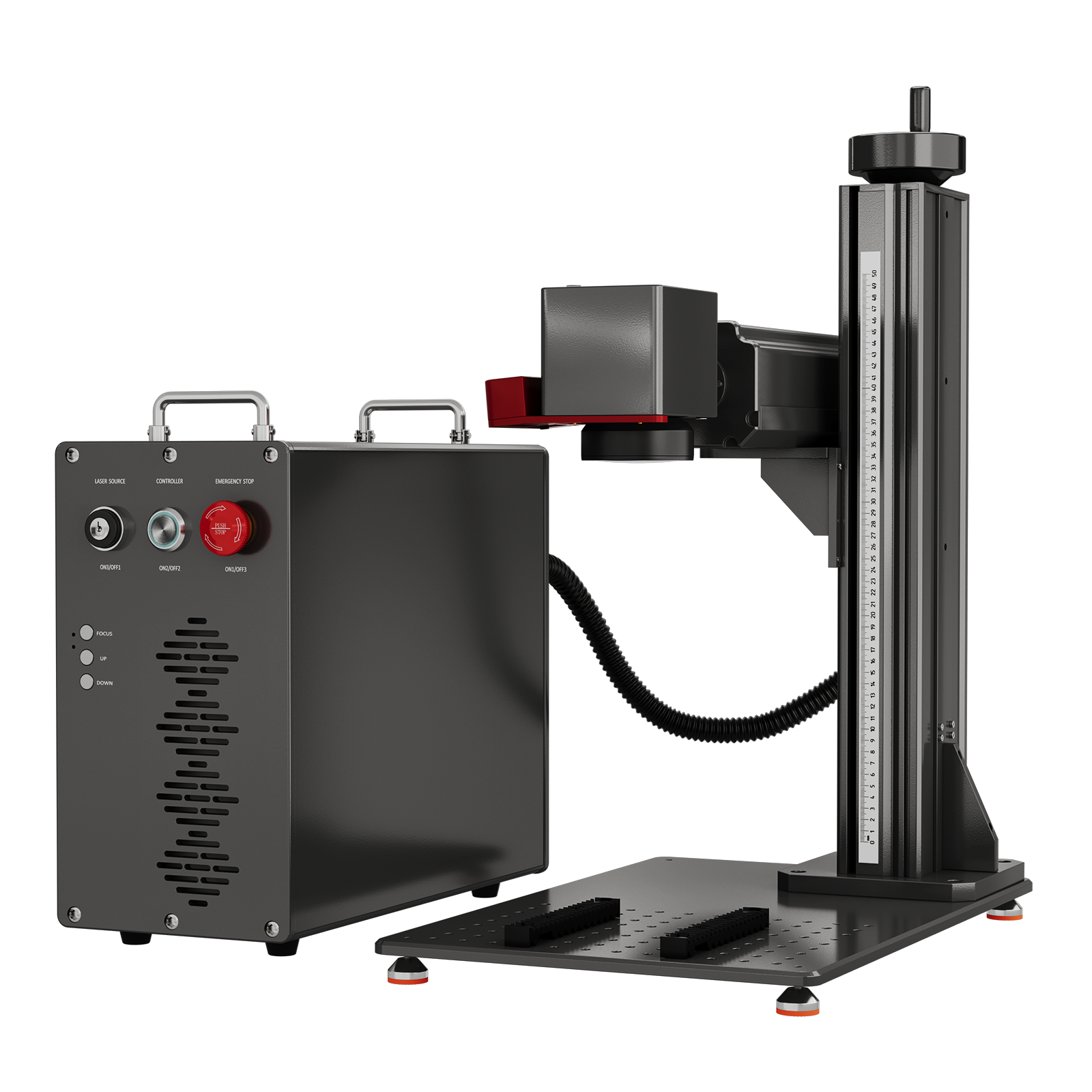
Monport GPro Vision Split MOPA Fiber Laser Engraver with Color Marking & Auto Focus
|
|

Fiber Laser vs. CO2 Laser: What Is the Difference?
The biggest difference is wavelength.
A fiber laser engraver for metal typically operates around 1064nm. This wavelength is well suited to materials including stainless steel, brass, aluminum, copper, titanium, gold, silver, and other compatible metals.
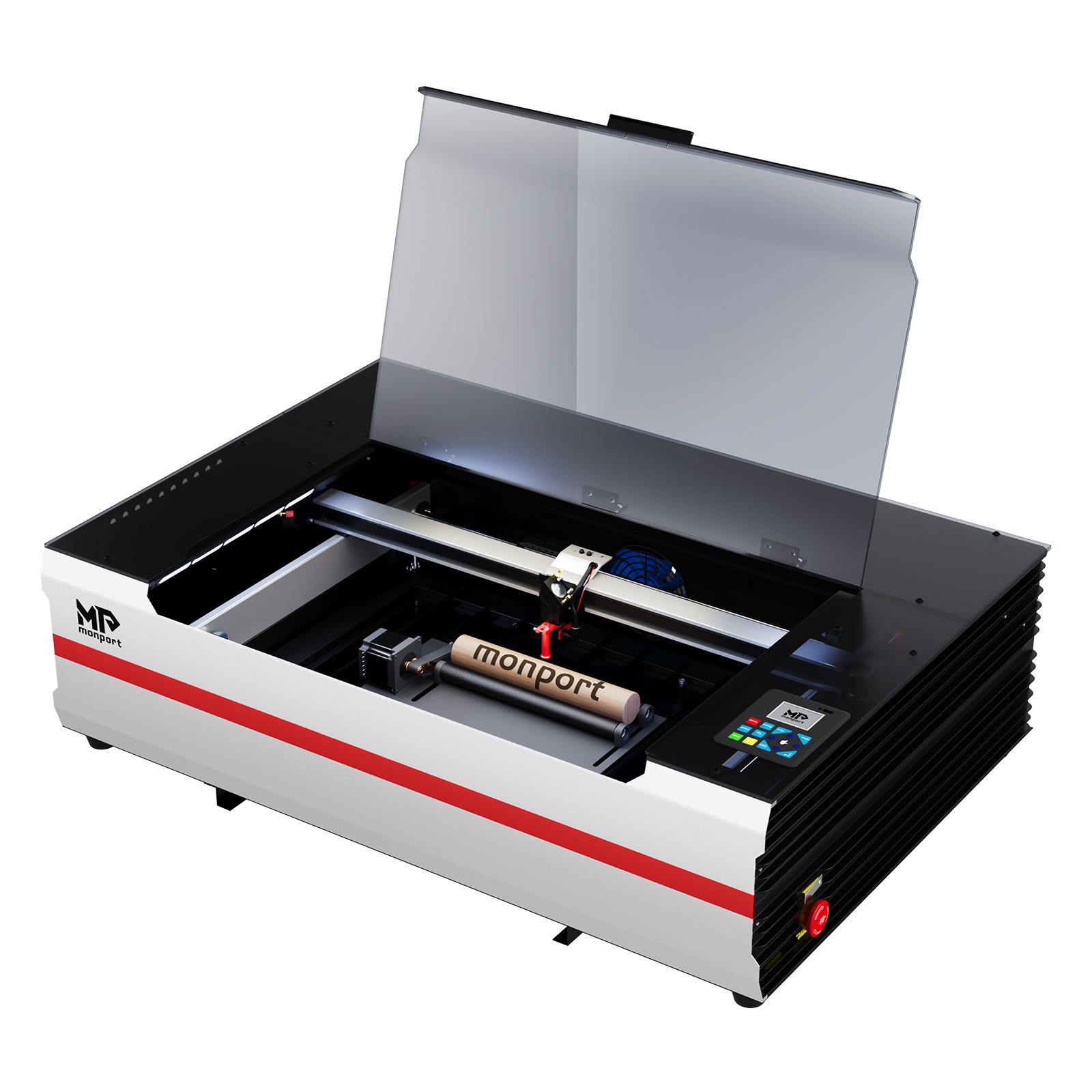
A desktop CO2 laser engraver operates at around 10,600nm. It is generally better suited to non-metal materials, including wood, acrylic, leather, paper, textiles, glass, and some plastics and ceramics.
That means the two technologies are less like competitors and more like specialists.
| Feature | Monport GPro Vision 60W MOPA Fiber | Monport Reno65 Pro 65W CO2 |
|---|---|---|
| Laser type | MOPA Fiber | CO2 |
| Wavelength | 1064nm | 10,600nm |
| Power | 60W | 65W |
| Main strength | Metal marking and engraving | Wood, acrylic, leather and cutting |
| Working area | 175 × 175mm included lens | 600 × 400mm |
| Max. engraving speed | 10,000mm/s | 800mm/s |
| Focus | Autofocus | Magnetic-assisted focus |
| Color marking | Yes | No |
| Cooling | Air cooling | Water cooling |
| Air assist | — | Adjustable, up to 18L/min |
| Z adjustment | Up to 530mm field-lens-to-workbench height | 100mm |
| Software | SapphireMark; LightBurn supported | LightBurn, AutoLaser, TopWisdomLaser |
| Connection | USB, Wi-Fi | USB, Wi-Fi, U-DISK |
The important point is that the higher speed of the fiber machine does not automatically make it the better laser. Its smaller marking area and galvo-based system are designed for a different type of work.
Where a Fiber Laser Makes More Sense
For businesses centered on metal personalization, a fiber laser engraver for metal offers capabilities that a conventional CO2 machine cannot easily replace.
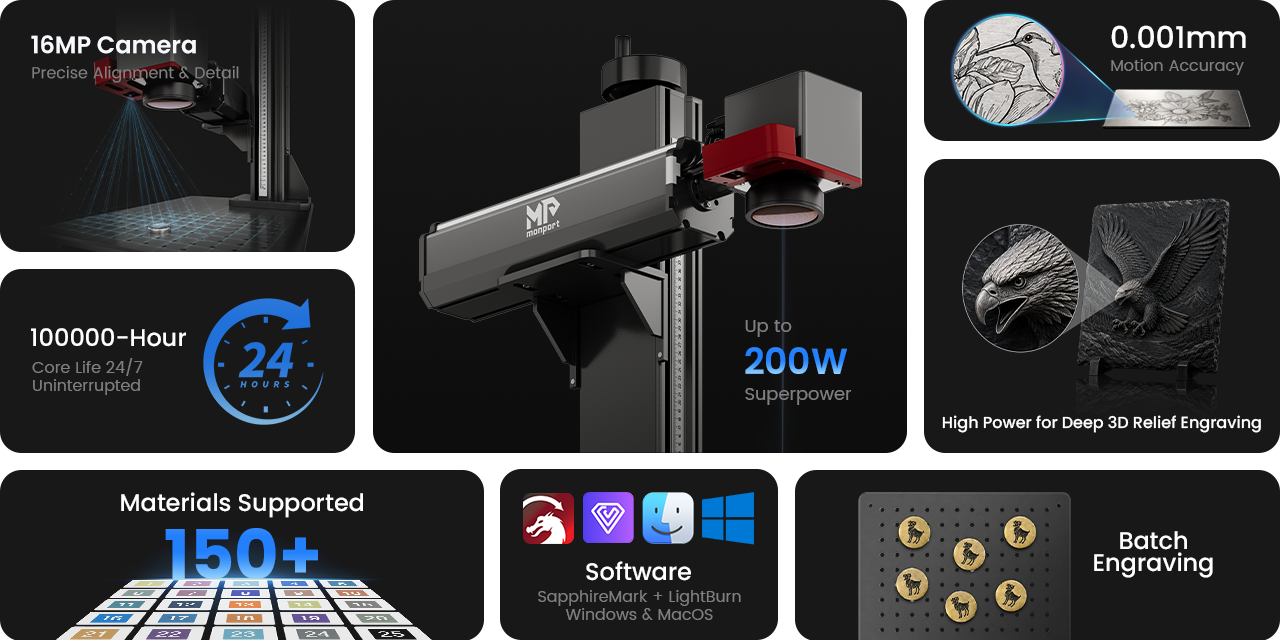
The Monport GPro Vision 60W uses MOPA fiber technology with a 1064nm wavelength. Its adjustable frequency range of 1–3000kHz and pulse width of 2–500ns give users control over laser parameters for different marking applications.
One particularly useful MOPA application is color marking. On suitable stainless steel, titanium, and copper surfaces, carefully controlled settings can create colored or iridescent effects rather than the more conventional dark mark.
The GPro Vision also has a listed maximum engraving speed of 10,000mm/s and 0.01mm engraving accuracy. Its included field lens provides a 175 × 175mm working area, while optional lenses can provide different combinations of detail and coverage.
Another practical feature is the integrated 16MP camera. Instead of relying entirely on manual measurements, the Smart Vision system provides a live view for positioning designs on the material. This can be useful when working with individual products or repeated items in a batch.
For a business producing metal tags, jewelry markings, tools, nameplates, logos, serial numbers, or customized metal products, these features can reduce positioning and setup work.
Where a CO2 Laser Has the Advantage
If the product catalog revolves around wood and acrylic, a desktop CO2 laser engraver is usually the more practical choice.
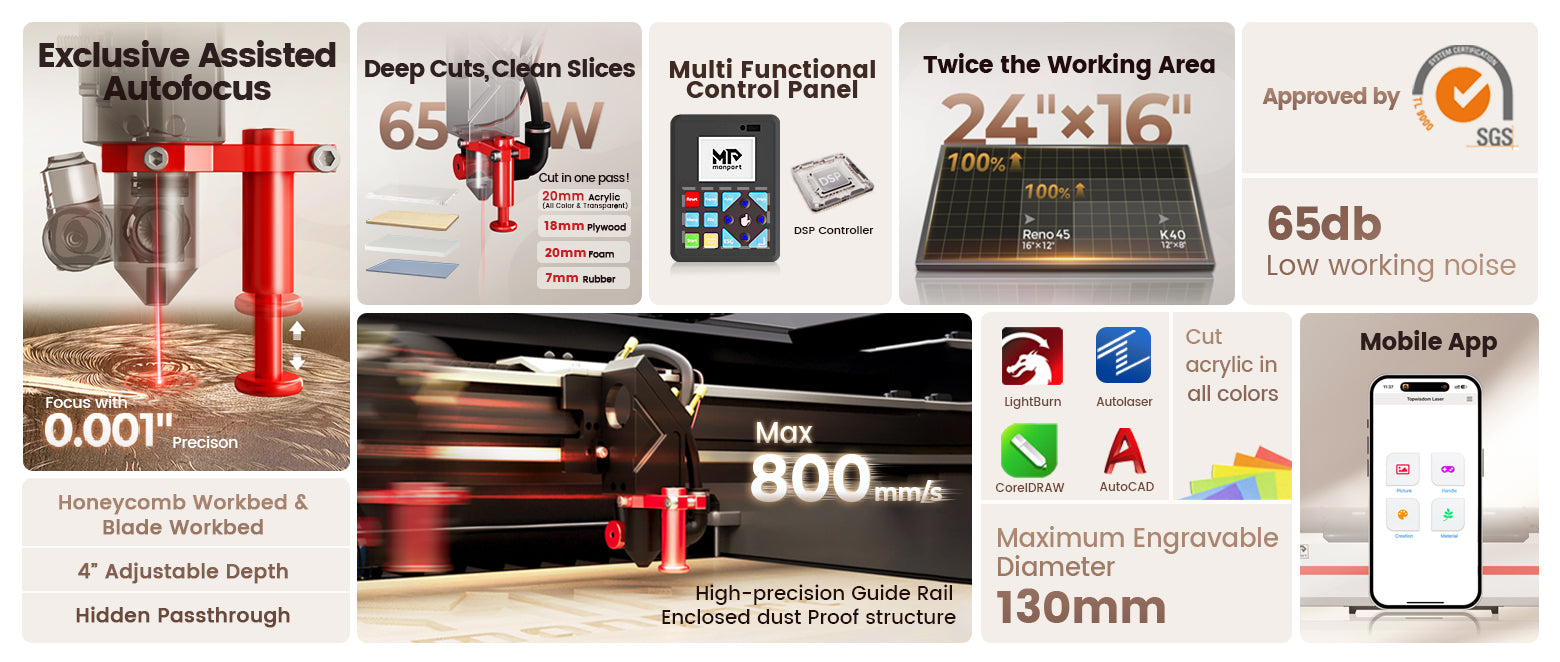
The Monport Reno65 Pro has a 65W CO2 laser and a 600 × 400mm working area. That is substantially larger than the GPro Vision's standard 175 × 175mm field, making the Reno better suited to signs, panels, décor, and other larger pieces.
It is also designed for cutting as well as engraving. Monport lists the Reno65 Pro for wood, acrylic, leather, paper, textiles, glass, plastics, and ceramic tiles, with cutting capability for several compatible materials. (Monport Laser)
The machine has a maximum listed engraving speed of 800mm/s, 100mm of Z-axis adjustment, and both honeycomb and blade workbeds. Its adjustable air assist can provide up to 18L/min of airflow, which is useful when switching between engraving and cutting applications.
Monport also specifies an external water-pump cooling system with a Q-MAX of 3000L/H for the configuration described here.
Which One Is Better for a Laser Business?
There is no single laser that is best for every business. The better choice depends on the products you want to sell, the materials you expect to work with, and the customers you want to serve.
Fiber Laser

A fiber laser engraver for metal can be a strong option for businesses focused on metal personalization and industrial marking. Jewelry makers can use it to add names, dates, logos, or decorative details to compatible metal pieces, while gift businesses can personalize metal tumblers, tags, keychains, plaques, and other suitable products.
Fiber lasers can also serve more specialized customers. Small manufacturers may use them for serial numbers, identification codes, logos, and permanent markings on metal components, while workshops can offer customized tools, plates, and metal parts. This creates opportunities beyond consumer gifts, including corporate orders and B2B marking services.
CO2 Laser

A desktop CO2 laser engraver opens a different range of products because it is better suited to materials such as wood, acrylic, leather, paper, textiles, glass, and other compatible non-metal materials.
Gift shops can create engraved wooden gifts, acrylic displays, personalized boxes, ornaments, and signs. Wedding and event businesses can produce table numbers, welcome signs, invitations, cake toppers, seating displays, favors, and decorative pieces.
CO2 lasers can also benefit small manufacturers and makers producing packaging, templates, signage, displays, and custom components. Because the working area is generally larger than that of a galvo fiber system, a CO2 machine can be particularly useful when products need to be cut as well as engraved.
Which Business Model Fits Your Products?
If your main products are metal jewelry, nameplates, metal tags, tools, components, or industrial markings, a fiber laser may offer the most relevant capabilities.
If you plan to sell wooden signs, acrylic displays, wedding décor, personalized gifts, boxes, leather products, or other cut-and-engraved items, a CO2 laser may provide greater versatility.
For businesses that want to serve both markets, owning both technologies can create a broader product catalog and open additional revenue opportunities.
A desktop CO2 laser engraver is the better fit when your business depends on larger workpieces and materials such as wood and acrylic. Its larger work area and cutting capability can be more valuable than extremely high marking speed.
The choice should therefore follow your product catalog rather than the machine's headline specifications.
What If You Want to Sell Both?

For some businesses, investing in both a fiber laser engraver for metal and a desktop CO2 laser engraver can make more commercial sense than trying to make one machine handle every order. Each technology can take responsibility for the materials and applications it handles best.
Jewelry Makers
A jewelry business may use a fiber laser to engrave names, initials, dates, patterns, or other details on compatible metal jewelry. The same business could use a CO2 laser to create wooden or acrylic jewelry displays, presentation boxes, product tags, and branded packaging.
This means one customer purchase can potentially involve multiple products rather than just one engraved item.
Wedding and Event Businesses
A wedding supplier may receive an order for metal keepsakes or personalized metal favors that can be handled with a fiber laser. The same client may also need wooden table numbers, acrylic welcome signs, seating charts, cake toppers, invitation details, or decorative pieces that are better suited to a CO2 laser.
Having both machines allows the business to offer a more complete wedding package instead of outsourcing part of the order.
Gift Shops and Personalization Businesses
A gift shop can use a fiber laser for compatible metal products such as tags, plaques, keychains, jewelry, or other personalized items. A CO2 laser can expand the catalog with wooden signs, acrylic gifts, engraved boxes, leather products, ornaments, and displays.
This variety can help a shop serve customers looking for both small personalized gifts and larger decorative products.
Small Manufacturers and B2B Suppliers
A small manufacturer may need a fiber laser for permanent logos, serial numbers, identification marks, or other markings on metal components. At the same time, the business may need a CO2 laser to produce acrylic displays, wooden packaging, templates, signs, or other compatible non-metal components.
For B2B customers, having both technologies can make it possible to accept more complete orders instead of referring different parts of the project to another supplier.
Growing Beyond One Product Category
The biggest advantage of owning both machines is flexibility. A business can start with one profitable product category and expand when customers begin requesting related products made from different materials.
For example, a business that starts with engraved metal tags may later add acrylic displays, wooden signs, personalized gift boxes, or event décor. Instead of replacing the original machine, adding the second laser allows each system to complement the other.
The goal is not simply to own two machines. It is to build a product range that gives customers more reasons to buy from the same business.
Conclusion
Choosing between a fiber laser engraver for metal and a desktop CO2 laser engraver is less about deciding which machine is superior and more about deciding what your customers actually need.
For metal-focused businesses, the GPro Vision 60W brings MOPA technology, 16MP visual positioning, autofocus, and high-speed marking into a compact metal-processing workflow.
For businesses centered on wood, acrylic, leather, and larger-format projects, the Reno65 Pro's 600 × 400mm workspace and 65W CO2 system provide a different set of advantages.
And for businesses ready to broaden their product range, using both technologies can be a practical way to move from one material category into several.
Before purchasing, look beyond wattage. Consider your materials, product sizes, expected order volume, workspace, maintenance requirements, and the products you can realistically sell.
Ready to elevate your engraving game? Shop now and use code BESTMP10 at checkout – click here to get started!
Frequently Asked Questions
Is a fiber laser better than a CO2 laser for metal?
Yes. A fiber laser engraver for metal is generally better for direct marking and engraving compatible metals because its 1064nm wavelength is suited to metal processing.
Is a CO2 laser better for wood?
Yes. A desktop CO2 laser engraver is generally better suited to engraving and cutting wood because CO2 laser wavelengths interact effectively with many organic and non-metal materials.
Can a fiber laser replace a CO2 laser?
No. A fiber laser engraver for metal and a CO2 laser have different material strengths. A fiber laser is not a practical replacement for a CO2 machine when wood, acrylic, and similar materials are central to production.
What should a small laser business buy first?
Start with the technology that matches your main products. Choose a fiber laser engraver for metal for metal-focused work and a desktop CO2 laser engraver for wood, acrylic, leather, and cutting-focused products.
Can I use both lasers in one business?
Yes. Combining a fiber laser engraver for metal with a desktop CO2 laser engraver can expand the range of products a business can offer, allowing each machine to handle the materials it processes most effectively.





