


Why Choose a Desktop CO2 Laser Cutter?
Choosing the right desktop CO2 laser cutterstarts with understanding what you need to make, how much workspace you have, and how much production you expect to handle. Compared with a diode laser, a CO₂ laser can offer broader material versatility and stronger cutting performance for materials such as wood, acrylic, leather, and other non-metal materials. Compared with a large floor-standing CO₂ machine, a desktop model takes up less space while still providing the capabilities needed for many hobby, workshop, and small-business projects.
A desktop CO₂ laser cutter can be a practical choice for makers, hobbyists, educators, and small businesses that need a balance of workspace, cutting capability, material flexibility, and production efficiency. It can support projects ranging from personalized gifts and signage to prototypes, crafts, and small-batch products without requiring the footprint of a larger industrial machine.
The Monport Reno Series is designed around this balance, combining a compact desktop format with practical engraving and cutting performance. With 45W and 65W models available, users can choose a configuration that better matches their available workspace, project requirements, production volume, and budget.
For anyone starting a laser engraving business, a desktop CO₂ laser cutter can provide room to grow while keeping equipment manageable. The Reno Series can be used for custom gifts, woodworking projects, acrylic products, educational activities, prototypes, and small-batch production, making it suitable for users who want to turn creative projects into a potential side business or expand an existing product line.
45W vs. 65W Desktop CO2 Laser Cutter: Which Power Level Do You Need?
The biggest decision in the Reno Series is whether a 45W or 65W desktop CO2 laser cutter better matches your workflow. The difference is not simply about having more power. It also affects the type and size of projects you can comfortably handle, the available workspace, and how well the machine fits a growing production workflow.
| Consideration | 45W Reno Models | 65W Reno Models |
|---|---|---|
| Typical Projects | Personalized gifts, crafts, smaller signs, prototypes | Larger signs, panels, decorations, business products |
| Work Area | 16" × 12" | 24" × 16" |
| Cutting Needs | Suitable for common wood, acrylic, leather, paper, and craft projects | Better suited to more demanding cutting and thicker materials |
| Workspace Needs | Better when bench space is limited | Requires more room but accommodates larger materials |
| Production Volume | Hobbyists, makers, and smaller production runs | Small businesses and higher-volume production |
| Best Reason to Choose | Compact setup and lower entry cost | Larger projects, more cutting capability, and room to scale |
Monport Reno45: A Practical Starting Point
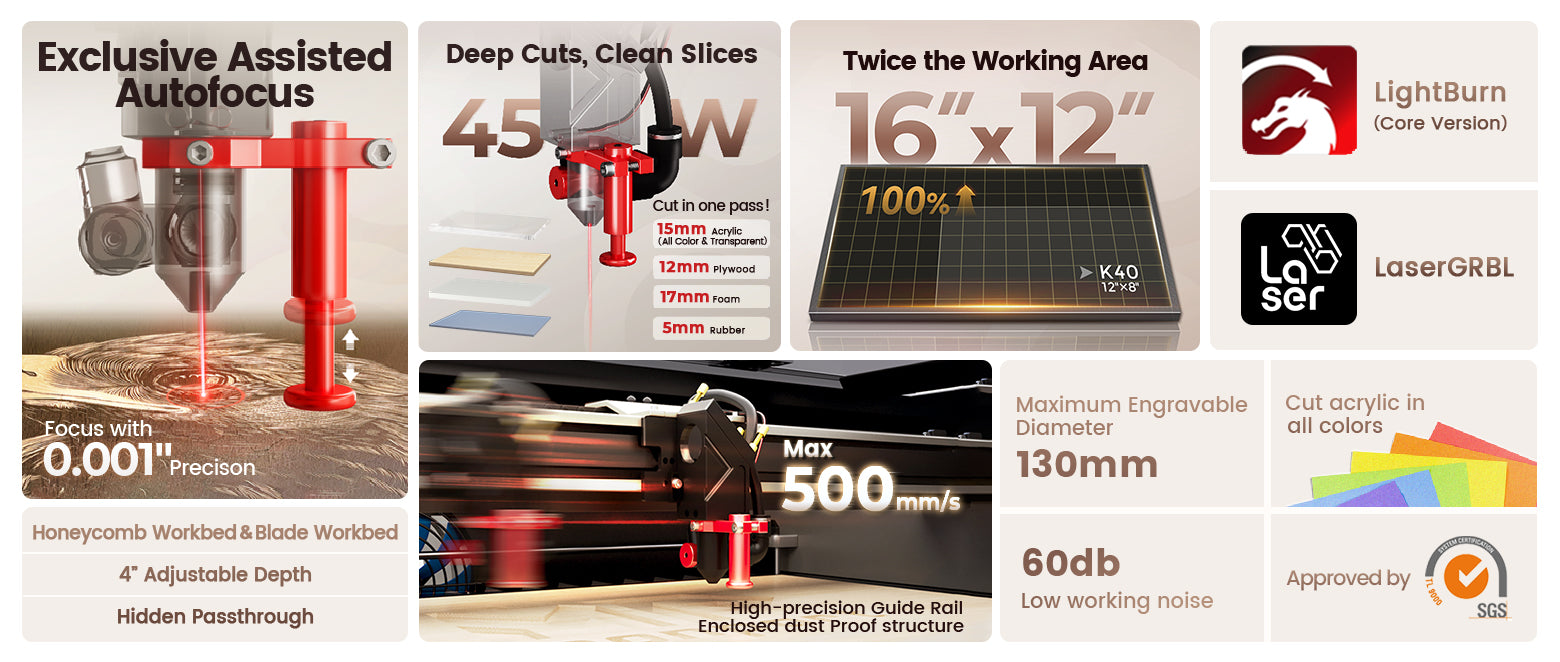
The Reno45 is a 45W desktop CO2 laser cutter with a 16" × 12" working area and a maximum engraving speed of 500 mm/s. Magnetic Assisted Focus helps simplify setup, while the compact design makes it suitable for home workshops, hobby projects, and smaller businesses.
The machine can engrave and cut materials including wood, acrylic, leather, paper, textiles, glass, plastics, and ceramic tiles. It can also be used for engraving coated or painted metal surfaces. The Reno45 supports a rotary attachment and includes a hidden pass-through design.
For buyers who are still developing their product range, the Reno45 can provide a practical entry point into CO₂ laser cutting and engraving.
Reno45 Pro: More Speed for Production
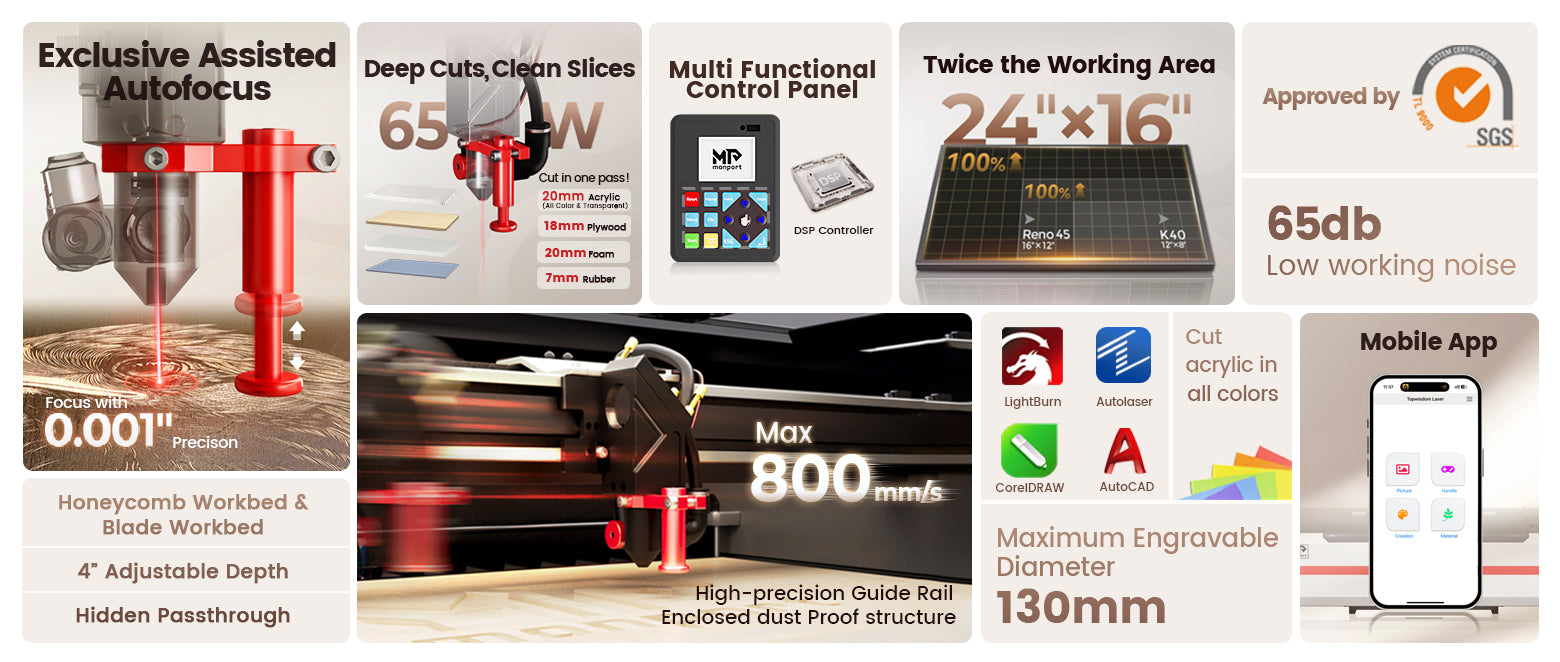
The Reno45 Pro keeps the 45W power and 16" × 12" work area but increases maximum engraving speed to 600 mm/s.
This makes it a better fit for users who already know they need faster processing. It can be useful for small businesses producing personalized products, wood and acrylic projects, signs, and repeated customer orders.
For someone starting a laser engraving business, the Reno45 Pro can be a practical middle option when production speed matters but the larger 65W workspace is not yet necessary.
Reno45 Pro Vision: Smarter Positioning
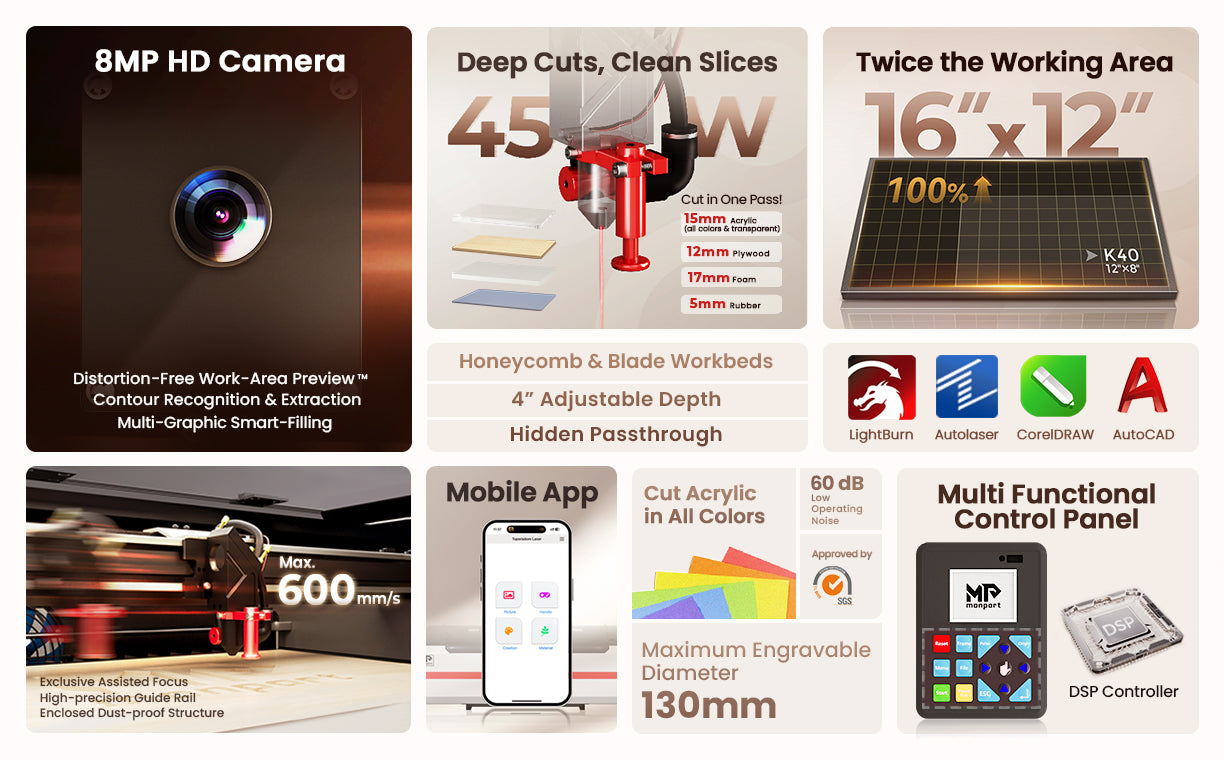
The Reno45 Pro Vision adds an 8MP Vision Camera to the 45W platform. The camera supports workspace preview, automatic edge and contour recognition, and positioning workflows.
This can be particularly useful when working with irregular-shaped materials, multiple objects, or repeat orders. Instead of manually estimating placement for every project, camera-assisted positioning can help streamline setup and improve consistency.
For small-batch businesses where setup time and material placement are important, the Vision model offers a workflow advantage beyond simply increasing laser power.
Choose 65W If You Need More Cutting Capability
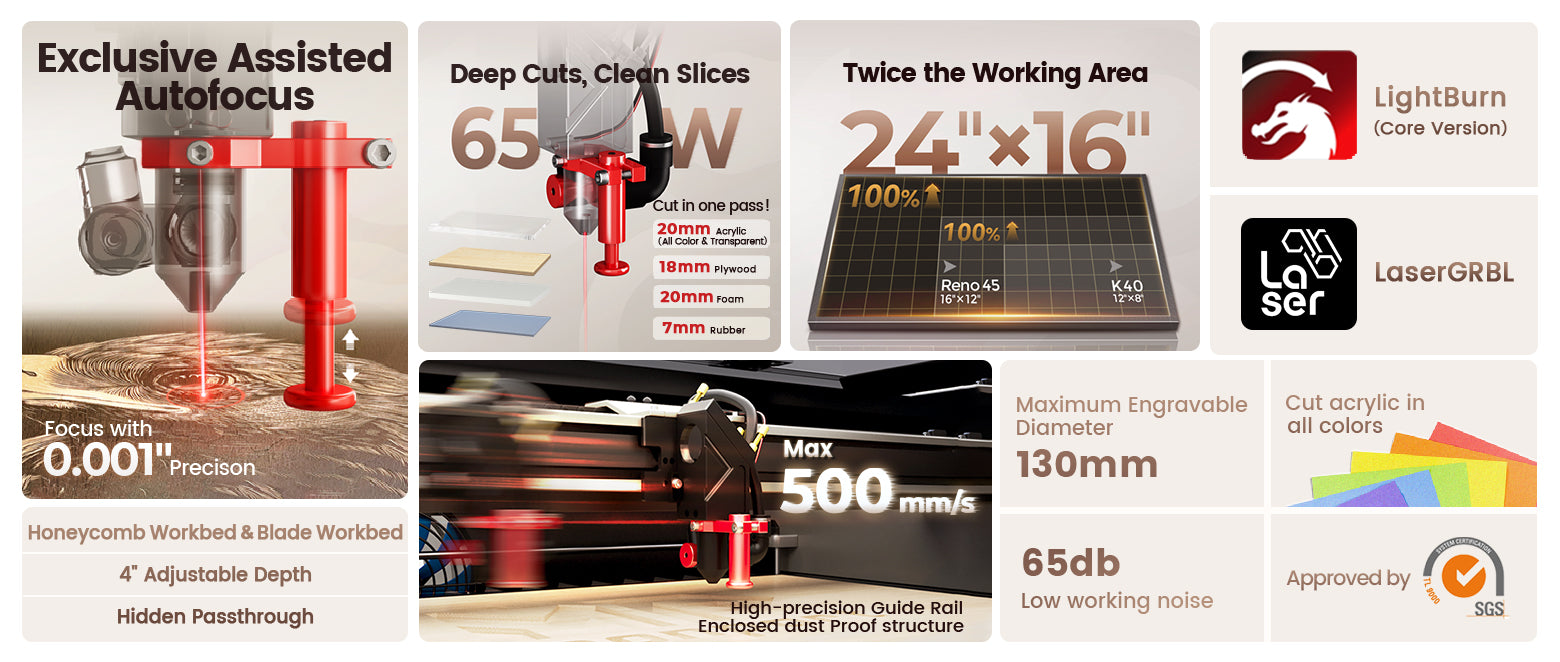
A 65W model becomes more attractive when cutting performance and larger projects are important. The Reno65 family provides a 24" × 16" work area, giving you substantially more room for larger signs, panels, decorations, and multiple smaller pieces in one setup.
The additional power can also be useful when your workflow involves more demanding cutting applications. Monport positions the Reno65 Pro, for example, for high-speed engraving, thicker material cutting, and professional small-batch production.
Consider Production Volume, Not Just Power
If you only produce occasional projects, maximum engraving speed may not be the most important factor. However, when you are handling repeated customer orders, faster engraving and a larger work area can help reduce processing time and make batch production more practical.
In simple terms:
- Choose 45W when compact projects, limited workspace, and entry-level production are your priorities.
- Choose 65W when larger materials, stronger cutting capability, and business growth are more important.
- Choose a Pro model when faster engraving and production efficiency matter.
- Choose a Vision model when camera-assisted positioning and batch processing can save setup time.
Once you decide between 45W and 65W, you can compare the individual Reno models based on speed, camera features, and workflow.
Reno65 Pro: Built for Faster Work
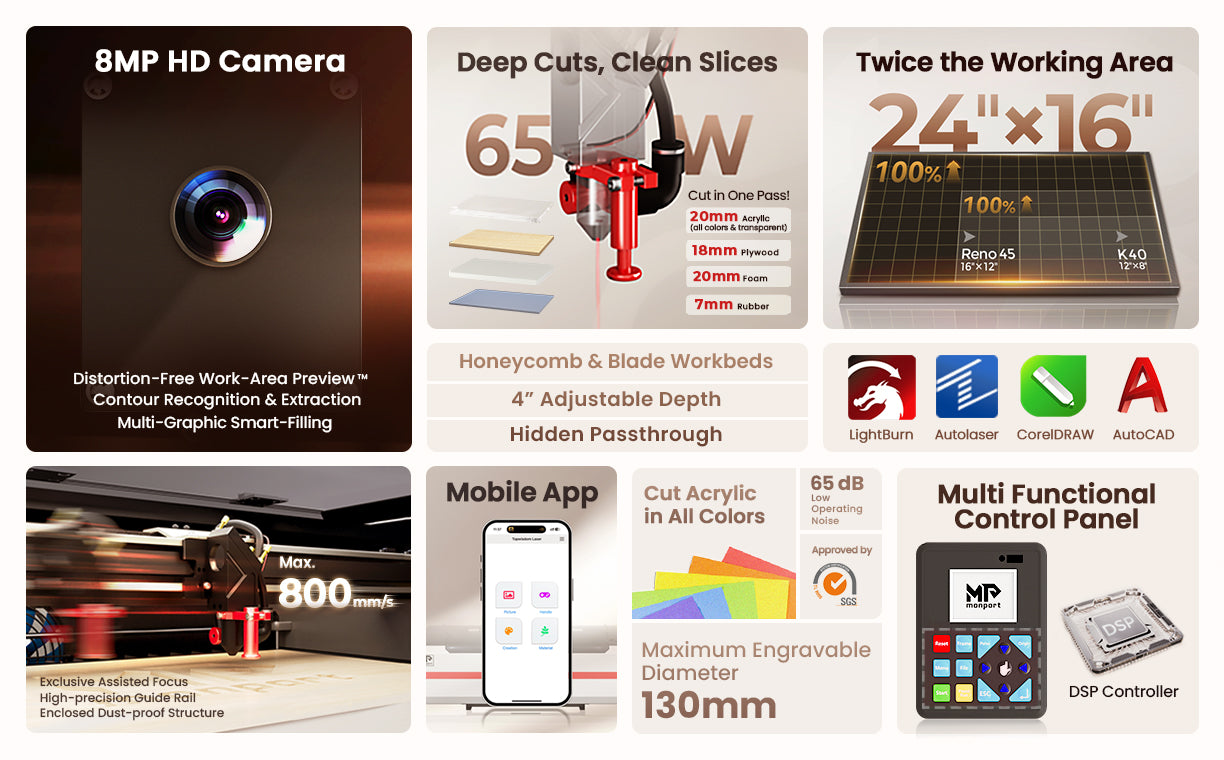
The Reno65 Pro combines 65W power with a maximum engraving speed of 800 mm/s and a 24" × 16" work area. Monport positions the model for high-speed engraving, thicker material cutting, professional small-batch production, and app control.
Its app-control workflow allows users to preview designs, adjust settings, save files, and start engraving directly from the machine. The official specifications also list compatibility with LightBurn, AutoLaser, and TopWisdomLaser, as well as Windows, macOS, Linux, Android, and iOS.
For a growing laser engraving business, the combination of 65W power, a larger work area, and 800 mm/s maximum engraving speed makes the Reno65 Pro a stronger choice when production efficiency is a priority.
Reno65 Pro Vision: Advanced Batch Production
The Reno65 Pro Vision combines 65W power and an 800 mm/s maximum engraving speed with an 8MP HD camera. It is designed for camera-based positioning, batch processing, accurate preview engraving, and commercial production.
The Vision camera can preview the workspace, recognize shapes, and assist with contour-based positioning. This can make the machine particularly useful for businesses processing repeated orders or multiple pieces in a single setup.
The supplied product information also states that the 65W system can cut up to 20 mm acrylic in a single pass. For production use, actual cutting results can vary depending on material type, density, thickness, and tested laser settings.
Reno Series Comparison
 |
 |
|
 |
 |
|
|
|---|---|---|---|---|---|---|
| Specification | Reno45 | Reno45 Pro | Reno45 Pro Vision | Reno65 | Reno65 Pro | Reno65 Pro Vision |
| Power | 45W | 45W | 45W | 65W | 65W | 65W |
| Work Area | 16" × 12" | 16" × 12" | 16" × 12" | 24" × 16" | 24" × 16" | 24" × 16" |
| Max Engraving Speed | 500 mm/s | 600 mm/s | 600 mm/s | 500 mm/s | 800 mm/s | 800 mm/s |
| Camera | — | — | 8MP Vision Camera | — | — | 8MP HD Camera |
| Key Advantage | Compact entry option | Faster production | Camera & positioning | Larger workspace | High-speed production | Camera & batch processing |
| Listed Price | $1,149.99 | $1,499.99 | $1,499.99 | $1,599.99 | $2,249.99 | $2,749.99 |
The listed prices and specifications are taken from the supplied product information.
Which Desktop CO2 Laser Cutter Is Right for You?
A desktop CO2 laser cutter should match your project size, production volume, and desired workflow. The Reno45 is a sensible choice for compact workspaces and entry-level projects. The Reno45 Pro adds speed, while the Reno45 Pro Vision adds camera-assisted positioning.
If you need a larger work area, the Reno65 provides more room. The Reno65 Pro is better suited to faster production, while the Reno65 Pro Vision is the premium option for camera positioning and batch work.

Important Details Before Buying
Before choosing your machine, consider:
- Your available workspace
- Typical material sizes
- Required cutting power
- Expected production volume
- Whether camera positioning is useful
- Whether you need rotary attachment compatibility
- Your software and operating-system preferences
The Reno Series supports a broad range of materials, including wood, acrylic, leather, paper, textiles, glass, plastics, and ceramic tiles.
FAQs
Is a Reno machine suitable for starting a laser engraving business?
Yes. The Reno45 and Reno65 families include options for hobby work, custom products, small businesses, and small-batch production.
Which Reno model has a camera?
The Reno45 Pro Vision and Reno65 Pro Vision feature 8MP camera systems for positioning and batch workflows.
Which Reno model has the largest work area?
The Reno65, Reno65 Pro, and Reno65 Pro Vision all provide a 24" × 16" working area.

Key Takeaways
- Desktop CO2 laser cutter options are available in 45W and 65W versions.
- Reno45 models suit compact projects and smaller businesses.
- Reno65 models provide a larger 24" × 16" work area.
- Pro models focus on faster production.
- Vision models add camera-assisted positioning and batch capabilities.
- All Reno models are designed around engraving and cutting versatility.
Conclusion: Build Your Workflow with Reno
The right desktop CO2 laser cutter depends on what you plan to make and how quickly you need to produce it. From the compact Reno45 to the advanced Reno65 Pro Vision, the Reno Series gives makers and business owners several ways to match their machine to their workflow.
If you are starting a laser engraving business, compare the working area, speed, camera features, and production needs before choosing. Explore the Reno Series and select the model that gives you the right balance of capability, workspace, and investment for your next stage of growth.





