


If you’ve been working with metal engraving for a while, you already know stainless steel can be tricky. It looks simple, but getting clean, deep, and consistent marks takes real skill. That’s where smart fiber laser tips and tricks come in. When you combine them with the right laser settings for stainless steel marking, you can turn average results into professional-grade finishes that customers actually pay for.
In this guide, I’ll walk through practical ideas, not theory. Stuff you can try right away in your shop. Whether you’re doing logos, serial numbers, or custom designs, these fiber laser tips and tricks paired with optimized laser settings for stainless steel marking will help you improve quality fast. If you’re still exploring machines, you can also see our laser engraver buying guide 2026 to choose the right setup.
And if you’re planning to upgrade, don’t forget to use code BESTMP10 for 8% off when you shop.

Monport GT 100W Split MOPA Fiber Laser Engraver & Color Marking Machine With AutoFocus

Understanding Stainless Steel Marking Basics
Before jumping into advanced fiber laser tips and tricks, it’s important to understand how stainless steel reacts to a laser.
Unlike softer metals, stainless steel doesn’t always engrave deep easily. Most of the time, you are doing surface marking, annealing, or light etching. That’s why correct laser settings for stainless steel marking is critical.
Key factors include
-
Power level
-
Frequency
-
Speed
-
Pulse width
Even small adjustments in these can completely change your output. Many beginners just increase power, but that often burns the surface instead of improving quality.
Surface Preparation Makes a Huge Difference
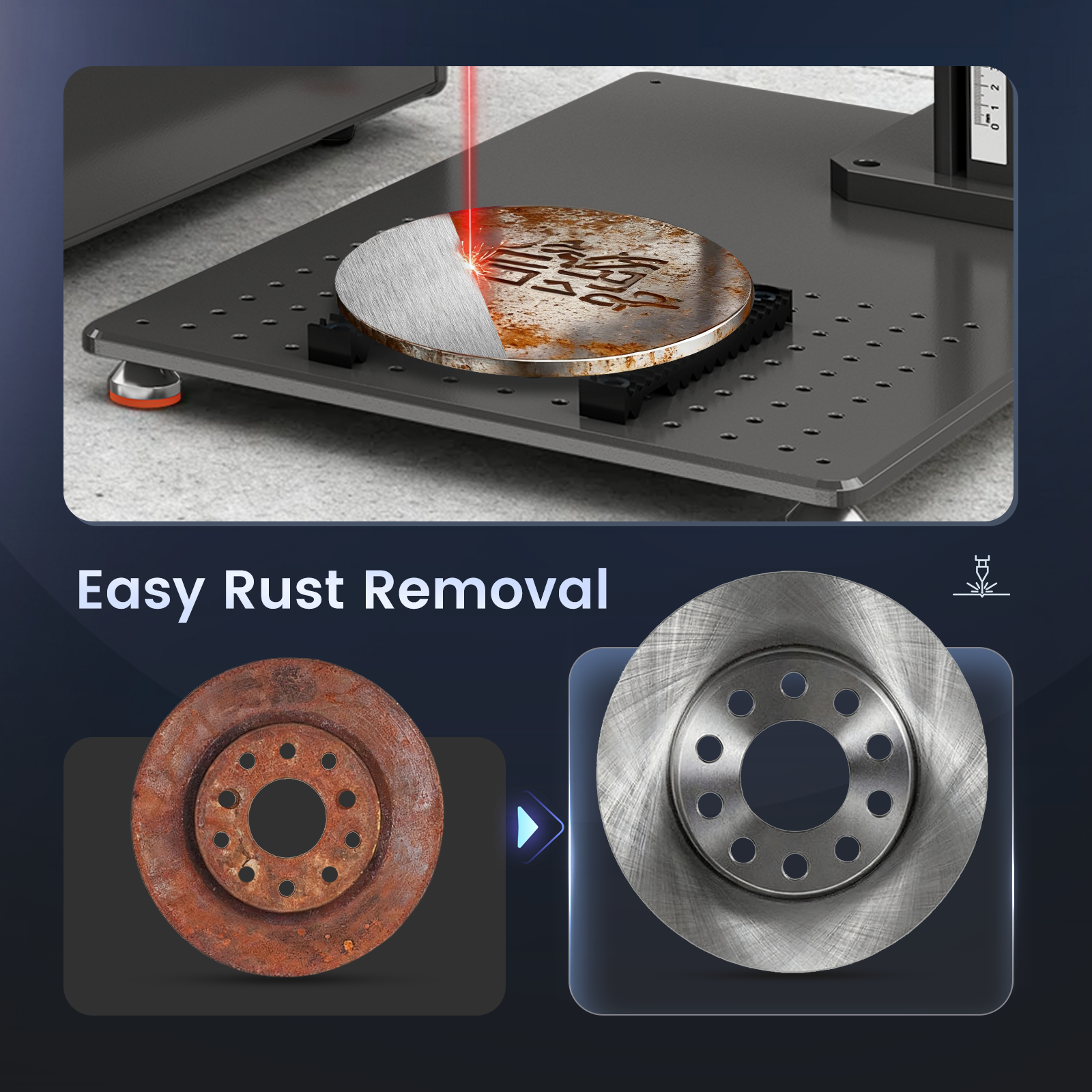
One of the most overlooked fiber laser tips and tricks is simple cleaning. Dirty metal equals poor results.
Before engraving, make sure the surface is
-
Free from oil
-
Dust-free
-
Not oxidized
Use alcohol wipes or a clean cloth. This alone can improve marking contrast. It also helps your laser settings for stainless steel marking work as intended.
If you skip this step, even the best machine won’t save you.
Dialing in the Right Laser Settings
This is where most people struggle. There’s no “one perfect setting,” but there are good starting points.
For stainless steel, try
-
Lower speed for deeper marks
-
Medium power to avoid burning
-
Higher frequency for smoother finish
Fine-tuning these laser settings for stainless steel marking is one of the most valuable fiber laser tips and tricks you can learn.
Also, don’t rush. Test on scrap pieces first. A few minutes of testing saves hours of wasted material.
Why MOPA Fiber Lasers Give Better Results
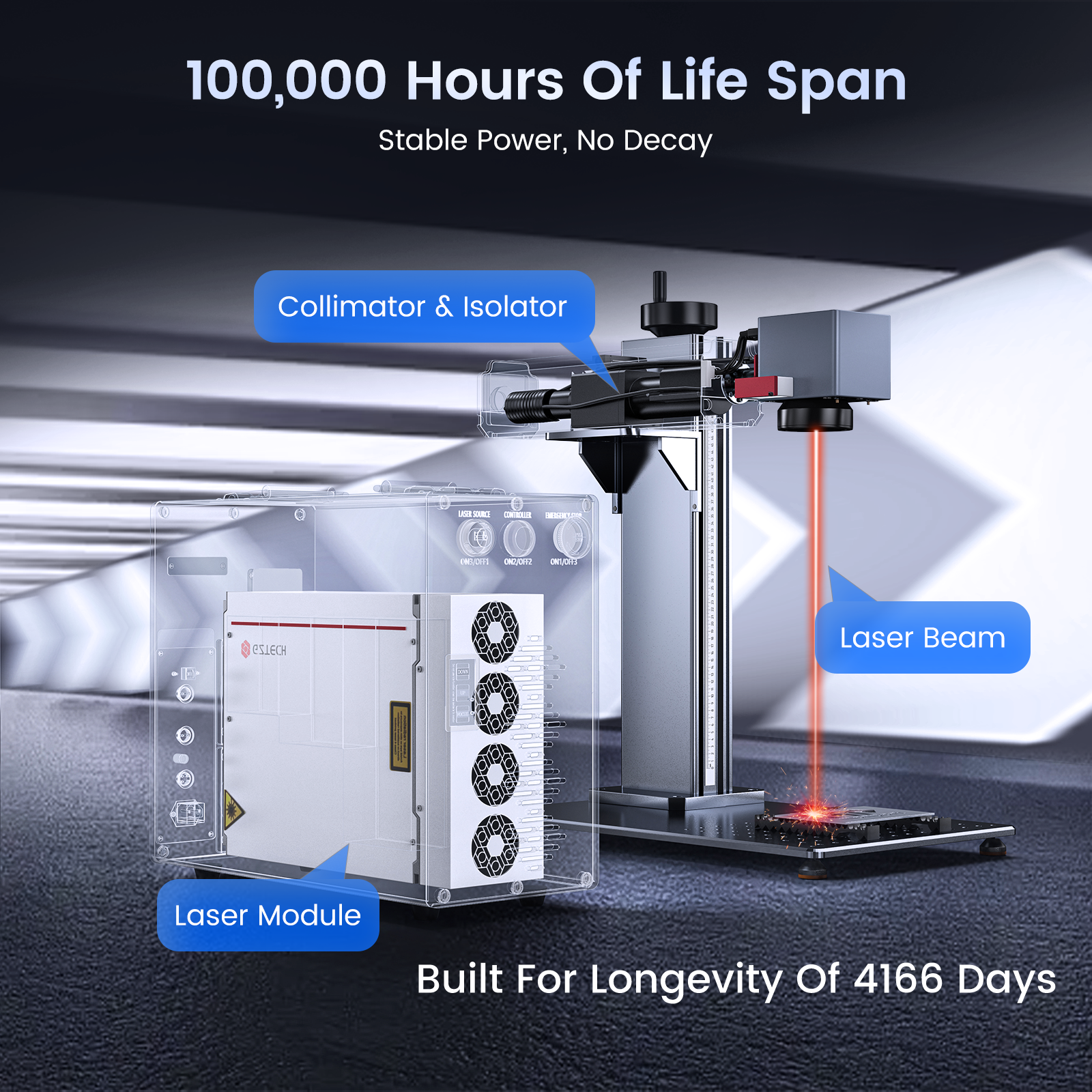
If you want next-level marking, MOPA technology is worth it.
The Monport GT 100W Split MOPA Fiber Laser Engraver stands out because it gives more control over pulse width and frequency. That means better flexibility when adjusting laser settings for stainless steel marking.
Some real advantages
-
Adjustable pulse width from 2–500 ns
-
Frequency range up to 3,000 kHz
-
Color marking capability on metals
-
High precision at 0.01 mm
These features make advanced fiber laser tips and tricks easier to apply. You can get darker blacks, smoother finishes, and even color effects.
Speed vs Quality Finding the Balance
A common mistake is running too fast.
Yes, high speed (like 10,000 mm/s) is great for productivity. But for stainless steel, slowing down often gives better results.
One of the simplest fiber laser tips and tricks is this
Reduce speed slightly, then adjust power and frequency again.
This lets your laser settings for stainless steel marking create cleaner, more visible marks without overburning.
Using Multiple Passes for Better Depth
Instead of forcing a deep mark in one pass, try multiple passes.
This is one of the most effective fiber laser tips and tricks for stainless steel.
Benefits include
-
Better control over depth
-
Less heat damage
-
Cleaner edges
When using this method, adjust your laser settings for stainless steel marking to lower power per pass. It keeps the finish smooth and professional.
Auto Focus and Precision Matter
Manual focusing can cause inconsistent results, especially if you’re doing batch work.
Machines like the Monport GT 100W come with autofocus, which ensures every piece is engraved at the correct focal distance. This makes your fiber laser tips and tricks more reliable.
Consistent focus means your laser settings for stainless steel marking behave the same every time. That’s how you scale production without losing quality.
Advanced Techniques for Premium Results
If you want your work to stand out, try these advanced ideas.
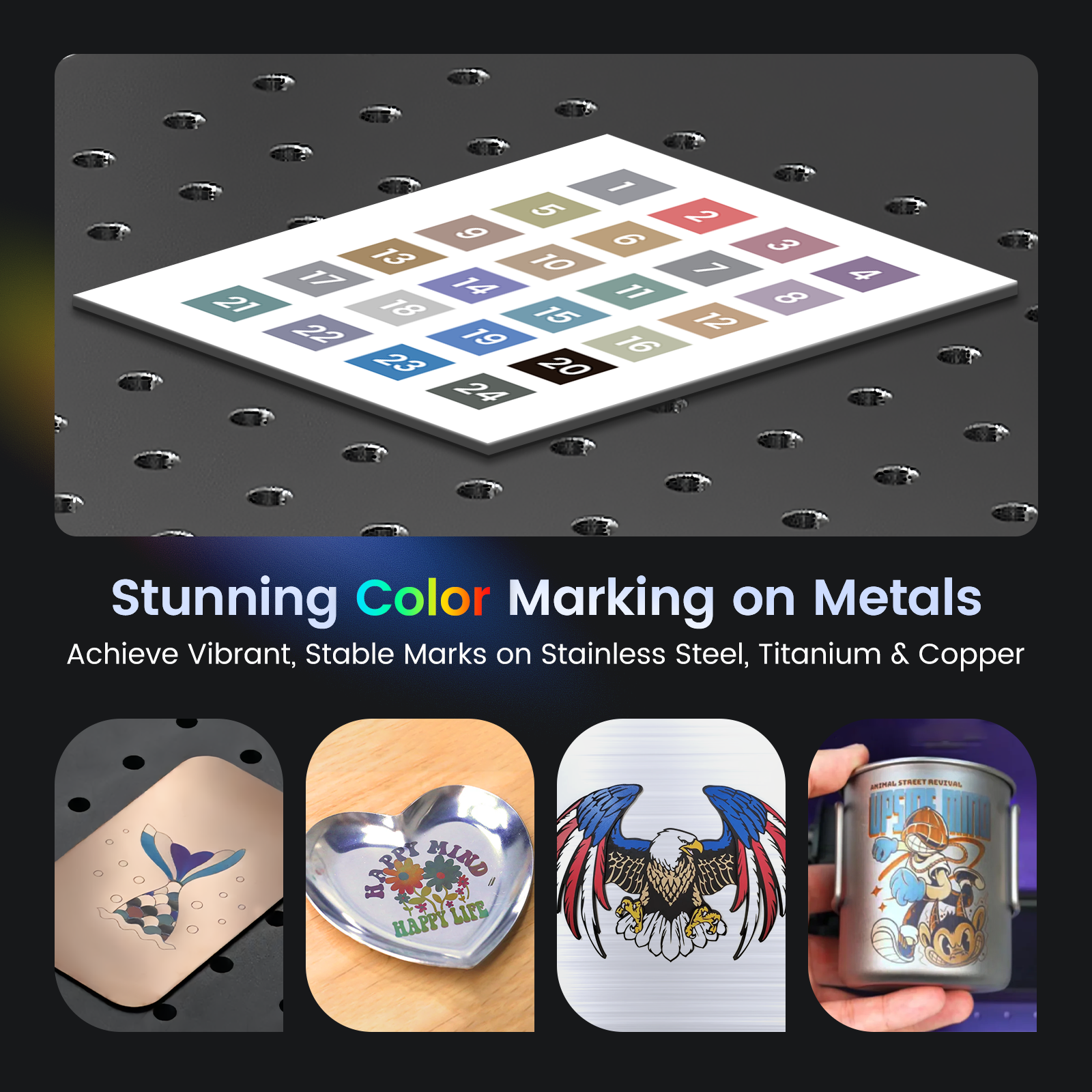
Color Marking
With MOPA lasers, you can produce colors on stainless steel. This depends heavily on precise laser settings for stainless steel marking.
It’s one of the more advanced fiber laser tips and tricks, but once you get it, your products become more valuable.
Deep Engraving and 3D Effects
For logos or branding plates, deeper engraving adds a premium feel.
Use
-
Multiple passes
-
Controlled power
-
Consistent speed
Again, careful laser settings for stainless steel marking is key here.
Why Monport Is a Smart Choice
If you’re serious about improving quality, your machine matters.
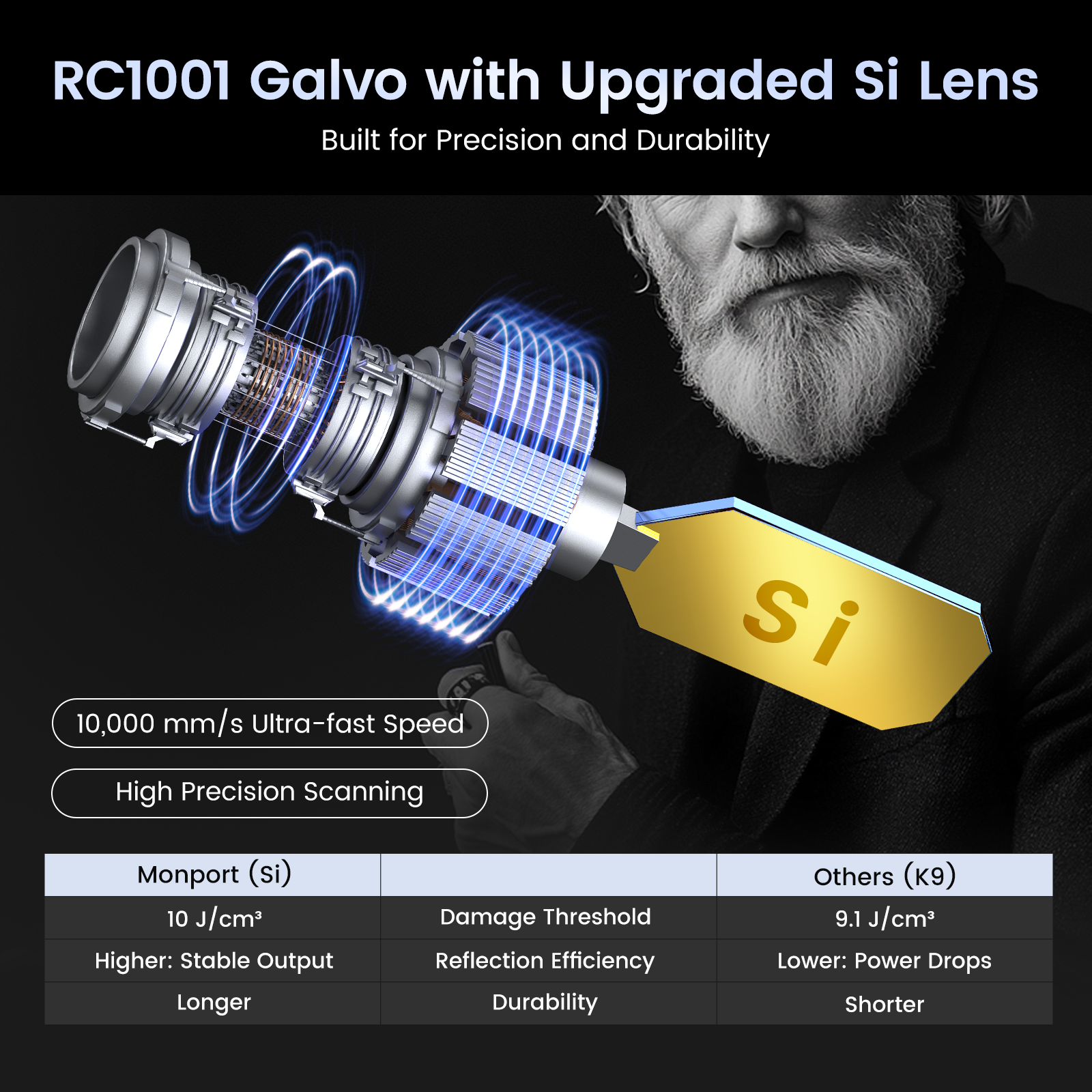
The Monport GT 100W Split MOPA Fiber Laser Engraver is built for both beginners and professionals. It combines speed, precision, and flexibility, making it easier to apply all these fiber laser tips and tricks.
What makes it stand out
-
Autofocus for consistent results
-
High-speed engraving up to 10,000 mm/s
-
Deep engraving and 3D capability
-
Air cooling for long runs
-
Works on multiple materials
It basically removes a lot of guesswork when dialing in laser settings for stainless steel marking.
If you want to upgrade your workflow and produce better output, this is a solid investment.
Shop Now and use code BESTMP10 for 8% off. Don’t wait too long, better tools usually mean faster profits.
Common Mistakes to Avoid
Even experienced users make these mistakes.
-
Using too much power
-
Ignoring surface cleaning
-
Skipping test runs
-
Wrong focus distance
-
Relying on one-pass engraving
Avoiding these will make your fiber laser tips and tricks more effective and your laser settings for stainless steel marking more consistent.
Key Takeaways
-
Clean surface prep matters more than most think
-
Small tweaks in laser settings for stainless steel marking can change everything
-
Consistency comes from repeatable fiber laser tips and tricks
-
MOPA fiber lasers give better control for color and contrast
-
Speed is not always your friend, slow down when needed
FAQs

1. What is the best speed for stainless steel marking?
It depends, but slower speeds usually give better results. Always test with your laser settings for stainless steel marking.
2. Can I engrave deep on stainless steel?
Yes, using multiple passes is one of the best fiber laser tips and tricks for deeper engraving.
3. Why is my marking not dark enough?
You may need to adjust frequency and power. Fine-tuning your laser settings for stainless steel marking helps improve contrast.
4. Is MOPA better than standard fiber laser?
Yes, especially for color marking and precision. It allows more advanced fiber laser tips and tricks.
5. Do I need autofocus?
Not required, but it helps a lot with consistency and improves how your laser settings for stainless steel marking perform.
Conclusion
Improving stainless steel marking is not about luck. It’s about applying the right fiber laser tips and tricks and understanding your laser settings for stainless steel marking. Start with clean material, test your settings, and don’t rush the process. If you want even better results, upgrading to a MOPA system like Monport can give you more control and flexibility.
If you’re ready to take your engraving business to the next level, now is the time. Discover more, explore better tools, and see our laser engraver buying guide 2026 to make the right choice. Then Shop Now and use BESTMP10 for 8% off before you miss it.





