


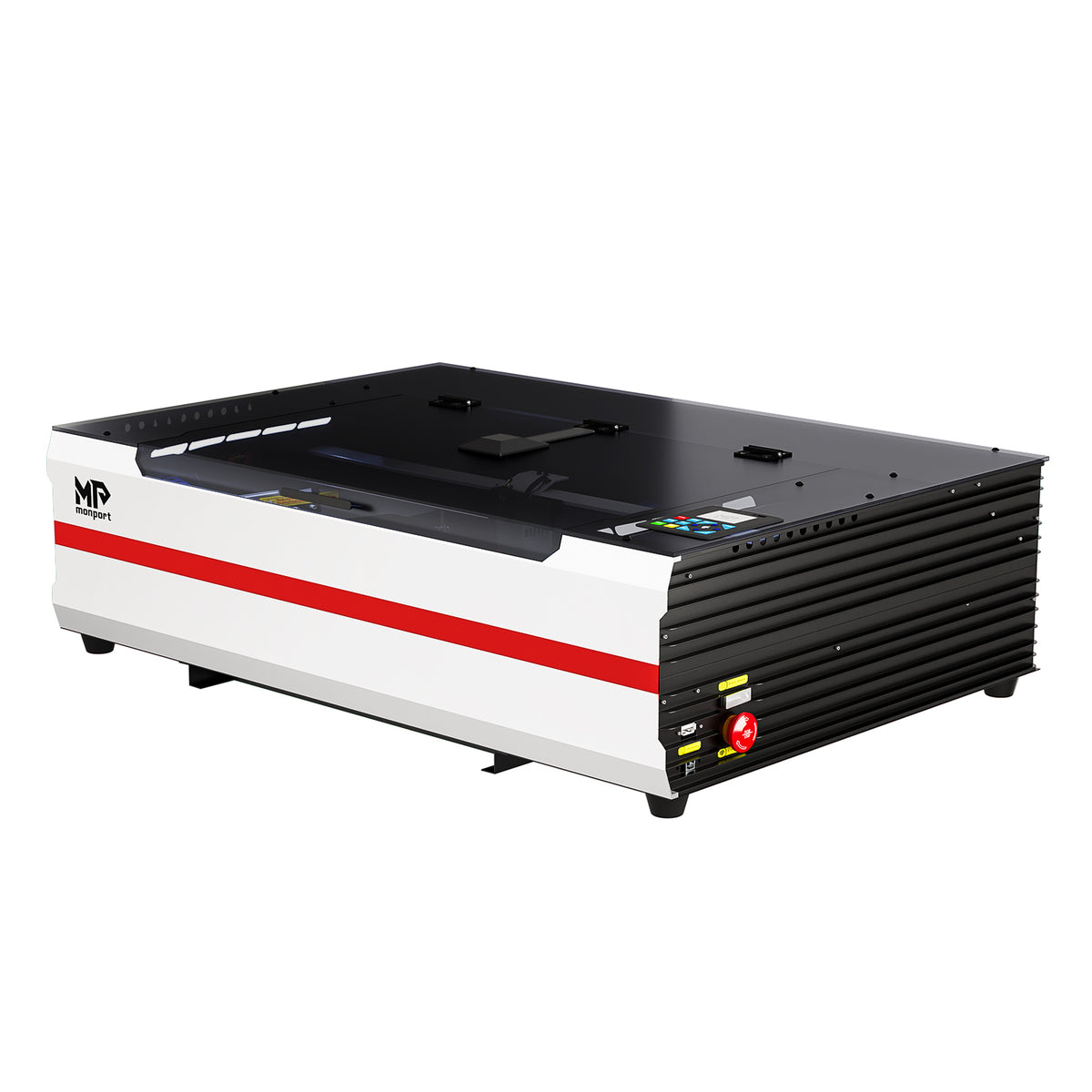
Brand New Monport Reno 65W Desktop CO2 Laser Engraver (24"×16") | Built-In Water Cooling, Magnetic Assisted Focus
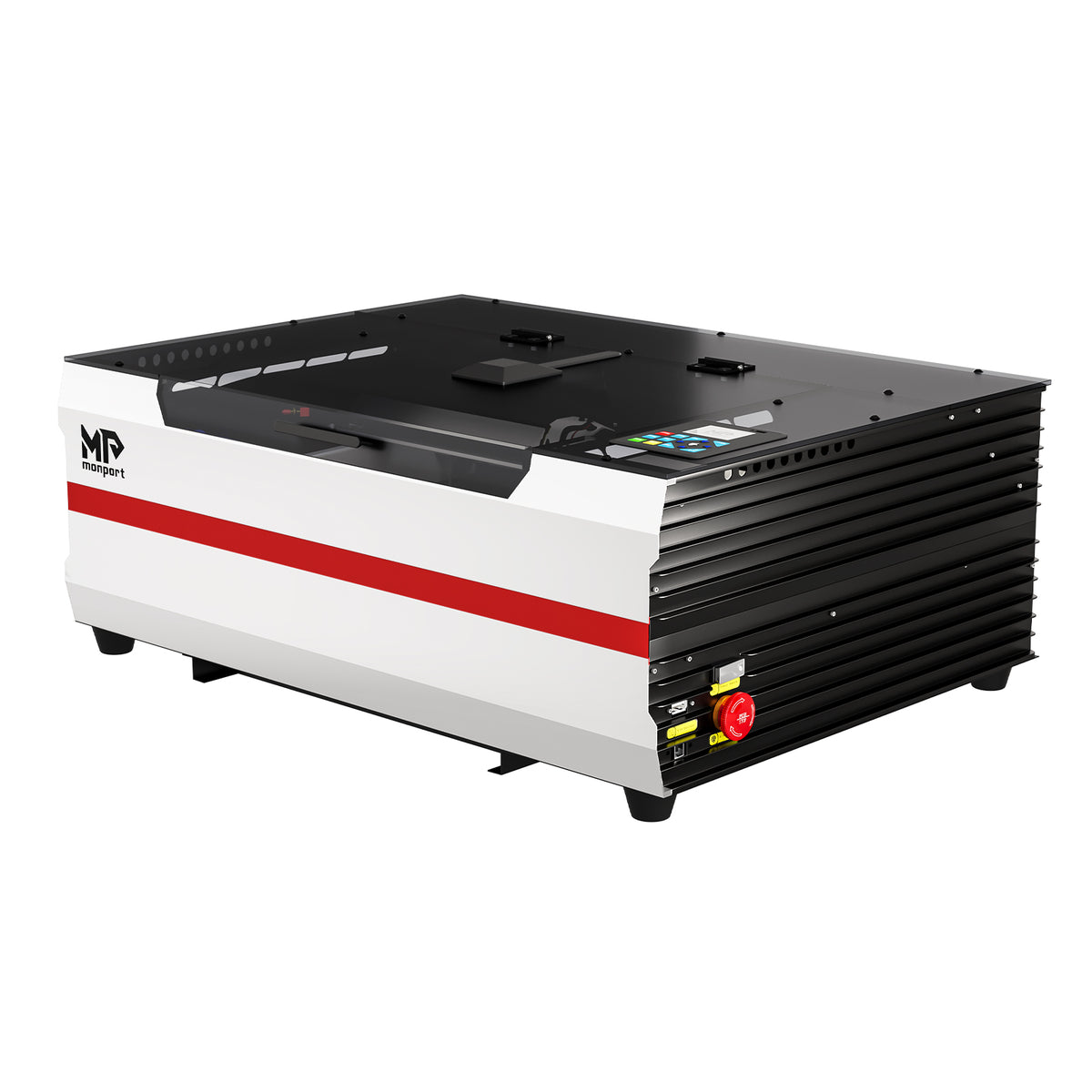
Brand New Monport Reno 45W Desktop CO2 Laser Engraver (16"×12") | Built-In Water Cooling, Magnetic Assisted Focus



Frequently Asked Questions
Help you better understand Monport Laser's smart CO2 desktop laser engraving and cutting machine
What is the CO2 laser Reno and how does it work?
What is the CO2 laser Reno and how does it work?
The CO2 laser Reno is a desktop co2 laser engraver for wood and laser cut machine that uses a carbon dioxide laser to engrave and cut materials with high precision. It is designed for hobbyists and professionals, offering reliable performance for laser wood cutter tasks in a compact format.
What models are available in the Monport Reno Series??
What models are available in the Monport Reno Series??
The Monport Reno Series includes models like Reno45, Reno45 Pro, Reno45 Pro Vision, Reno65, Reno65 Pro, and Reno65 Pro Vision, offering different power levels and features for various workflows including laser cut acrylic and acrylic cutting machine operations.
What materials can the Reno laser cutting machine process?
What materials can the Reno laser cutting machine process?
The Reno laser cutting machine can process wood, acrylic, leather, glass, and more. It is especially effective for laser cutting of acrylic and engraving detailed designs on non-metal materials using a co2 laser engraver for wood.
1.Basic Model:Features a custom-optimized Gcode motherboard compatible with LightBurn Core. It's easy to use with plug-and-play functionality, making it perfect for beginners or DIY enthusiasts.
2.Pro Model:Equipped with an industrial-grade DSP motherboard compatible with LightBurn. It’s faster and offers better detail processing, achieving results comparable to industrial-grade machines. It also includes a touchscreen control panel and WiFi connectivity for an enhanced user experience.
3.Pro Vision Model:Builds on the Pro model with the addition of a custom 8MP HD camera, enabling batch engraving capabilities.
What makes the Reno Series a powerful laser cutting machine?
What makes the Reno Series a powerful laser cutting machine?
The Reno Series stands out as a laser cut machine due to high-speed performance (up to 800 mm/s on Pro models), precision, and large working areas, delivering consistent and efficient results for laser wood cutter and laser cut acrylic projects.
What is the difference between Reno and Reno Pro Series?
What is the difference between Reno and Reno Pro Series?
Standard CO2 laser Reno models are ideal for everyday engraving and laser cutting of acrylic, while the Reno Pro Series upgrades the laser cut machine with faster speeds, improved precision, and advanced features like enhanced motion systems and better workflow efficiency. Pro Vision models also include camera alignment for automated acrylic cutting machine operations.
Is the CO2 laser Reno suitable for beginners?
Is the CO2 laser Reno suitable for beginners?
Yes, the CO2 laser Reno is beginner-friendly with plug-and-play setup, intuitive controls, and autofocus, making it easy to start co2 laser engraver for wood projects and laser cut acrylic quickly.
Can the Reno Series handle production and batch engraving?
Can the Reno Series handle production and batch engraving?
Yes, advanced models like Reno Pro and Pro Vision support batch engraving and production workflows, with camera alignment and smart filling features for laser cut machine and laser cutting of acrylic efficiency.
How do I choose the right Monport Reno laser cutting machine?
How do I choose the right Monport Reno laser cutting machine?
Choose the CO2 laser Reno based on your needs: Reno45 for entry-level co2 laser engraver for wood, Reno65 for larger projects, and Pro or Vision models for advanced features like high-speed laser cut acrylic and automated acrylic cutting machine production.
Learn More About Monport Reno Series Laser Engravers
What is the Monport Reno Series?
The Monport Reno Series CO2 Laser Engravers deliver a breakthrough in power, precision, and ease of use. Developed over 18 months, the Reno series tackles the challenges of traditional desktop models by offering cutting-edge features, enhanced quality, and unparalleled reliability. Ideal for hobbyists, creators, and professionals, the Reno series is designed to handle diverse engraving and cutting projects effortlessly.
Versatile Applications
- Custom Gifts: Personalize items for special occasions or promotional products.
- Home Decor: Create unique art pieces, photo frames, and decorative objects.
- Craft Projects: Perfect for hobbyists looking to elevate their crafting skills.
- Small Business Use: Ideal for entrepreneurs wanting to expand their product offerings with custom engravings.
Frequently Asked Questions
Q: What are the differences between the Reno Series Basic, Pro, and Pro Vision models, and how should I choose?
A: The Reno series offers powerful, practical, and budget-friendly CO2 desktop laser engravers with a larger work area and faster processing efficiency, all while maintaining high quality.
1.Basic Model: Features a custom-optimized Gcode motherboard compatible with LightBurn Core. It's easy to use with plug-and-play functionality, making it perfect for beginners or DIY enthusiasts.
2.Pro Model: Equipped with an industrial-grade DSP motherboard compatible with LightBurn. It’s faster and offers better detail processing, achieving results comparable to industrial-grade machines. It also includes a touchscreen control panel and WiFi connectivity for an enhanced user experience.
3.Pro Vision Model: Builds on the Pro model with the addition of a custom 8MP HD camera, enabling batch engraving capabilities.
Q: What's the difference between the Reno45 and Reno65, and how should I choose?
A: Reno45: 45W power, 400x300mm work area, capable of cutting up to 15mm acrylic.
Reno65: 65W power, 600x400mm work area, capable of cutting up to 20mm acrylic.
The Reno65 offers higher efficiency when cutting materials of the same thickness. Choose based on your desired work area and processing needs.
Q: What advantages does the Reno series have over other brands’ diode laser products?
A: Efficiency: CO2 laser cutters have incredibly high absorption efficiency, cutting 3mm plywood at speeds up to 35mm/s, which is six times faster than a 20W diode laser and three times faster than a 40W diode laser.
Material versatility: CO2 lasers can cut all colors of acrylic, including transparent acrylic, and can directly engrave on glass—tasks that diode lasers struggle to perform.
Q: What is the maximum wood thickness that can be cut with the Reno series?
A: Reno45 (45W): Can cut up to 12mm solid wood.
Reno65 (65W): Can cut up to 20mm solid wood.
For plywood, it’s recommended not to cut wood thicker than 12mm. Cutting thick plywood could lead to fire hazards.
Q: Does the Reno series support LightBurn? Are there any free, easy-to-use software options?
A: Yes, all Reno models support LightBurn software:
Basic Model: Compatible with LightBurn Core.
Pro and Pro Vision Models: Compatible with LightBurn Pro.
Regarding free software:
Basic Model: Supports LaserGRBL. We’re also developing a free engraving software similar to LightBurn, with a user experience close to LightBurn but with additional optimizations. It’s expected to be released in Q3 2025.
Pro and Pro Vision Models: Compatible with Autolaser (a user-friendly engraving software great for beginners), plus a mobile app for direct compatibility.
Q: Does the Reno series have built-in water cooling?
A: No, but the machine comes with a separate water pump for easy installation and use.
Due to the compact size of desktop machines, it's not feasible to integrate an efficient water cooling system inside the Reno. Most built-in cooling solutions on the market are underperforming, especially in summer when water temperatures rise quickly, increasing noise and affecting power output, which ultimately impacts the engraving results.
However, Monport is developing a small yet efficient built-in water cooling system, which will be added to the Reno series in the future.
The Reno Desktop CO2 Laser is a versatile CO2 laser cut metal machine engineered for precise cutting and engraving on thin metals and a wide range of materials. With robust design, user-friendly controls, and high-quality optics, the Monport Reno desktop CO2 laser cutter delivers exceptional performance for makers, small businesses, and creative professionals seeking reliable desktop laser cutting solutions.

Buying Guide
Not sure which Monport machine suits you best? Let us help you choose based on your needs.

Human Customer Support
Monport stands tall with round-the-clock customer support, and we offer Human Customer Support for you.

Free US Tech-Support
You can make a free call with our US technical support and get one-on-one personalized service
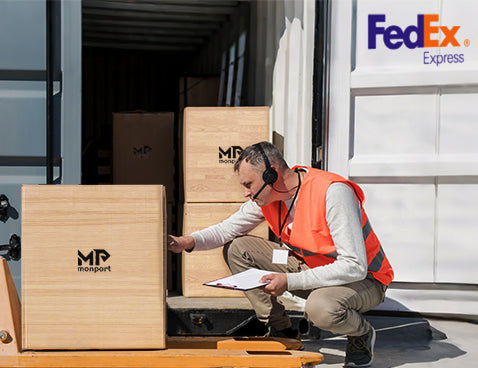
Free&Fast Shipping
Monport provides customers with free and fast shipping services in the continental United States.