


If you run a small shop or home-based brand, sooner or later you wonder two things at the same time: can you use leather sheets for laser engraving and what materials does a laser cutter cut without trial‑and‑error that wastes stock. It walks through real‑world materials you can run on a desktop CO2 machine, how leather sheets for laser engraving behave under the beam, and where the Monport Reno 45W Pro CO2 laser fits into all that as a workhorse for a laser business.


How a CO2 Laser Works in a Small Shop
A CO2 laser basically fires a focused light beam through mirrors and a lens, and that beam either engraves the surface or cuts straight through it depending on power and speed.

On a machine like the Monport Reno 45W Pro desktop CO2 laser engraver & cutter, the 45W tube, custom motion system, and semi‑autofocus work together so you don’t spend all day fiddling with focus sticks and manual height. You drop in the material, set the focus using the magnetic assisted focus, send the file from LightBurn or Autolaser, and hit go.
-
Working area: 16 x 12 in (400 x 300 mm), which is roughly double a basic K40 bed.
-
Z‑axis travel: 100 mm, so you can lift and lower the table for boxes, thicker acrylic, or stacked leather sheets for laser engraving.
-
Max engraving speed: up to 600 mm/s, which is fast enough for production work when you dial in your presets.
Leather Sheets for Laser Engraving: How They Behave

A lot of people now start with leather sheets for laser engraving because leather products sell well and don’t need huge material cost upfront. CO2 lasers are known to handle leather very well, especially natural or vegetable‑tanned types.
What actually happens when you engrave leather:
-
The beam lightly burns the top surface and creates a darker mark with good contrast, so logos, initials, and patterns show up clearly.
-
The edge usually seals instead of fraying, which is good for straps, tags, and wallet pieces cut on the laser.
-
Settings tend to be lower power and higher speed compared to thick acrylic, so you avoid deep burning or rough edges on your leather sheets for laser engraving.
Just make sure:
-
Use real leather or laser‑safe faux leather; some vinyl‑based fake leather can release bad fumes.
-
Run a test square on each batch because different tannings react differently under the same settings.
With a machine like the Monport Reno 45W Pro, you can build a simple library in your software: one profile for engraving leather sheets for laser engraving, another for cutting them, and you just load the preset per job.
What Materials Does a Laser Cutter Cut?
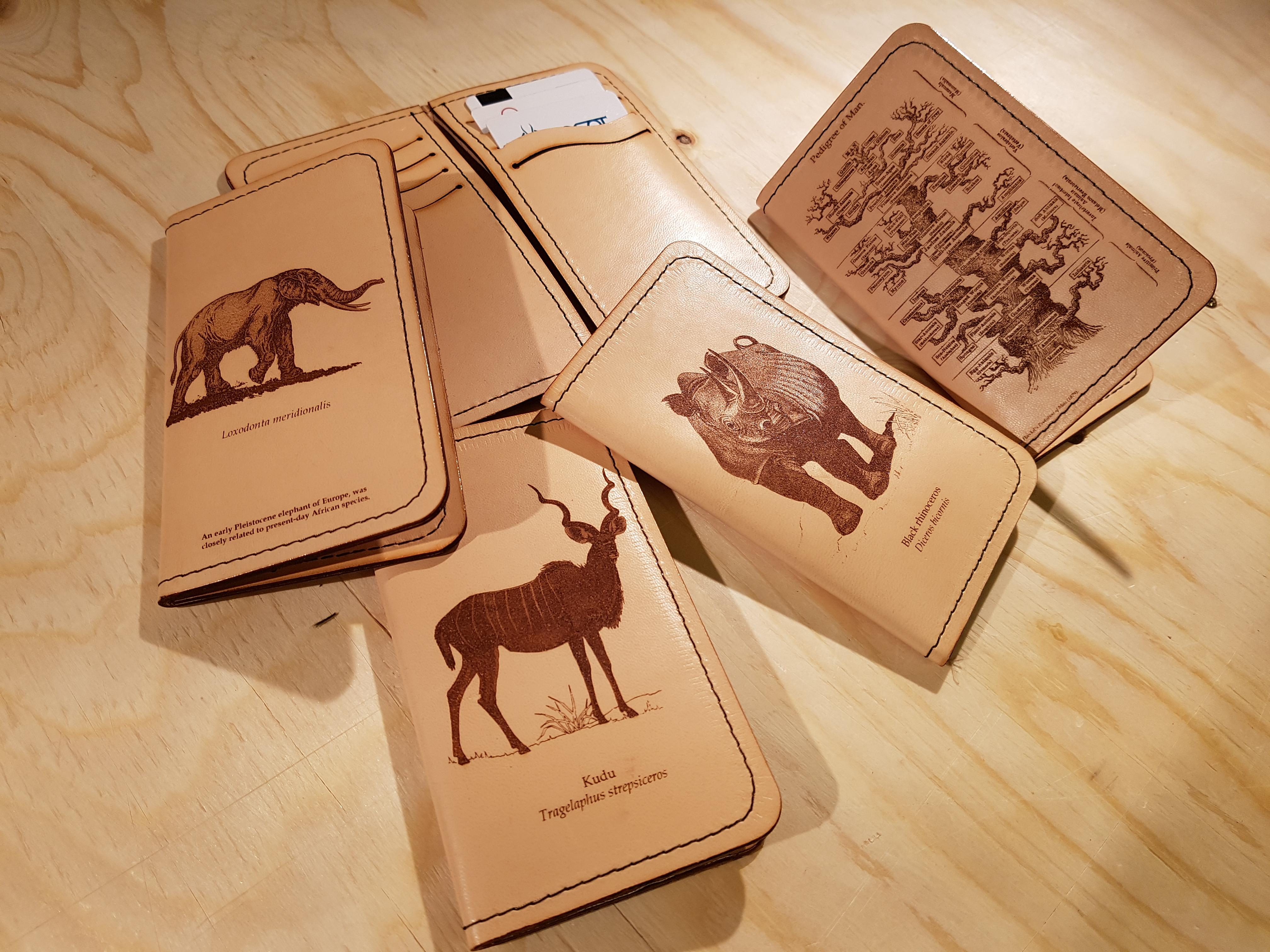
When someone asks what materials does a laser cutter cut, they usually mean: “what can I run on my CO2 machine without ruining it or wasting stock.” CO2 lasers like the Reno series are mainly for non‑metal materials, and they handle a long list of them.
Here’s a practical overview of what materials does a laser cutter cut on a 45W CO2:
-
Wood: plywood, MDF, hardwoods, bamboo for signage, décor, and boxes.
-
Acrylic (PMMA): clear or colored, often up to around 15 mm thick on the Reno series, with a polished‑looking edge when dialed in.
-
Leather: natural or veg‑tan works best for leather sheets for laser engraving and for clean cutting of straps and panels.
-
Paper and cardboard: invites, packaging, templates, and stencils.
-
Fabric: cotton, felt, denim, some poly blends for patches or pattern cutting.
-
Glass and stone: engraving only, not cutting, for coasters, awards, and tiles.
Some plastics and coated materials are not laser‑safe, so even if you’re tempted while thinking what materials does a laser cutter cut, it’s better to double‑check the material spec sheet instead of guessing.
Why a Pro Business Owner Picks the Monport Reno 45W Pro
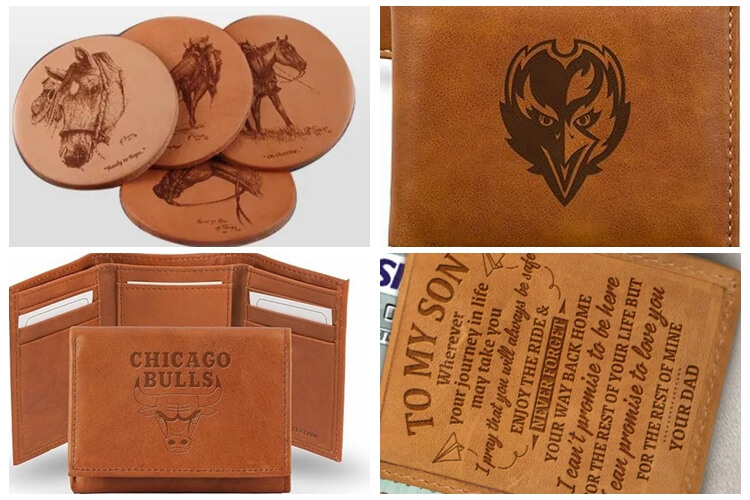
There are many desktop lasers around now, but for a small shop that wants to handle leather sheets for laser engraving plus acrylic and wood, the Monport Reno 45W Pro desktop CO2 laser engraver & cutter is set up more like a serious production tool than a toy.
Some points that make it stand out:
-
Strong cutting power: the Reno series uses Monport’s own laser tube and quality optics, and it can cut acrylic up to around 15 mm in real use, which is more than many entry‑level 40W units.
-
Efficient motion system: custom mechanics, light gantry, and high‑precision slides allow the Reno 45W Pro to reach up to 600 mm/s engraving speed without shaking the design to pieces.
-
Space and layout: 400 x 300 mm working area, 100 mm Z‑axis, dual tables (honeycomb and blade), and a hidden front passthrough so you can deal with longer stock if needed.
-
Semi‑autofocus: magnetic assisted focus helps you dial in focus in a few seconds, which is useful when jumping from leather sheets for laser engraving to thick cutting boards or acrylic blanks.
-
Control and software: LCD control panel with clear status info; compatible with LightBurn, Autolaser, and even app‑based control for Windows, macOS, Android, and iOS.
Monport also pushes a “no weird premium” approach; the Reno series was developed for about 18 months to fix common K40‑style issues while keeping the price in reach for small shops and home businesses.
Key Takeaways
-
A CO2 laser like the Monport Reno 45W Pro is well suited for leather sheets for laser engraving, wood, acrylic, and a long list of non‑metal materials.
-
If you keep asking what materials does a laser cutter cut, remember that CO2 covers most organic and many synthetic materials, but not bare metals.
-
Leather engraving works best on real or veg‑tanned leather, with moderate power and good exhaust to manage smoke and smell.
-
The Reno 45W Pro gives you a 16" x 12" bed, 100 mm Z‑axis movement, dual work tables, and semi‑autofocus, which is a strong setup for business production.
-
Use code BESTMP10 for an extra 8% Off when you shop the Reno 45W Pro and other Monport machines, which helps lower startup cost for your laser side hustle or main shop.
People Also Ask
Can a CO2 laser cut leather as well as engrave it?
Yes, a CO2 laser can both engrave and cut leather, as long as the leather is natural and the settings are tuned correctly for the thickness.
Is 45W enough power for a business laser work?
For non‑metal materials like wood, acrylic, and leather sheets for laser engraving, a 45W CO2 machine is powerful enough for most business jobs and product batches.
What materials does a laser cutter cut that are most profitable to sell?
Common high‑margin items are engraved leather goods, acrylic signs, wooden décor, personalized gifts, and branded promotional items.
Do I need special software for the Monport Reno 45W Pro?
The machine works with LightBurn and Autolaser, plus app support, so you can design, send files, and adjust settings from the main desktop platforms and some mobile devices.
Conclusion
If your shop is getting serious about leather sheets for laser engraving and you keep running into the same question about what materials does a laser cutter cut, a 45W CO2 like the Monport Reno 45W Pro desktop CO2 laser engraver & cutter covers a lot of ground without taking over your whole workspace.
You get a machine that handles leather, wood, acrylic, fabric, and more in one setup, with semi‑autofocus, a decent‑sized 16" x 12" bed, and a motion system fast enough for real production, not just hobby tinkering.
If you decide to bring one into your workshop, grab it through Monport and don’t forget to use the code BESTMP10 at checkout for 8% Off to keep your cost per job a bit lower from day one.





