


Acrylic is a versatile material for creating personalized gifts, decorative pieces, signage, jewelry, and products for small businesses. With the right CO2 laser engraver, you can cut acrylic into custom shapes, engrave detailed designs, and turn simple sheets into practical and creative projects.
If you're exploring acrylic for laser cutting, understanding the material, choosing the right machine, and preparing your designs correctly will help you achieve cleaner results. In this guide, we'll explain how acrylic laser cutting and engraving work, explore popular laser wood engraver applications, and introduce the Monport Reno45 45W Desktop CO2 Laser Engraver & Cutter.

Why Use Acrylic for Laser Cutting?
Acrylic is a popular material for laser projects because it is available in different colors, thicknesses, finishes, and levels of transparency. It can be used to create both functional products and decorative designs.
Common applications include:
-
Personalized signs: Create business signs, nameplates, room signs, and display lettering.
-
Jewelry and accessories: Cut custom earrings, pendants, charms, and decorative components.
-
Home décor: Make photo frames, ornaments, decorative panels, and geometric wall art.
-
Business products: Produce keychains, branded displays, promotional items, and product tags.
-
Event decorations: Create table numbers, cake toppers, wedding signage, and personalized keepsakes.
-
Organizers and displays: Cut components for product stands, desk organizers, and display holders.
For many of these projects, a CO2 laser can cut suitable acrylic sheets or engrave designs onto their surfaces. The appropriate process depends on the acrylic type, thickness, and desired finish.
Understanding Acrylic Laser Cutting and Engraving
Although cutting and engraving use the same laser system, they serve different purposes.
Acrylic Laser Cutting
Laser cutting follows a design path to separate acrylic into a specific shape. It is useful for making letters, geometric pieces, jewelry blanks, decorative panels, and product components.
The maximum practical cutting thickness depends on the machine's power, acrylic composition, focus, settings, and required edge quality.
Acrylic Laser Engraving
Laser engraving removes or modifies the surface to create text, patterns, logos, or decorative details. It is useful for personalizing gifts, adding branding, and creating detailed artwork.
Cast and extruded acrylic may produce different engraving results. Test the specific material before processing a finished product.
Important: Use laser-compatible acrylic, commonly cast or extruded PMMA, and verify the material before processing. Never laser-cut PVC or unidentified plastics because they can release hazardous fumes and damage equipment.
Introducing the Monport Reno45 45W Desktop CO2 Laser Engraver & Cutter
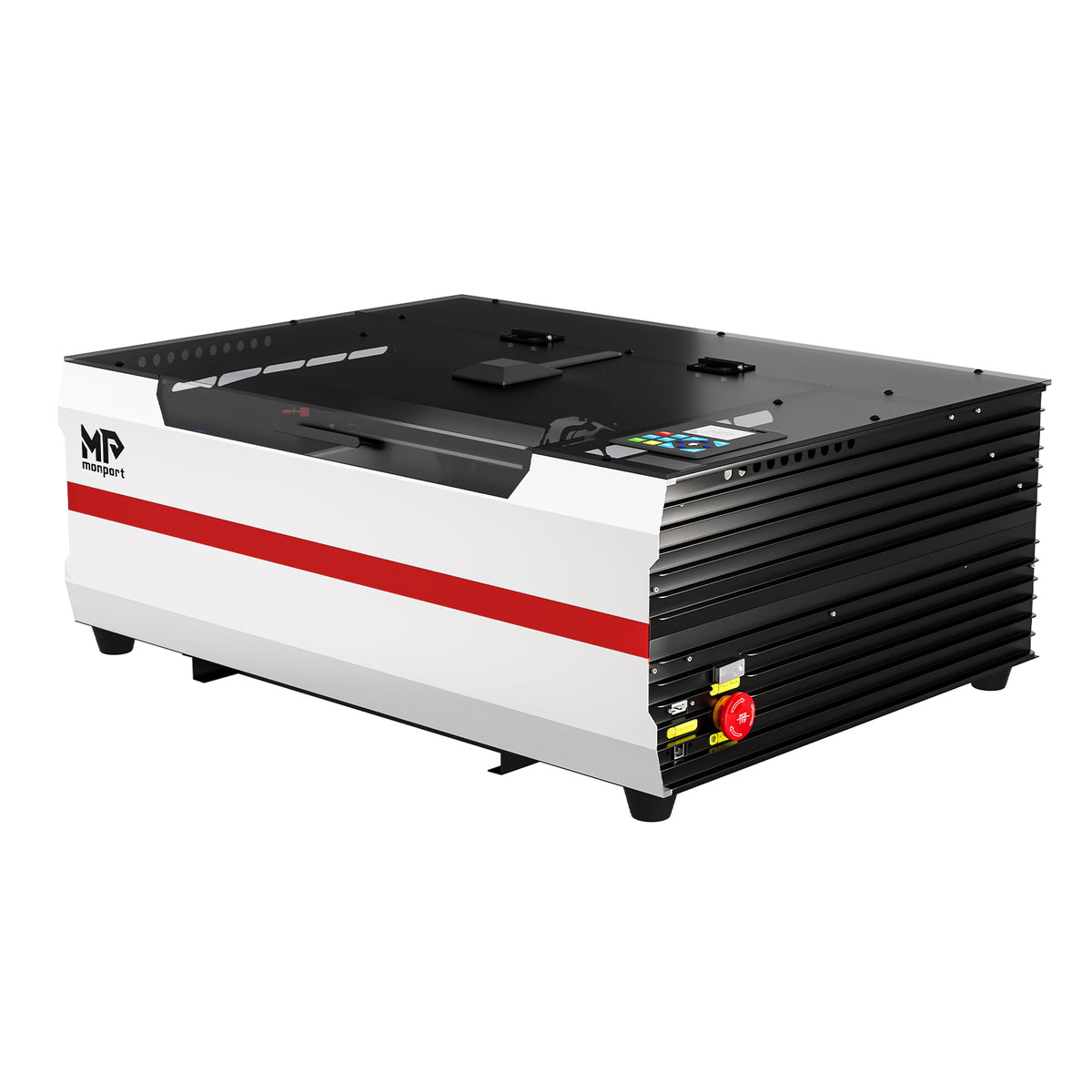
The Monport Reno45 45W Desktop CO2 Laser Engraver & Cutter is designed for users who want a desktop machine for engraving and cutting compatible materials. Its combination of a 16 × 12-inch working area, built-in water cooling, and magnetic-assisted focusing supports a range of crafting and small-production workflows.
Key Features
-
45W CO2 laser: Supports engraving and cutting applications on compatible non-metallic materials.
-
400 × 300 mm working area: Accommodates projects such as acrylic signs, wooden plaques, decorative panels, and product components.
-
Maximum engraving speed of 500 mm/s: Supports efficient engraving workflows, although actual processing speed depends on the design and material.
-
Magnetic-assisted focus: Helps users establish the correct focus more conveniently.
-
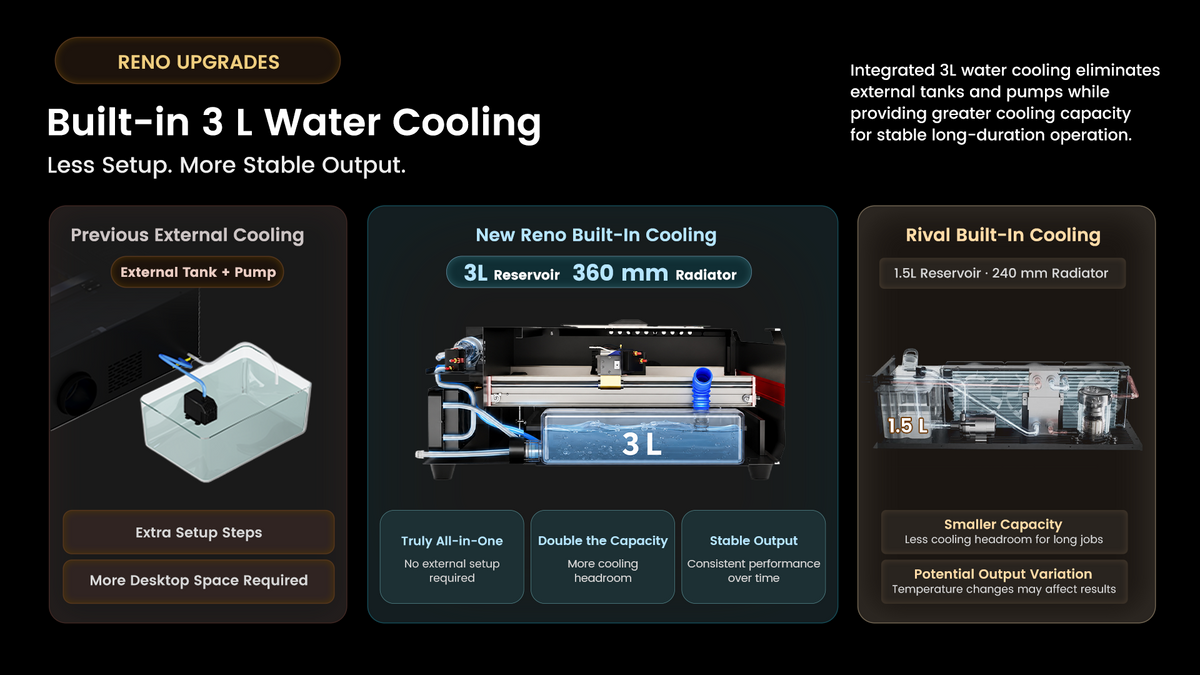
Built-in 3L water cooling system: Provides integrated cooling without requiring a separate external water tank.
-
Air assist: The upgraded pump delivers specified airflow of 20 L/min at 30 kPa and operates on demand during engraving.
-
Dual work platforms: Includes a blade platform and a honeycomb platform for different project requirements.
-
100 mm Z-axis movement: Provides additional flexibility when positioning compatible workpieces.
-
Front passthrough design: Offers additional flexibility for certain longer workpieces, subject to the machine's opening and operating limitations.
-
Software compatibility: Supports LightBurn and LaserGRBL.
The machine's advertised cutting capability includes acrylic up to 15 mm thick. Actual results depend on the acrylic type, material quality, settings, and required edge finish, so test cuts are essential.
What Can You Engrave and Cut With the Monport Reno45?

A desktop CO2 laser can support a broad range of creative applications. The following examples cover suitable materials and project types, subject to material compatibility and the machine's operating specifications.
1. Acrylic Signs and Personalized Products
Acrylic is useful for creating custom business signs, room numbers, display lettering, keychains, cake toppers, and decorative accessories.
You can cut shapes from compatible acrylic sheets and engrave text, patterns, or logos onto suitable surfaces. Combining different acrylic colors can also help create layered signs and dimensional designs.
2. Wood and Wooden Gifts
As a laser wood engraver, the Reno45 can be used for suitable wood engraving and cutting projects.
Popular applications include engraved photographs, wooden plaques, personalized boxes, ornaments, coasters, decorative lettering, and custom gift items. Wood species, surface preparation, and grain patterns influence the final result.
For photographic engraving, prepare the image in grayscale, adjust its contrast, and test it on a similar wood sample before processing the final piece.
3. Paper, Cardboard, and Craft Materials
Suitable paper and cardboard can be cut or engraved for packaging prototypes, invitations, decorative shapes, templates, and craft projects.
These materials require careful settings because they can ignite easily. Use appropriate ventilation, monitor the process continuously, and stop immediately if unsafe burning occurs.
4. Leather and Compatible Fabrics
Certain natural leather and laser-compatible fabrics can be engraved or cut for accessories, patches, labels, decorative pieces, and personalized gifts.
Material composition is important. Avoid synthetic leather or fabrics containing PVC, chlorine, or unidentified coatings unless the manufacturer confirms that they are safe for the intended process.
5. Rubber, Cork, and Other Compatible Materials
Depending on their composition and manufacturer approval, certain laser-compatible rubber products and cork sheets can be processed for stamps, coasters, labels, and decorative components.
Not every rubber product is suitable for laser processing. Check the material's safety documentation before using it.
Material limitation: The Reno45 is a CO2 laser, not a fiber laser. It is not intended for direct engraving of bare metals in the same way as a fiber marking machine. Always verify material compatibility before starting a project.
How to Start a Laser Cutting or Engraving Project
Step 1: Prepare Your Design
Create your artwork using compatible design software. Vector files are commonly used for cutting paths, while raster images are used for photographs and many surface-engraving jobs.
Check the dimensions, line placement, and text size before sending the design to the machine.
Step 2: Prepare the Material
Choose a suitable material with a known composition and thickness. Make sure the surface is clean, flat, and positioned securely on the appropriate work platform.
Step 3: Set the Focus
Use the Reno45's magnetic-assisted focusing method according to the manufacturer's instructions. Correct focus helps the machine process the material more consistently.
Step 4: Test Your Settings
Run a test on a scrap piece of the same material. Adjust power, speed, and other relevant settings according to the test results and the manufacturer's guidance.
Step 5: Process the Design Safely
Confirm that the ventilation and cooling systems are operating correctly. Use the required protective measures, monitor the entire job, and never leave the laser unattended.
Step 6: Inspect and Finish
Allow the workpiece to cool before handling it. Inspect the edges and engraved details, then remove residue using a method suitable for the material.
Frequently Asked Questions
1. Can the Monport Reno45 cut acrylic?
The Reno45 is advertised as capable of cutting acrylic up to 15 mm thick. Actual cutting performance depends on the material, settings, and desired edge quality.
2. Can the Reno45 engrave wood?
Yes. Suitable wood is a common application for CO2 laser engraving. Test the wood and settings first because grain, moisture, and surface characteristics affect the results.
3. What software works with the Reno45?
The supplied specifications list LightBurn and LaserGRBL compatibility. Confirm the software version and connection requirements before installation.
4. Does the Reno45 need an external water tank?
The machine includes a built-in 3L water cooling system, so a separate external water tank is not required according to the supplied product specifications.
5. Can the Reno45 engrave metal?
It is not designed for direct bare-metal marking like a fiber laser. Some coated or specially prepared surfaces may respond to CO2 laser processing, but compatibility must be verified for the exact material and marking method.
Key Takeaways
-
Acrylic can be cut into shapes and engraved with text, patterns, and logos using a suitable CO2 laser.
-
The Monport Reno45 offers a 400 × 300 mm work area, 45W laser power, magnetic-assisted focusing, and integrated water cooling.
-
Suitable applications include acrylic, wood, selected paper products, compatible leather, and other verified materials.
-
Material testing, correct focus, ventilation, and safe operation are essential for reliable results.
-
Always verify material composition and manufacturer guidance before laser processing.
Conclusion
Exploring acrylic for laser cutting opens up opportunities to create personalized signs, jewelry, display products, gifts, and decorative designs. A capable desktop CO2 laser can also support projects involving suitable wood, paper, leather, and other compatible materials.
The Monport Reno45 45W Desktop CO2 Laser Engraver & Cutter combines a practical working area with magnetic-assisted focusing, integrated water cooling, and on-demand air assist. Whether you're making custom acrylic products, engraving wooden gifts, or developing new craft ideas, choosing suitable materials and testing your settings will help you get more consistent results.





