


Choosing the best desktop CO2 laser engraver depends on your project requirements, available workspace, material compatibility, and production goals. Whether you create personalized gifts, engrave wooden signs, or cut acrylic components, a desktop CO2 laser can help you produce detailed designs and repeatable results.
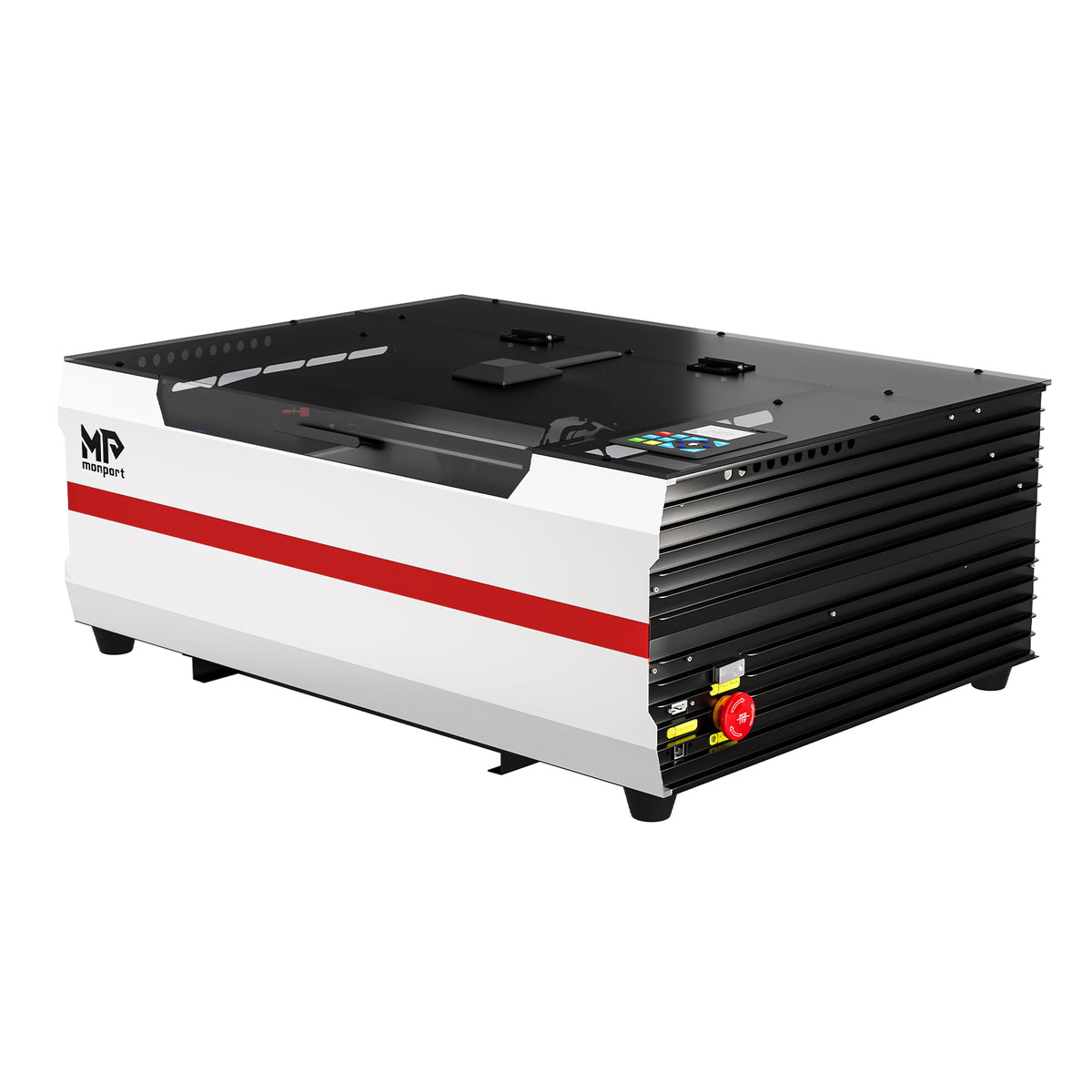
For hobbyists and small businesses, the Monport Reno45 45W Desktop CO2 Laser Engraver & Cutter offers a combination of a 16" × 12" working area, built-in water cooling, and magnetic-assisted focusing. These features make it worth considering for creators looking for a capable desktop machine for engraving and cutting compatible materials.

What Makes a Good Desktop CO2 Laser Engraver?
Before choosing a laser machine, consider the features that matter most to your workflow.
-
Laser power: A 45W CO2 laser can support a variety of engraving and cutting projects, depending on the material and its thickness.
-
Working area: A larger workbed accommodates bigger designs and multiple smaller items in one session.
-
Focusing system: Convenient focusing helps position the laser correctly for consistent results.
-
Cooling system: Effective cooling helps maintain suitable operating temperatures.
-
Air assist: Airflow helps remove debris from the processing area and can improve engraving and cutting results.
-
Software compatibility: Compatible design software makes it easier to prepare artwork and control projects.
The right combination of features depends on whether you primarily engrave, cut, or alternate between both tasks.
Introducing the Monport Reno45 45W Desktop CO2 Laser Engraver & Cutter
The Monport Reno45 45W Desktop CO2 Laser Engraver & Cutter is designed for creators who need a practical working area and integrated features for engraving and cutting projects.
Key Specifications
-
Laser power: 45W CO2
-
Working area: 16" × 12" (400 × 300 mm)
-
Machine dimensions: 31.50" × 22.64" × 11.22" (800 × 575 × 285 mm)
-
Machine weight: 67 lb (30 kg)
-
Z-axis movement: 4" (100 mm)
-
Maximum engraving speed: 500 mm/s
-
Focusing system: Magnetic-assisted focus
-
Compatible software: LightBurn and LaserGRBL, as specified by the manufacturer
-
Cooling: Built-in 3L water cooling system
-
Air assist: 20 L/min at 30 kPa, with an upgraded 11W air pump
These specifications help buyers evaluate whether the Reno45 suits their available workspace and intended projects.
Key Features of the Monport Reno45
1. A 16" × 12" Working Area
The Reno45 provides a 400 × 300 mm working area, giving you room to process wooden signs, decorative plaques, acrylic designs, and multiple smaller products.
Its 100 mm Z-axis movement provides additional flexibility when positioning suitable workpieces. The machine also includes a blade platform and a honeycomb platform for different project requirements.
A hidden front passthrough design provides another option for handling certain longer materials. Check the machine's operating instructions and material support requirements before attempting passthrough processing.
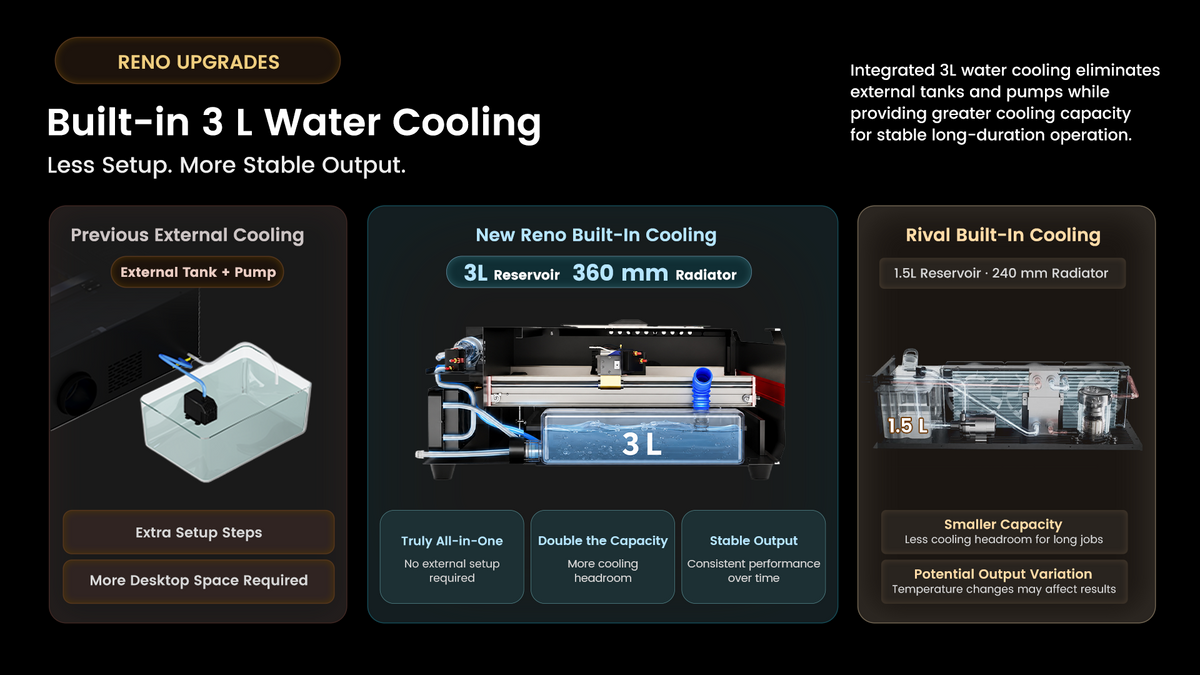
2. Built-In 3L Water Cooling
The Reno45 features an integrated 3L water cooling system, eliminating the need for a separate external water tank under the intended configuration.
Its 360 mm radiator supports heat management during operation. Proper cooling is important for maintaining the laser system within its specified operating conditions.
Always follow the manufacturer's instructions for coolant requirements, maintenance, and operating limits.
3. Magnetic-Assisted Focus
Correct focus helps produce consistent engraving and cutting results. The Reno45 uses a magnetic-assisted focusing method designed to make focusing more convenient.
This feature can be particularly useful for beginners who are learning to prepare materials and establish the correct focus before processing a project.
Accurate focusing should still be combined with suitable material selection, machine settings, and test runs.
4. Air Assist for Cleaner Processing
The Reno45 includes an air-assist system rated at 20 L/min and 30 kPa, powered by an upgraded 11W air pump.
The system operates on demand during engraving, according to the supplied product specifications. Air assist directs airflow toward the processing area to help remove debris and improve the quality of many engraving and cutting jobs.
The appropriate airflow depends on the material and application, so follow the manufacturer's recommendations.
5. Engraving Speeds Up to 500 mm/s
With a listed maximum engraving speed of 500 mm/s, the Reno45 is designed to support efficient processing.
Actual results depend on the image, material, engraving resolution, power settings, and other operating conditions. Maximum speed does not mean every design can be processed at that speed while maintaining the desired detail.
For intricate artwork, test different settings on scrap material before working on the final product.
6. Cutting Capabilities for Creative Projects
Monport states that the Reno45 can cut acrylic up to 15 mm thick under suitable conditions. Actual cutting performance varies according to material composition, quality, settings, and the required edge finish.
The machine can be considered for projects involving compatible wood, acrylic, and other approved materials. Check the manufacturer's material guidance before processing unfamiliar materials.
Never laser-process PVC or other materials that can release hazardous fumes, and use suitable exhaust ventilation and laser safety measures.
What Can You Make With a Desktop CO2 Laser Engraver?

The Reno45's working area and engraving and cutting capabilities can support a range of creative projects.
-
Wooden signs: Create personalized signs, decorative lettering, and custom designs.
-
Acrylic products: Make suitable acrylic decorations, display pieces, and custom-cut components.
-
Personalized gifts: Produce engraved plaques, ornaments, and other compatible gift items.
-
Small-business products: Develop repeatable designs for customized merchandise.
-
Craft components: Cut or engrave suitable materials for assembling handmade products.
Choose projects based on the machine's verified material compatibility, the dimensions of the workbed, and the finish you want to achieve.
Is the Monport Reno45 Suitable for Beginners?
The Reno45 may suit beginners who want a desktop CO2 laser with integrated cooling, magnetic-assisted focus, and a substantial working area.
However, beginners should learn how to prepare artwork, select appropriate settings, maintain the cooling system, and operate the exhaust and safety equipment correctly.
Before purchasing, confirm that your computer supports the required software, that the machine fits your workspace, and that you can provide suitable ventilation and safe operating conditions.
Frequently Asked Questions
1. What is the working area of the Monport Reno45?
The Reno45 has a working area of 16" × 12", equivalent to 400 × 300 mm.
2. How fast can the Reno45 engrave?
Its listed maximum engraving speed is 500 mm/s. Actual processing speed depends on the material, design, resolution, and machine settings.
3. Does the Reno45 require an external water tank?
The machine has a built-in 3L water cooling system, so a separate external water tank is not required under the intended configuration. Follow the manufacturer's cooling and maintenance instructions.
4. Which software is compatible with the Reno45?
The supplied specifications list LightBurn and LaserGRBL. Verify the exact software version, operating-system support, and machine configuration before purchasing.
5. Can the Reno45 cut acrylic?
Monport states that the Reno45 can cut acrylic up to 15 mm thick under suitable conditions. Results depend on the material and operating settings, so verify the manufacturer's guidance before attempting thick cuts.
Key Takeaways
-
The Monport Reno45 is a 45W desktop CO2 laser engraver and cutter with a 400 × 300 mm working area.
-
Its built-in 3L water cooling system reduces the need for separate cooling equipment.
-
Magnetic-assisted focus and on-demand air assist support the engraving and cutting workflow.
-
A maximum listed engraving speed of 500 mm/s supports a range of creative applications.
-
Material compatibility, ventilation, maintenance, and safe operation should guide every project.
Conclusion
Finding the best desktop CO2 laser engraver means choosing a machine that matches your materials, workspace, and production goals. The Monport Reno45 45W Desktop CO2 Laser Engraver & Cutter combines a generous working area with built-in water cooling, magnetic-assisted focus, and air assist for a range of compatible engraving and cutting projects.
Whether you want to create wooden signs, acrylic decorations, personalized gifts, or products for a small business, evaluate the machine's specifications alongside your actual project requirements. With suitable materials, careful testing, and proper safety practices, the Reno45 can become a useful tool for developing your engraving and cutting capabilities.





