


If you are new to laser engraving aluminum, the first thing to understand is that not all aluminum behaves the same way. Bare aluminum, anodized aluminum, painted aluminum, and coated aluminum can produce very different results, so choosing the right laser starts with identifying the material and the finish you want.
For beginners researching laser engraving aluminum, a 1064 nm fiber laser is generally the practical starting point for bare aluminum. A diode or CO₂ machine may be useful for certain coated or anodized surfaces, but the machines are not interchangeable. That is why choosing the right laser engraver for aluminum begins with understanding your material and project.
Whether you want to mark nameplates, tools, tags, tumblers, machine parts, or personalized products, learning the basics first can save you a lot of trial and error.
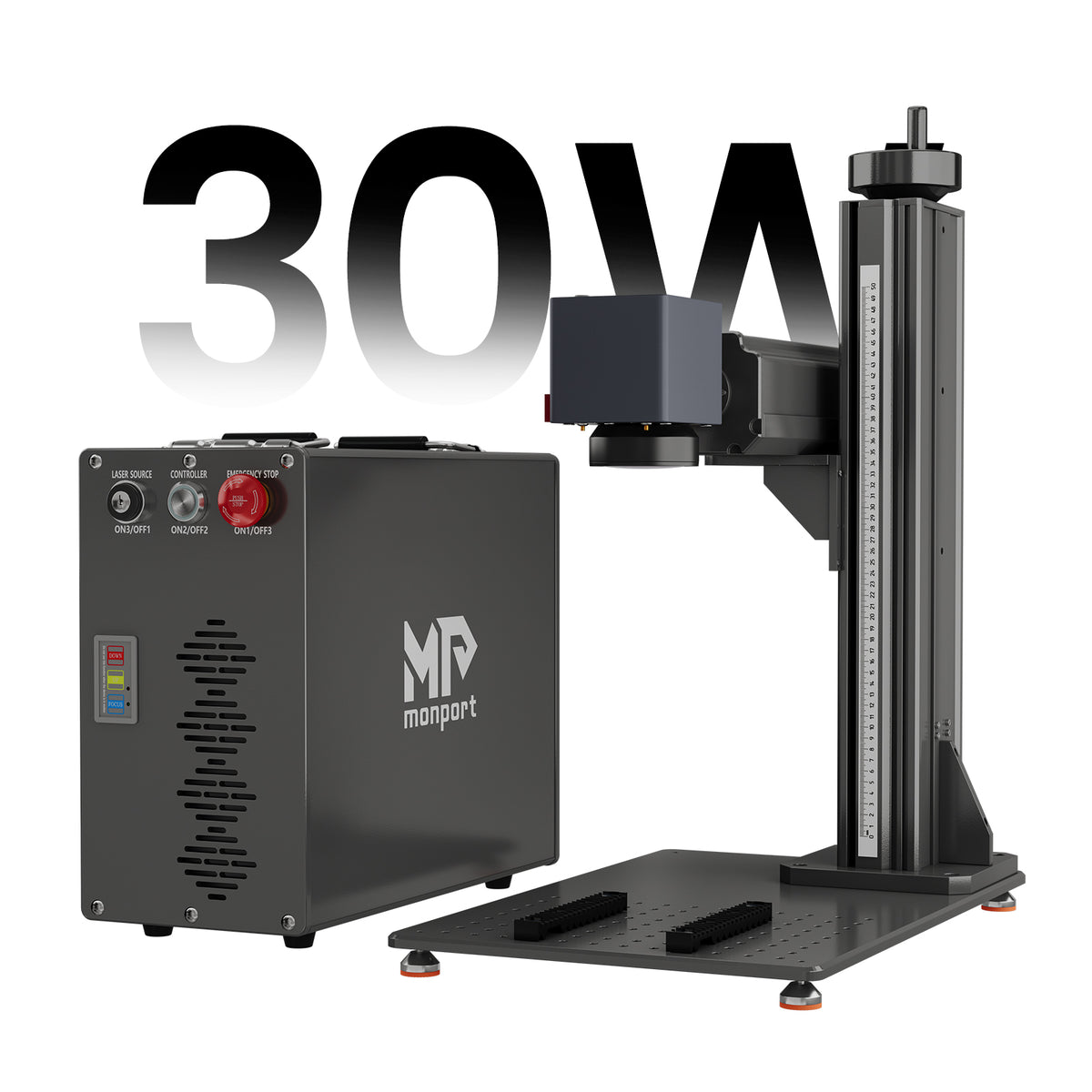
Monport GT 30W Split Fiber Laser Engraver & Marking Machine With AutoFocus (5.9” x 5.9”)

Can You Laser Engrave Aluminum?
Yes, but the answer depends on the type of aluminum.
Bare aluminum has a highly reflective surface and conducts heat quickly, making it more challenging to process than materials such as wood. For direct laser engraving aluminum, 1064 nm fiber lasers are commonly used because their wavelength is well suited to metal marking.
Anodized aluminum is different. It has a surface layer that can be altered by the laser to create a contrasting mark, which is why some beginners can use diode or CO₂ machines for specific anodized-aluminum projects.
This distinction is important when choosing a laser engraver for aluminum. The machine that works well for a black anodized aluminum tag may not be the best choice for bare aluminum components.
Bare vs. Anodized Aluminum: What's the Difference?

Bare Aluminum
Bare aluminum has no colored surface coating and is commonly found in machined parts, plates, tags, brackets, tools, and industrial components.
For laser engraving aluminum directly, a fiber laser is generally the better choice. The final appearance can vary depending on the alloy, surface finish, focus, speed, power, frequency, and number of passes.
Anodized Aluminum
Anodized aluminum has a protective surface layer that can also be dyed in different colors. Black anodized aluminum, for example, can produce a bright contrasting mark when the colored layer is selectively altered.
This makes anodized aluminum somewhat more forgiving for certain beginner applications. However, the desired appearance and depth should always be tested on the actual material before production.
What Type of Laser Engraver Is Best for Aluminum?
The best laser engraver for aluminum depends on what you want to make.
A diode laser can be suitable for certain anodized aluminum products, while a CO₂ laser can work with some coated surfaces. For direct laser engraving aluminum, however, a fiber laser is the more natural choice.
According to established laser-industry guidance, raw aluminum generally favors fiber technology, while anodized aluminum gives makers more flexibility in laser selection.
A simple rule helps: choose the aluminum application first, then choose the laser.
What Can You Make With Aluminum Laser Engraving?
Once you understand the material, laser engraving aluminum can be used for a surprisingly wide range of projects.
Personalized Products

Think aluminum keychains, dog tags, wallet cards, bottle openers, luggage tags, business cards, and personalized accessories.
For small businesses, this is particularly useful because names, dates, logos, serial numbers, and other details can be changed digitally without recreating the entire design.
Industrial and Workshop Parts

Aluminum plates can be marked with serial numbers, equipment identification, measurements, logos, or other information. A laser engraver for aluminum can also be useful for marking tools and components where consistent identification matters.
Tumblers and Cylindrical Products

With rotary support, laser engraving aluminum can move beyond flat surfaces. Cylindrical aluminum products such as tumblers and tubes can be marked around their curved surfaces.
If you expect to work with cylindrical products regularly, rotary compatibility is therefore worth considering when choosing a laser engraver for aluminum.
What Should Beginners Look for in a Laser Engraver for Aluminum?
A good laser engraver for aluminum should match your actual projects rather than simply having the highest power.
Start with the laser source. For bare-metal work, a 1064 nm fiber laser is an important specification to look for.
Next, consider the work area. A 150 × 150 mm field can be practical for tags, small components, jewelry, tools, and personalized products, while larger work may require a different configuration or lens.
Autofocus is another useful feature. A laser engraver for aluminum with autofocus can reduce setup time and help maintain consistent positioning between workpieces.
Rotary compatibility matters if you plan to engrave tumblers, rings, tubes, or other curved objects.
Finally, consider software compatibility. Support for LightBurn can be useful for beginners because it provides a familiar design and machine-control workflow.
Monport GT 30W: A Practical Option for Aluminum
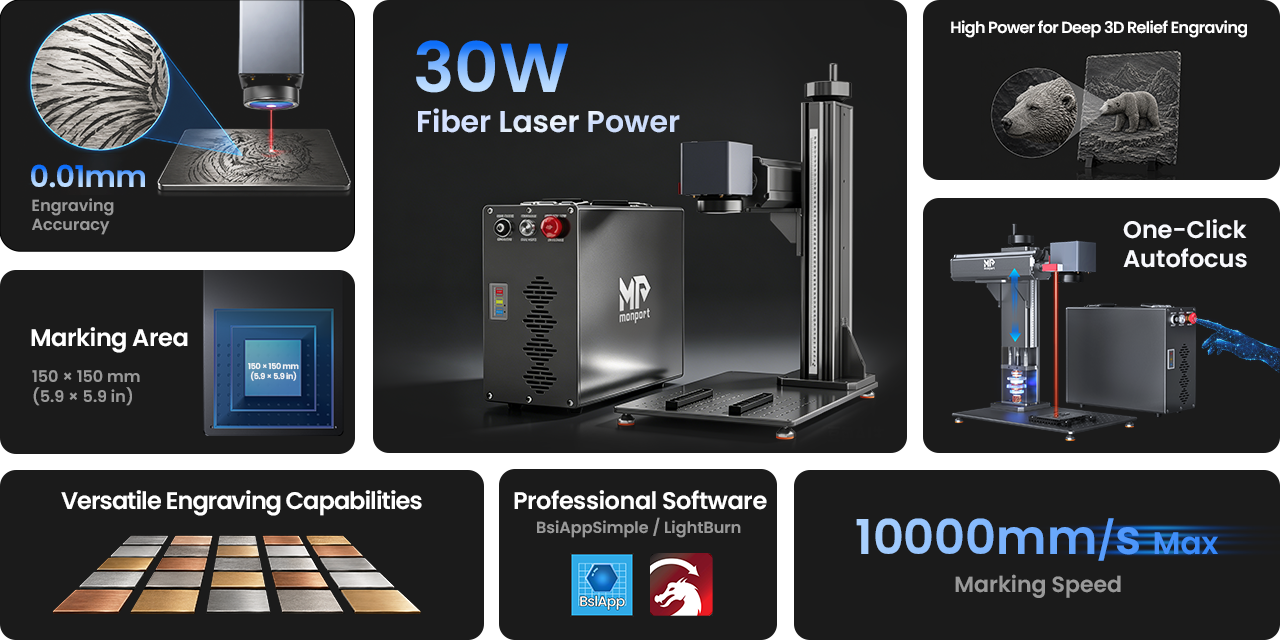
For readers specifically looking for a laser engraver for aluminum, the Monport GT 30W Split Fiber Laser Engraver is designed around metal marking and engraving.
It uses a 30W fiber laser with a 1064 nm central wavelength, a 150 × 150 mm (5.9 × 5.9 in.) engraving area, and a maximum engraving speed of 10,000 mm/s.
Its specified engraving accuracy is 0.01 mm, while its positioning accuracy is ±0.1 µm. The maximum marking depth is 0.08 mm (0.003 in.), depending on the material and processing conditions.
The GT 30W also provides autofocus and electric lifting, which can simplify setup when working with different workpieces. Rotary-axis support allows curved engraving when the appropriate accessory is used.
Its frequency range is 30–60 kHz, with an 80–120 ns unadjustable pulse width and 0.75 mJ maximum pulse energy. Beam quality is specified as M² <1.5, with a beam diameter of 6–8 mm.
The expected service life is listed at 100,000 hours, and the system uses air cooling.
For software, the GT 30W supports BslAppSimple and LightBurn on Windows and macOS, with USB used for data transmission.
How Does the Monport GT 30W Compare With Other Options?
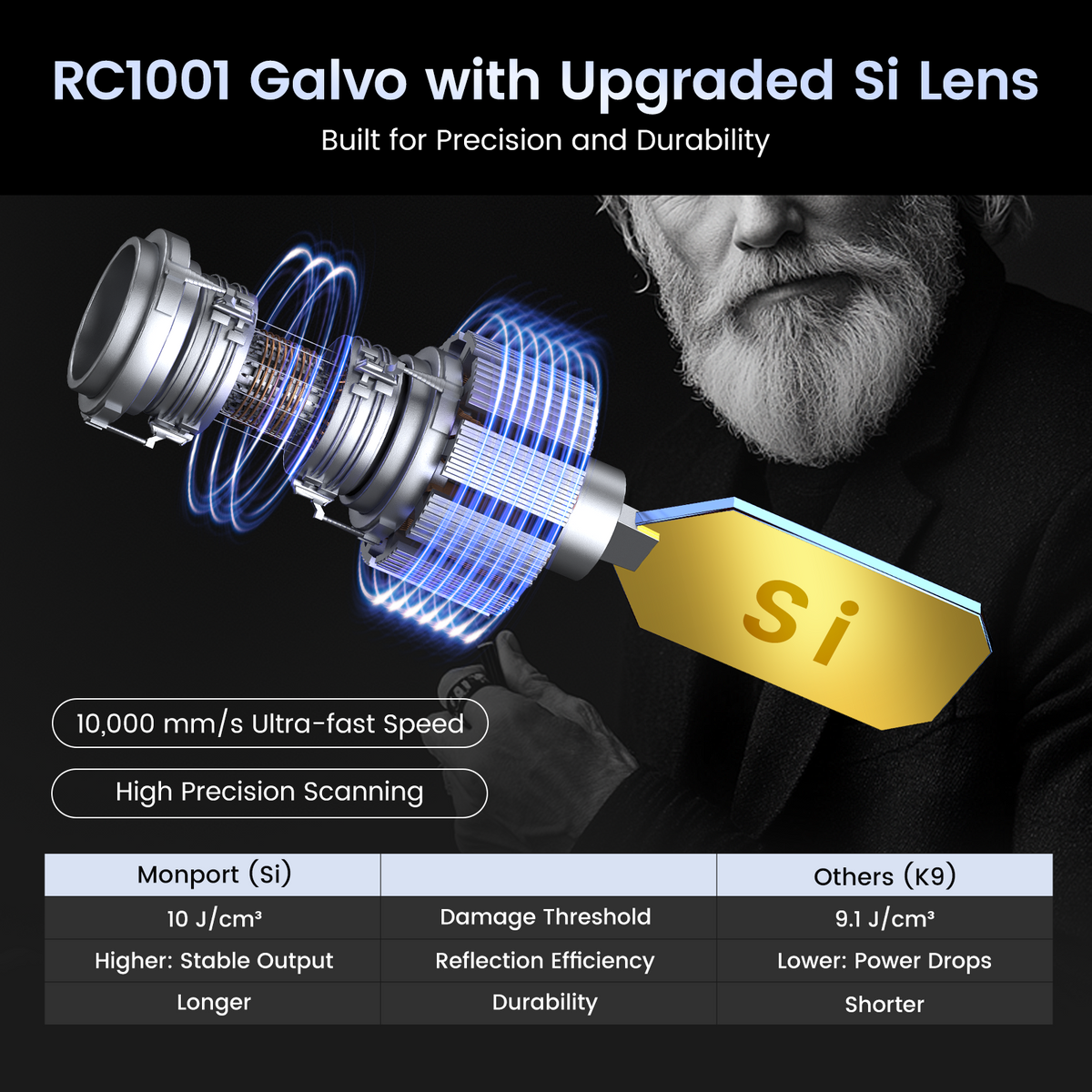
Competitor guides commonly separate aluminum laser systems into diode, CO₂, standard fiber, and MOPA fiber categories. The important difference is not simply wattage; it is the type of surface and marking effect each machine is intended to handle.
A diode machine can make sense for certain anodized aluminum projects, especially when the user also wants to work with materials such as wood, leather, and acrylic.
A standard fiber machine is more appropriate when the priority is direct metal marking. MOPA fiber systems offer greater pulse-control flexibility and are often considered for specialized effects, including certain color-marking applications.
The Monport GT 30W belongs to the standard fiber category. Importantly, its specifications state Color Engraving: No, so it should not be presented as a color-engraving machine.
For standard laser engraving aluminum, however, its combination of 30W fiber power, 1064 nm wavelength, autofocus, rotary support, and 150 × 150 mm engraving area provides a focused setup for metal projects.
How to Get Better Aluminum Engraving Results
One of the biggest beginner mistakes is copying a random setting from the internet and expecting it to work perfectly on every piece of aluminum.
Start with a small material test. Change one variable at a time, such as speed, power, frequency, or number of passes.
Surface finish matters too. Brushed, polished, cast, and anodized aluminum can react differently even when they are made from the same basic material.
For laser engraving aluminum, focus and positioning are also important. Incorrect focus can affect line sharpness and contrast, particularly when working with small text, logos, or detailed graphics.
Keep a record of settings that work for each aluminum type. Over time, your own material test library becomes one of the most useful resources in your workshop.
If you are starting your first aluminum project, spend more time testing the material than chasing maximum speed. A clean, repeatable mark is much more useful than a fast but inconsistent result.
Key Takeaways
- Laser engraving aluminum is possible, but bare and anodized aluminum require different approaches.
- A 1064 nm fiber system is generally the practical choice for direct bare-metal marking.
- A laser engraver for aluminum should be selected according to material, project size, desired marking effect, and production needs.
- Anodized aluminum provides more laser-source options than bare aluminum.
- Autofocus and rotary support can make a laser engraver for aluminum more versatile.
- The Monport GT 30W features a 30W fiber laser, 1064 nm wavelength, 10,000 mm/s maximum engraving speed, 0.01 mm engraving accuracy, autofocus, electric lifting, and rotary-axis support.
- The GT 30W specification explicitly states Color Engraving: No.
- Testing the actual aluminum before production is essential.
Conclusion
Learning laser engraving aluminum becomes much easier once you stop treating every aluminum surface as identical. Start by identifying whether you are working with bare or anodized aluminum, then choose equipment that matches the result you actually want.
For direct laser engraving aluminum, a 1064 nm fiber machine is a strong starting point. A suitable laser engraver for aluminum can handle everything from personalized tags and tools to nameplates, components, and cylindrical products when rotary support is available.
The Monport GT 30W is one option worth considering if your work centers on straightforward metal marking. Its 30W fiber source, 150 × 150 mm work area, 10,000 mm/s maximum engraving speed, autofocus, electric lifting, and rotary support provide a practical setup for beginners working with aluminum.
The best laser engraver for aluminum ultimately depends on your material and workflow. If you need color marking, look beyond the GT 30W toward MOPA technology. If you mainly need clean, repeatable marks on bare aluminum, a standard fiber system is the more relevant category.
Ready to start? Test several aluminum samples first, record your results, and build your settings around the material instead of guessing. Monport Laser has different laser options, so you can choose the setup that fits the aluminum projects you actually want to make.
Frequently Asked Questions
Can you laser engrave aluminum?
Yes. Laser engraving aluminum works particularly well with 1064 nm fiber lasers for bare aluminum, while anodized aluminum can also be processed by some diode and CO₂ systems depending on the desired result.
What is the best laser engraver for aluminum?
For direct bare-metal laser engraving aluminum, a 1064 nm fiber laser is generally the preferred choice. The right laser engraver for aluminum depends on whether you need surface marking, deeper engraving, rotary work, or specialized effects.
Can a 30W fiber laser engrave aluminum?
Yes. A 30W fiber system can be used for laser engraving aluminum, with the result depending on the alloy, surface finish, design, focus, and processing settings. The Monport GT 30W is a 30W, 1064 nm fiber machine designed for metal engraving.
Can a CO₂ laser engrave aluminum?
A CO₂ laser is generally not the first choice for direct bare-aluminum engraving because aluminum reflects much of the CO₂ laser wavelength. However, CO₂ systems can be useful for certain anodized, painted, or coated aluminum applications.
What should I look for in a laser engraver for aluminum?
Look for the appropriate wavelength, sufficient power, suitable work area, autofocus, software compatibility, and rotary support if you plan to engrave curved products. For bare aluminum, a 1064 nm fiber laser engraver for aluminum is generally the most relevant starting point.





