Skip to content

Reno 45 Pro vs. Reno 65 Pro: The Ultimate Laser Cutter Comparison Guide

8%
off
Hurry! Offer Ends Soon!
CODE: BESTMP10
COPY
CODE

Choosing the right laser cutter can make a huge difference in your projects, whether you're running a small business, creating personalized gifts, or producing products to sell. If you've been comparing the reno 45 pro vs reno 65 pro, you're already looking at two of the most capable desktop CO2 laser machines available today.

Both machines are designed by Monport to deliver reliable engraving and cutting performance, but they serve different types of users. While the Reno 45 Pro is an excellent choice for hobbyists and growing businesses, the Reno 65 Pro is built for users who need more power, a larger workspace, and faster production.

If you're exploring a laser cutter for your workshop, this comparison will help you understand which model offers the best value for your needs. You can also explore our Reno Series Laser Machines to compare available models and accessories before making your decision.

Why Monport Has Become a Trusted Name for Every Laser Cutter User

Shopping for a laser cutter today means choosing from dozens of brands. However, Monport has continued to stand out by combining powerful hardware, beginner-friendly features, and competitive pricing.

The Reno Series wasn't built overnight. Monport spent 18 months developing these machines, improving common issues found in desktop laser engravers while keeping the machines affordable for both hobbyists and professionals.

Whether you're engraving wood, acrylic, leather, glass, paper, or coated metals, Monport machines are designed to deliver clean, consistent results.

Reno 45 Pro vs Reno 65 Pro: Quick Comparison

Feature

Reno 45 Pro

Reno 65 Pro

Laser Power 45W CO2 65W CO2
Working Area 16" × 12" 24" × 16" (600 × 400 mm)
Focus Magnetic Assisted Focus Magnetic Assisted Semi-Autofocus
Controller Standard Desktop Controller Brand-New DSP Controller
Maximum Speed Fast Up to 800 mm/s
Z-Axis Travel Standard 100 mm (4")
Wireless Connection No WiFi Supported
LCD Screen No 2.4-inch LCD Display
Best For Beginners & Small Businesses Professionals & High-Volume Production

Looking at the reno 45 pro vs reno 65 pro, the biggest upgrades are increased laser power, a significantly larger working area, and more advanced machine controls.

Understanding the Reno 45 Pro
Compact Yet Powerful

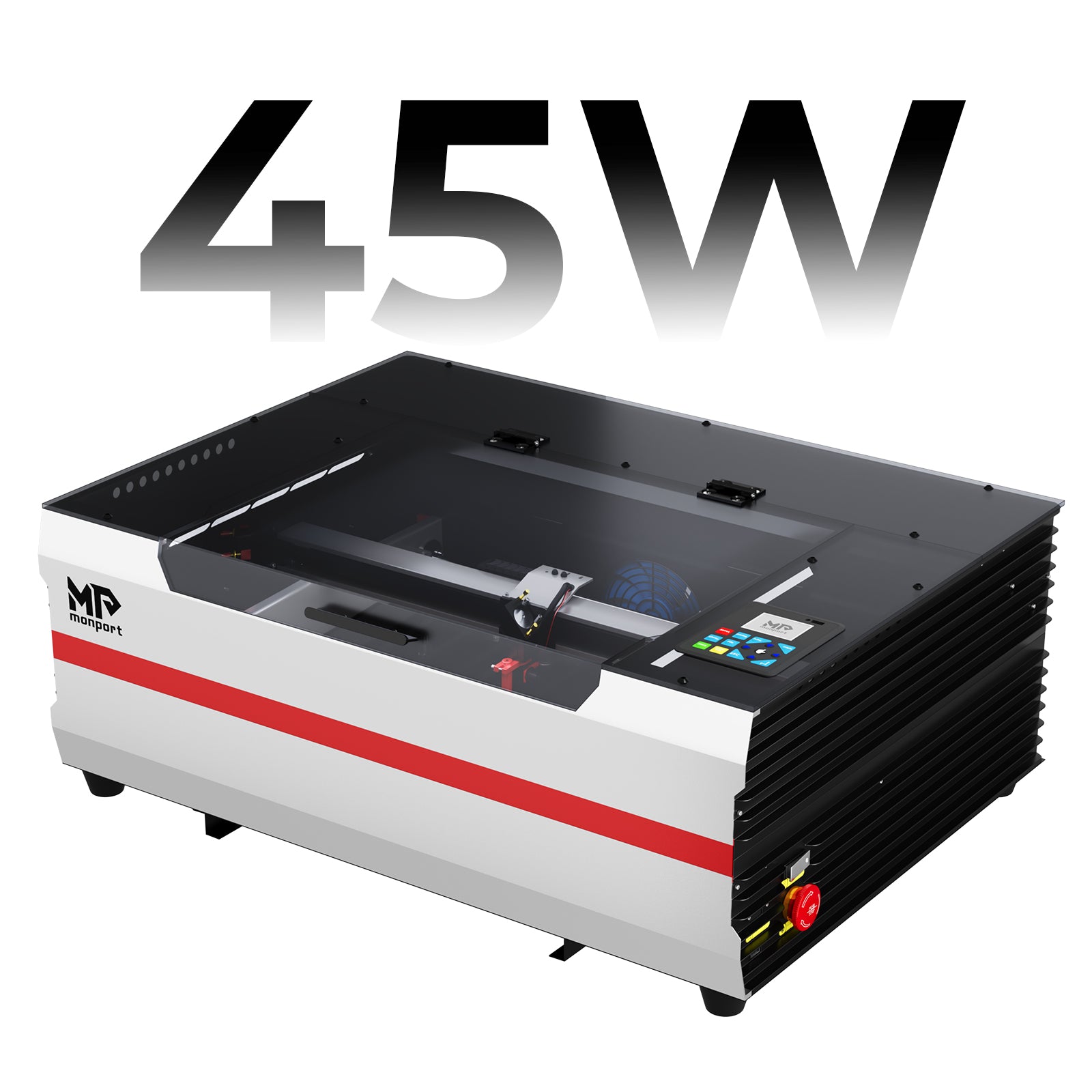
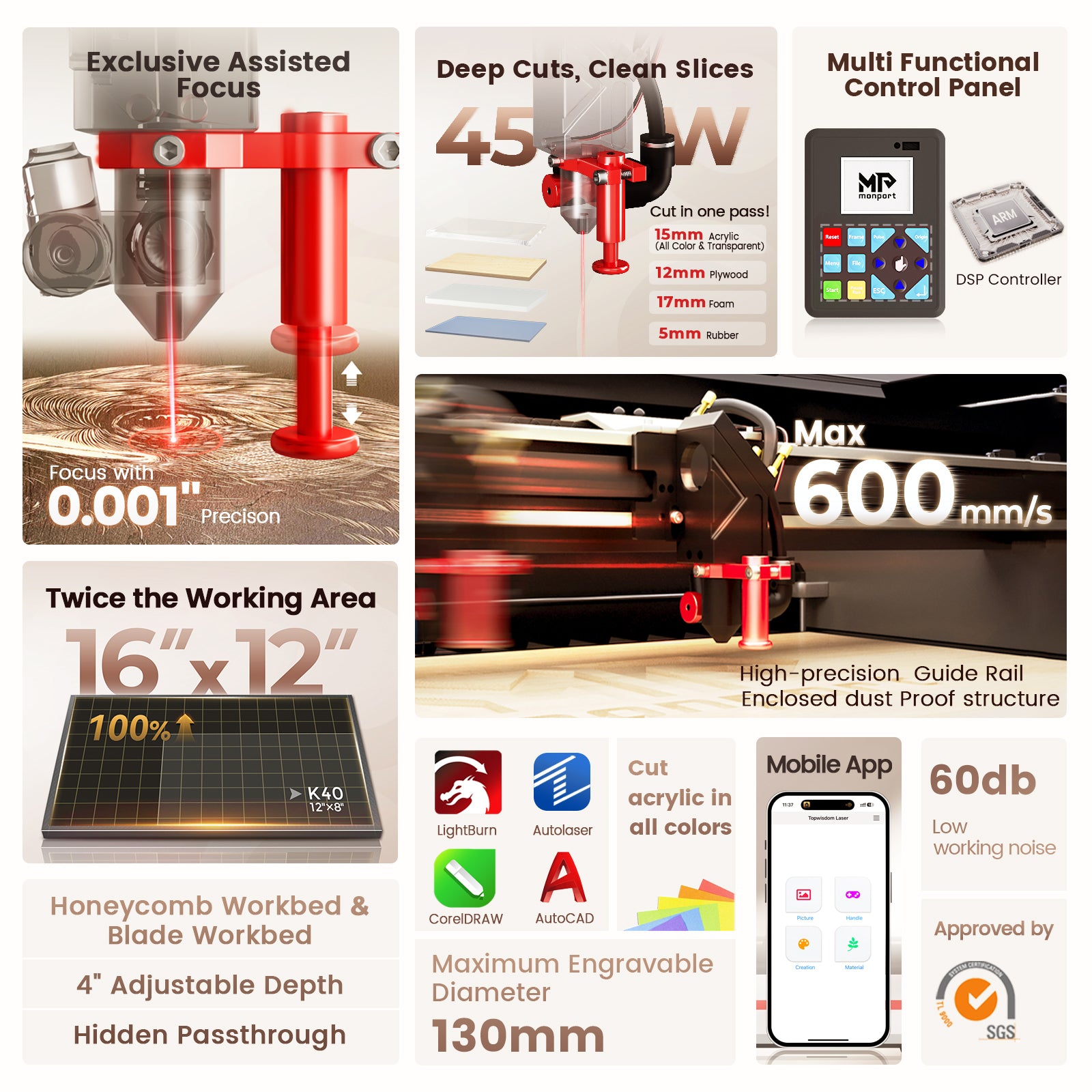
The Monport Reno45 Pro 45W Desktop CO2 Laser Engraver & Cutter is designed for creators who want professional results without needing a large workshop.

Its 16" × 12" workspace is suitable for personalized gifts, signs, home décor, school projects, and small business production.

For many users, this laser cutter offers the perfect balance between affordability and performance.

Easy for Beginners

One of the best features of the Reno 45 Pro is its Magnetic Assisted Focus system.

Instead of struggling with manual adjustments, users can quickly achieve proper focus, reducing setup time and improving engraving quality.

This makes the machine especially attractive to first-time laser owners.

Ideal Applications

The Reno 45 Pro performs well on:

  • Wood

  • Acrylic

  • Leather

  • Cardboard

  • Rubber

  • Paper

  • Glass engraving

  • Personalized gifts

If your projects are generally smaller in size, the Reno 45 Pro offers more than enough capability.

Why the Reno 65 Pro Stands Above the Competition
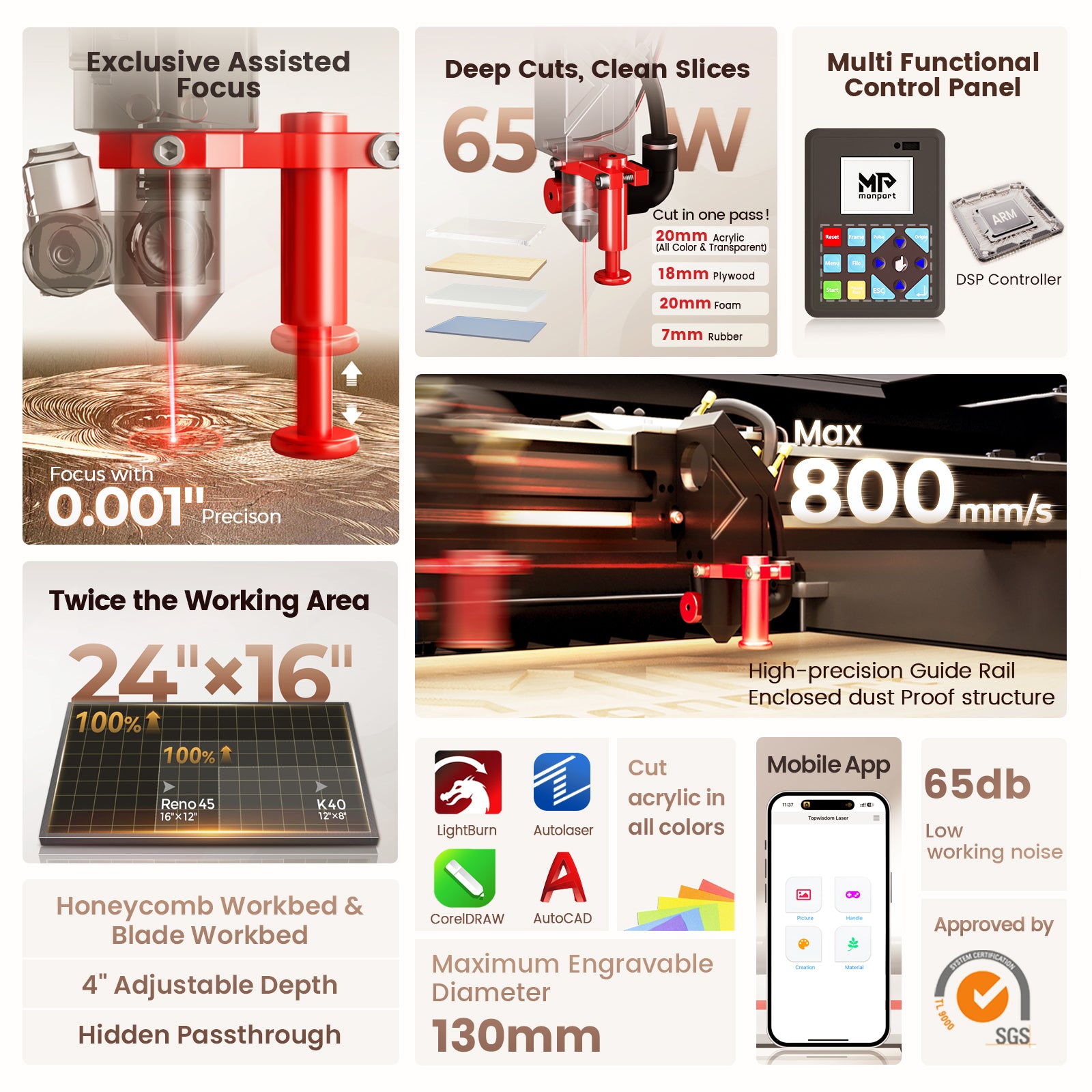
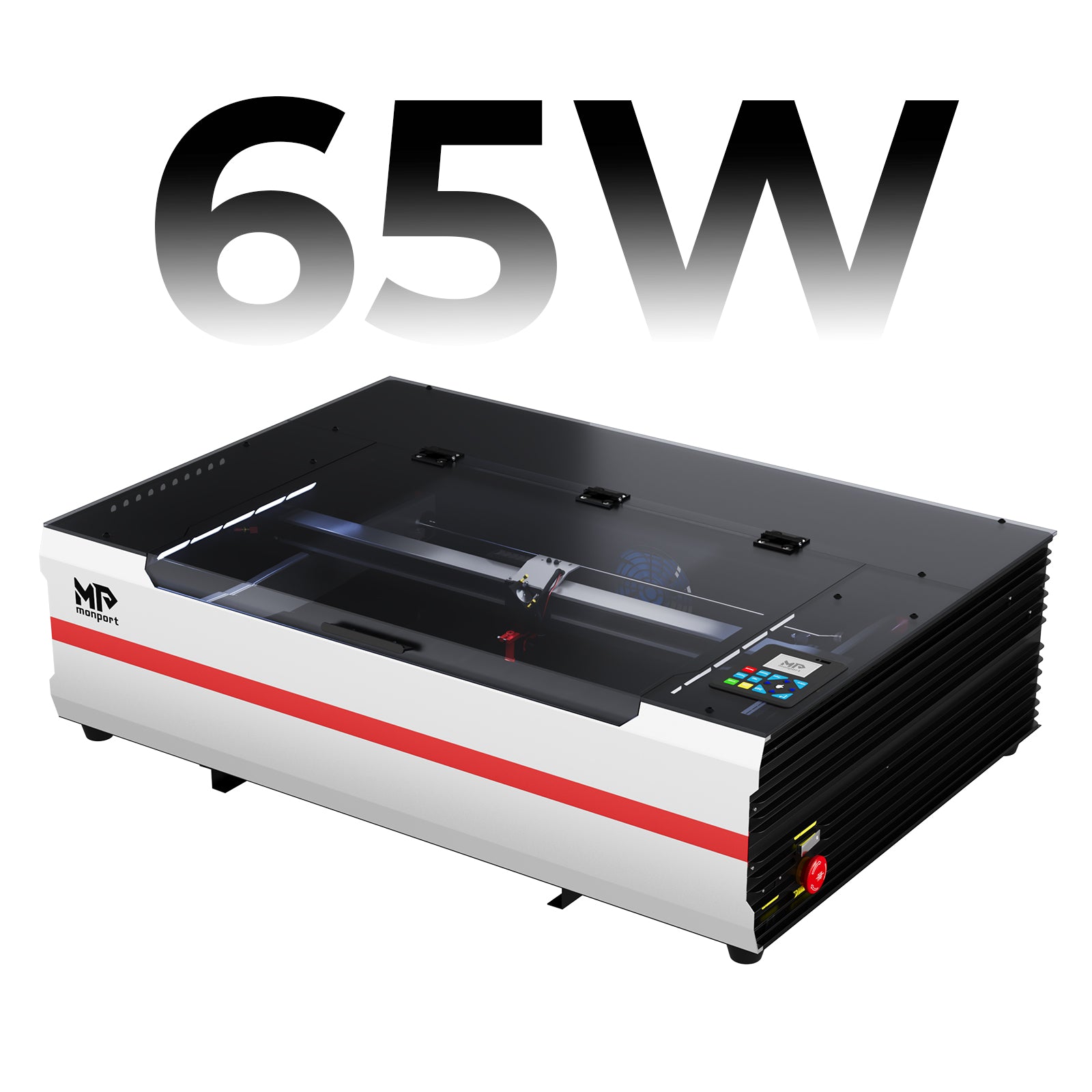
When comparing the reno 45 pro vs reno 65 pro, the Reno 65 Pro immediately stands out because of its higher laser power and expanded workspace.

More Power Means More Possibilities

The Reno 65 Pro features a 65W CO2 laser capable of cutting materials more efficiently.

Thanks to its upgraded optics, it can cut acrylic up to 20 mm in a single pass under suitable settings, helping users complete projects faster.

For businesses producing larger quantities every day, this laser cutter saves valuable production time.

Bigger Workspace for Bigger Projects

The Reno 65 Pro offers a 600 × 400 mm working area.

Compared with the Reno 45 Pro, this gives users significantly more room for larger signs, multiple products in one run, and oversized projects.

A larger work area also means fewer material changes during production, increasing efficiency.

Faster Performance for Growing Businesses

Speed matters when you're fulfilling customer orders.

The Reno 65 Pro reaches engraving speeds of up to 800 mm/s, thanks to Monport's newly designed motion system featuring lightweight mechanics, precision slides, custom motors, and optimized drives.

This allows the laser cutter to produce detailed work while maintaining excellent accuracy, even during longer production runs.
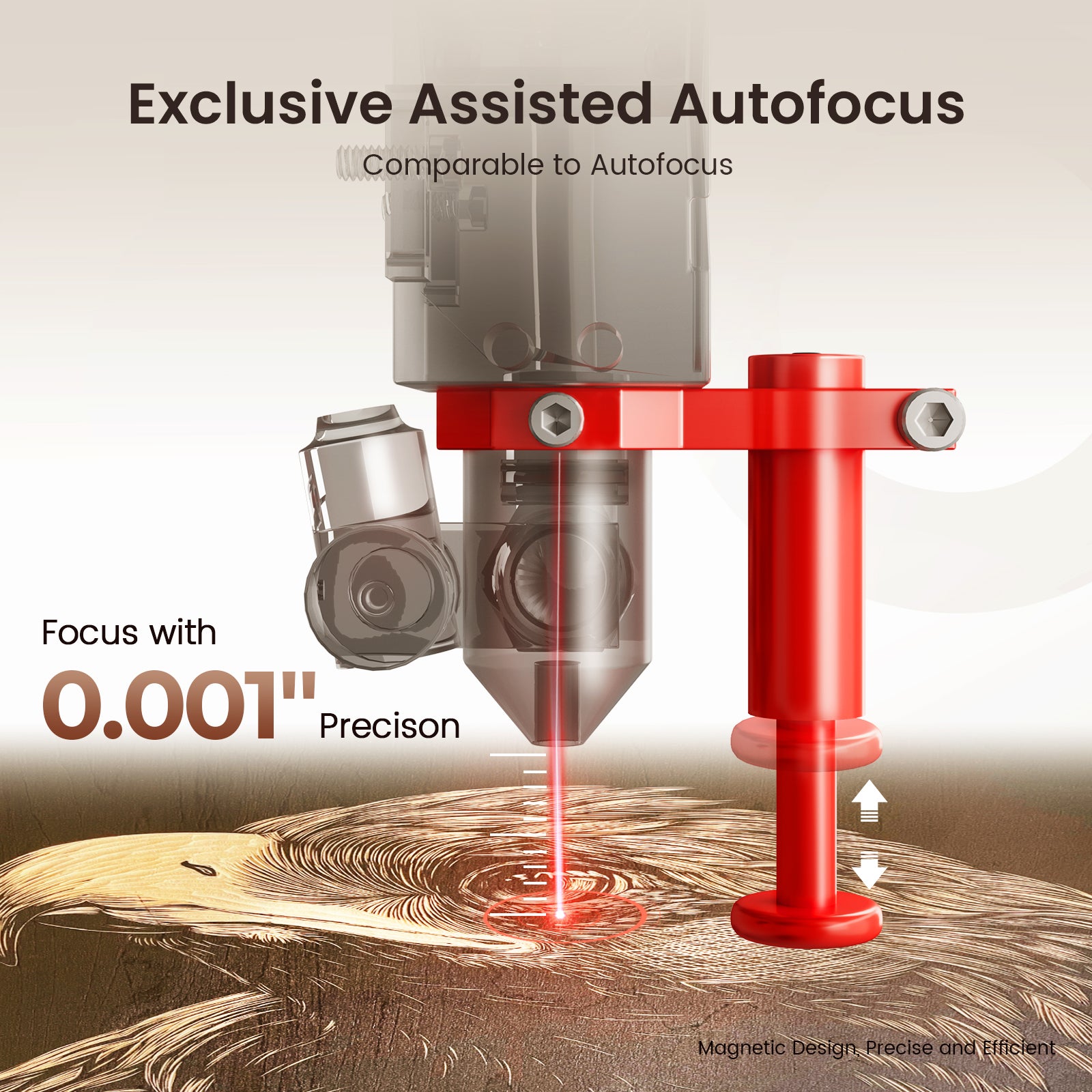

Industry-Exclusive Semi-Autofocus Makes Every Job Easier

Another major advantage in the reno 45 pro vs reno 65 pro comparison is the Reno 65 Pro's exclusive Semi-Autofocus system.

Monport designed this feature to simplify machine setup without increasing complexity. Even if you've never owned a laser cutter before, focusing only takes a few seconds. The magnetic feedback system helps you achieve accurate focus quickly, reducing mistakes and improving engraving quality.

This saves time on every project and lets you spend more time creating instead of adjusting the machine.

Adjustable Air Assist Improves Every Cut

Different materials require different airflow.

Many desktop laser machines use a fixed air assist system, which isn't always ideal. Too much airflow can affect engraving quality, while too little may prevent thicker materials from cutting cleanly.

The Reno 65 Pro solves this with its adjustable air assist system.

This allows users to fine-tune airflow depending on the material being processed, whether it's wood, acrylic, leather, or cardboard. Better airflow control means cleaner edges, less scorching, and more consistent cutting results.

For users who work with different materials every day, this feature alone makes the reno 45 pro vs reno 65 pro decision much easier.

Smart Controls Designed for Modern Makers

New DSP Controller

The Reno 65 Pro introduces Monport's brand-new DSP controller, giving users much more control over the machine.

Instead of relying only on a connected computer, many functions can be completed directly from the built-in control panel.

Features include:

  • Movement and positioning controls
  • Job preview
  • Start and pause functions
  • Speed adjustments
  • Parameter settings
  • Power adjustment during operation
  • Firmware updates
  • Real-time job statistics
  • Power-loss recovery
  • Rotary engraving support
  • Safety protection features

These tools help improve productivity while making daily operation much easier.

LCD Display and WiFi Connectivity

Unlike many desktop machines, the Reno 65 Pro includes a bright 2.4-inch LCD display.

The machine also supports WiFi communication in both AP and Station modes, making file transfers more convenient.

For users who prefer traditional workflows, USB communication and USB flash drive support are also included.

Whether you like working from your computer or directly from the machine, the Reno 65 Pro offers plenty of flexibility.

Software Compatibility

Another benefit in the reno 45 pro vs reno 65 pro comparison is software compatibility.

The Reno 65 Pro works with:

  • LightBurn
  • Autolaser
  • TopwisdomLaser

Autolaser is especially beginner-friendly, while experienced users often appreciate the advanced features available in LightBurn.

The machine also supports mobile app operation, allowing users to control certain engraving functions directly from their devices.

Outstanding Workspace for Larger Projects

Desktop machines are often limited by their work area, but Monport designed the Reno 65 Pro differently.

Its generous workspace is paired with several thoughtful upgrades:

  • 600 × 400 mm working area
  • 100 mm adjustable Z-axis
  • Honeycomb work platform
  • Blade work platform
  • Hidden front passthrough for longer materials

These additions make it easier to engrave thicker materials and complete oversized projects without moving to a much larger industrial machine.

If you're planning to expand your business, this laser cutter provides plenty of room to grow.

Smoke Extraction Recommendation

Every CO2 laser cutter produces smoke, dust, and fumes during engraving and cutting.

For the Reno 65 Pro, Monport recommends using its 220W Laser Fume Extractor with a 3-layer filtration system. This smoke extractor helps maintain cleaner air, improves visibility while working, and keeps your workspace more comfortable during long engraving sessions.

A proper smoke extraction system also helps protect the machine by reducing residue buildup inside the engraving area.

Which Machine Should You Choose?

17 Unique Wood Laser Engraving Ideas with Detailed Guides – OMTech

Choosing between the reno 45 pro vs reno 65 pro depends on your projects and future plans.

Choose the Reno 45 Pro if you:

  • Are new to laser engraving
  • Have limited workspace
  • Mainly produce smaller products
  • Want an affordable desktop machine
  • Need reliable engraving for hobby or small business use

Choose the Reno 65 Pro if you:

  • Run a growing business
  • Need faster production
  • Frequently cut thicker materials
  • Want a larger work area
  • Need advanced controls and WiFi connectivity
  • Plan to scale your production over time

While both machines deliver excellent results, the Reno 65 Pro offers more room for growth and higher productivity for demanding users.

Why Monport Continues to Lead

Monport has built the Reno Series around real user needs rather than unnecessary extras.

From Magnetic Assisted Focus and adjustable air assist to the advanced DSP controller and spacious work area, every feature is designed to make engraving easier and more efficient.

The company's commitment to innovation, ease of use, and fair pricing has made its machines a trusted choice for hobbyists, makers, educators, and professional businesses alike.

Key Takeaways

  • The reno 45 pro vs reno 65 pro comparison mainly comes down to power, work area, and productivity.

  • Reno 45 Pro is ideal for beginners, hobbyists, and small businesses.

  • Reno 65 Pro offers higher power, a larger engraving area, and professional-grade performance.

  • Both machines include Monport's Magnetic Assisted Focus system for easier setup.

  • Reno 65 Pro introduces a new DSP controller, semi-autofocus, WiFi support, and an LCD control panel.

  • If you frequently cut thicker materials or process larger orders, the Reno 65 Pro is the better investment.

  • Use code BESTMP10 to enjoy 8% OFF your Monport purchase.

Ready to Upgrade Your Workshop?

Whether you're buying your first laser cutter or replacing an older machine, Monport's Reno Series delivers impressive performance for its price.

If your work involves larger projects, higher production, or thicker materials, the Reno 65 Pro is a smart long-term investment. If you're focused on smaller jobs and learning the craft, the Reno 45 Pro remains an excellent option.

Shop Now and use coupon code BESTMP10 to receive 8% OFF your Monport purchase. Discover more about our Reno Series Laser Machines and choose the machine that best matches your creative goals.

Conclusion

After comparing the reno 45 pro vs reno 65 pro, it's clear that both machines offer outstanding value. The Reno 45 Pro is a dependable choice for beginners and small businesses looking for a compact, capable laser cutter. The Reno 65 Pro takes things further with more power, a larger workspace, faster engraving speeds, smarter controls, and features that support long-term business growth.

No matter which model you choose, you're investing in a machine designed to help you create high-quality projects with confidence. If you're ready to take your workshop to the next level, explore our Reno Series Laser Machines, choose the model that fits your workflow, and don't forget to use BESTMP10 for 8% OFF your order.

FAQs

1. What is the biggest difference between the Reno 45 Pro and Reno 65 Pro?

The biggest difference is power and workspace. The Reno 65 Pro features a 65W laser, a larger 600 × 400 mm work area, faster engraving speeds, and advanced features like a DSP controller, WiFi, and Semi-Autofocus.

2. Is the Reno 45 Pro suitable for beginners?

Yes. The Reno 45 Pro is designed with ease of use in mind. Its Magnetic Assisted Focus system and compact size make it an excellent choice for first-time laser users.

3. Can the Reno 65 Pro cut thicker acrylic?

Yes. With its upgraded 65W laser and high-quality optical system, the Reno 65 Pro can cut acrylic up to 20 mm thick in a single pass under appropriate settings.

4. Which software works with the Reno 65 Pro?

The Reno 65 Pro is compatible with LightBurn, Autolaser, and TopwisdomLaser. It also supports WiFi connectivity and mobile app operation for added convenience.

5. Do I need a smoke extractor for the Reno 65 Pro?

Yes. Monport recommends using its 220W Laser Fume Extractor with a three-layer filtration system to help remove smoke and fumes while keeping your workspace cleaner and safer.


Leave A Comment