


Monport VS Competitors
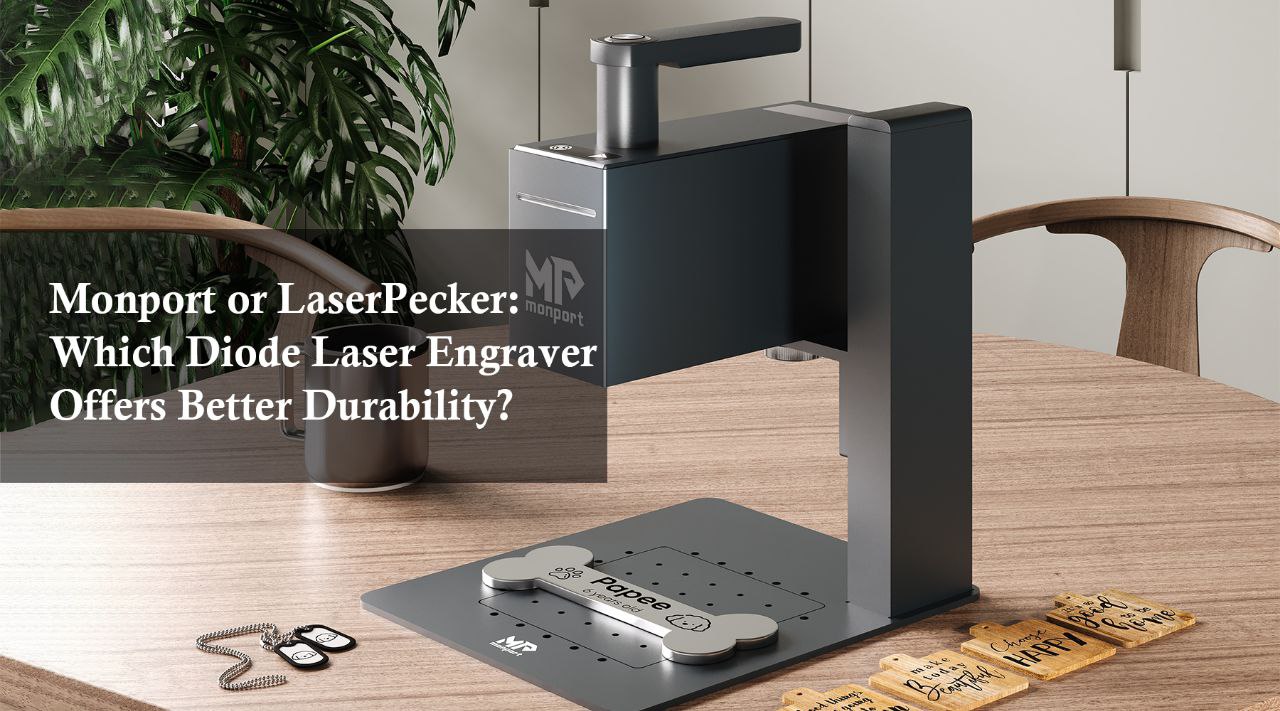
Monport or LaserPecker: Which Diode Laser Engraver Offers Better Durability?
Discover the most durable diode laser engraver. Compare Monport and LaserPecker for build quality, laser lifespan, electronic reliability, and customer support. Find the perfect tool for your engraving needs.
Read moreMonport VS Competitors

Cost Comparison: Monport Diode Laser Engravers vs. LaserPecker – Which Is More Affordable?
When it comes to laser engraving, choosing the right machine can make a significant difference in both cost and functionality. Two popular options in the market are the Monport Diode Laser machine and LaserPecker. Both offer unique features, but which one gives you the best value for your money? In this article, we’ll compare the Monport 6W Handheld Diode Laser Engraver with Auto Focus to LaserPecker models, focusing on cost, features, and overall value. Monport 6W Handheld Diode Laser Engraver with Auto Focus Introduction to Diode Laser Engravers Diode laser engravers are known for their precision, portability, and affordability. These machines are ideal for hobbyists, small businesses, and even professional engravers who need a reliable tool for intricate designs. The Monport Diode Laser machine and LaserPecker both fall into this category, but their differences can impact your purchase decision. Cost Comparison Monport Diode Laser Machine: Price: More affordable compared to LaserPecker. Offers a budget-friendly option without compromising on quality. LaserPecker: Price: Generally more expensive than Monport. While it provides good quality, it may not be as budget-friendly. Feature Comparison: Monport vs. LaserPecker When evaluating the features of both machines, it’s clear that Monport has better features than LaserPecker. Let’s break down the key aspects: Key Features of Monport Diode Laser Machine: Auto Focus: Automatically adjusts the focus for precise engraving, saving you time and effort. 6W Laser Power: Strong enough to handle various materials like wood, leather, and acrylic. Portability: Lightweight and handheld, making it easy to use anywhere. User-Friendly Interface: Simple controls and setup make it accessible for beginners and professionals alike. Key Features of LaserPecker: Manual Focus: Requires manual adjustment, which can be time-consuming and less precise. Weaker Laser Power: Typically comes with a lower wattage, limiting its capability with tougher materials. Portability: Also portable but lacks some advanced features found in Monport. User Interface: While it’s user-friendly, it lacks the automatic features that Monport offers. Budget-Friendly Choice Monport is more budget-friendly than LaserPecker. Here’s why: Lower Initial Cost: Monport’s pricing is more competitive, making it accessible to a broader audience. Long-Term Savings: With better features and durability, you’re less likely to need replacements or upgrades, saving you money in the long run. Worth the Investment Investing in a laser engraver is a big decision, and you want to make sure you’re getting the best value. Monport is worth it compared to LaserPecker for several reasons: Superior Features: With auto-focus and higher laser power, Monport offers more for your money. Cost-Effective: You won’t have to break the bank to get a high-quality machine. Durability: Built to last, Monport machines provide long-term value, reducing the need for frequent replacements. Important Details to Consider When comparing Monport Diode Laser machine and LaserPecker, keep the following in mind: Material Compatibility: Monport handles a wider range of materials due to its higher laser power. Ease of Use: Monport’s auto-focus feature simplifies the engraving process, while LaserPecker requires manual adjustments. Portability: Both machines are portable, but Monport’s design is more versatile for different environments. Table: Side-by-Side Comparison of Monport vs. LaserPecker Feature Monport Diode Laser Machine LaserPecker Price More affordable More expensive Laser Power 6W Lower wattage Auto Focus Yes No Material Compatibility Wood, Leather, Acrylic, and more Limited User Interface User-friendly with advanced features Basic Portability Lightweight and handheld Portable but with fewer features Durability High durability Moderate Frequently Asked Questions (FAQs) 1. Which is better, Monport or LaserPecker? Monport is better than LaserPecker in terms of features, cost, and overall value. With auto-focus and higher laser power, it offers superior performance at a more affordable price. 2. Is Monport Diode Laser machine budget-friendly? Yes, Monport is more budget-friendly than LaserPecker. It provides excellent value for the price, making it a cost-effective choice for both beginners and professionals. 3. Can Monport engrave a variety of materials? Yes, Monport’s 6W laser power allows it to engrave materials like wood, leather, acrylic, and more. 4. Is the auto-focus feature important? Absolutely! The auto-focus feature on Monport machines simplifies the engraving process and ensures precision, making it a valuable feature that LaserPecker lacks. Takeaways Monport is better than LaserPecker in terms of features and cost. Monport is more budget-friendly and offers long-term savings. Monport is worth the investment for anyone looking for a high-quality, affordable laser engraver. Conclusion When comparing the Monport Diode Laser machine to LaserPecker, it’s clear that Monport offers better value for money. With superior features like auto-focus, higher laser power, and a more budget-friendly price point, Monport is worth it compared to LaserPecker. Whether you’re a hobbyist or a professional, Monport provides the reliability, efficiency, and affordability you need in a diode laser engraver.

Monport Diode Laser Engravers vs. LaserPecker: Best for High-Precision Engraving
When it comes to high-precision laser engraving, the market offers a wide range of choices, but not all are created equal. Two of the leading brands in this space are Monport Diode Laser Engraver and LaserPecker. In this blog, we'll dive into a comparison between the Monport 6W Handheld Diode Laser Engraver with Auto Focus and LaserPecker, helping you decide which offers better features, affordability, and value. Monport 6W Handheld Diode Laser Engraver with Auto Focus Why Choose Monport Diode Laser Engravers? Monport has earned a reputation for providing advanced features and user-friendly designs that make it a top choice among professionals and hobbyists alike. The Monport Diode Laser Engraver stands out from the competition with its superior performance, and here’s why: Better Features: Monport engravers come with an autofocus system, ensuring precise and accurate engravings every time. Budget-Friendly: Despite the advanced features, Monport's pricing is more affordable, making it a great value for the money. Reliability: Monport’s laser engravers are built with durable materials and designed to last, providing consistent performance over time. Monport vs. LaserPecker: Feature Comparison In the table below, we compare the Monport 6W Handheld Diode Laser Engraver with LaserPecker in terms of key features: Feature Monport 6W Diode Laser Engraver LaserPecker Laser Power 6W 5W Auto Focus Yes No Engraving Speed 3000 mm/min 2200 mm/min Maximum Engraving Size 200x200mm 100x100mm Price More budget-friendly Higher-priced Monport: Better Features One of the standout aspects of Monport is its auto-focus feature, which ensures that the laser is always at the optimal distance from the material being engraved. This feature is absent in LaserPecker models, meaning users must manually adjust the laser focus, which can lead to inconsistencies. Another feature that gives Monport an edge is its larger engraving area. With a maximum engraving size of 200x200mm, the Monport Diode Laser Engraver allows you to work on larger projects compared to the smaller 100x100mm size offered by LaserPecker. Monport: More Affordable Budget is often a key consideration when choosing a laser engraver. While LaserPecker products are known for their portability and ease of use, they come with a higher price tag. Monport is more budget-friendly, offering advanced features without breaking the bank. This makes it an excellent choice for both beginners and professionals looking to get the best value for their investment. Monport: Worth the Investment When comparing long-term value, Monport emerges as the clear winner. Not only does it offer better features at a lower price, but its robust construction ensures longevity. With Monport, you get a reliable machine that can handle various engraving tasks, from intricate designs on wood to detailed markings on metal. LaserPecker, while convenient, lacks the power and durability that Monport provides, making Monport a smarter investment in the long run. Frequently Asked Questions (FAQs) 1. Can the Monport Diode Laser Engraver work on various materials? Yes, the Monport Diode Laser Engraver can work on various materials like wood, leather, glass, metal, and acrylic, making it versatile for different projects. 2. Does Monport offer customer support? Yes, Monport provides excellent customer support, ensuring that users have access to assistance whenever needed. 3. How does the auto-focus feature benefit engraving? The auto-focus feature ensures that the laser is always at the correct distance from the material, resulting in precise and consistent engravings. 4. Is Monport suitable for beginners? Absolutely! With its user-friendly design and detailed instruction manuals, Monport is ideal for both beginners and experienced users. 5. How does the price of Monport compare to LaserPecker? Monport is more budget-friendly than LaserPecker while offering superior features and performance. Important Details to Consider Auto-Focus Advantage: Monport’s auto-focus system eliminates the need for manual adjustments, making it easier to achieve perfect engravings every time. Affordability: Compared to LaserPecker, Monport provides better value for money, especially considering the features and engraving quality. Versatility: With a broader range of compatible materials and a larger engraving area, Monport is better suited for a variety of projects. Key Takeaways Monport is better than LaserPecker in terms of features, offering auto-focus, larger engraving size, and higher laser power. Monport is more budget-friendly without compromising on quality, making it the best option for those who want high performance at a lower cost. Monport is worth the investment as it offers reliability, durability, and versatility, ensuring you get the most out of your laser engraving projects. Conclusion When choosing between the Monport Diode Laser Engraver and LaserPecker, it's clear that Monport is the superior choice. With better features, a more affordable price, and a higher long-term value, Monport offers everything you need for high-precision engraving. Whether you're a professional or a hobbyist, Monport’s 6W Handheld Diode Laser Engraver with Auto Focus provides the best combination of performance and value, making it the top pick in the laser engraving market.

Which Diode Laser Engraver Handles More Materials? Monport vs. LaserPecker
When it comes to diode laser engravers, two popular options often come to mind: Monport Diode Laser Engraving Machine and LaserPecker Diode Laser Engravers. Both brands offer innovative solutions, but how do they compare? In this blog post, we'll dive deep into the key features, performance, and value of the Monport 6W Handheld Diode Laser Engraver with Auto Focus and see how it stacks up against LaserPecker's diode laser engravers. Monport 6W Handheld Diode Laser Engraver with Auto Focus Introduction In the world of laser engraving, choosing the right machine can make all the difference. Whether you are a hobbyist or a professional, finding a laser engraver that handles a variety of materials, offers top-notch features, and fits within your budget is crucial. In this comparison, we'll explore why Monport Diode Laser Engraving Machine is a better choice than LaserPecker, highlighting its superior features, affordability, and overall worth. Key Features Comparison: Monport vs. LaserPecker Feature Monport 6W Handheld Diode Laser Engraver LaserPecker Diode Laser Engravers Laser Power 6W 5W Auto Focus Yes No Material Compatibility Wood, leather, acrylic, metal, etc. Primarily wood and leather Portability Highly portable, handheld design Portable but larger footprint Price Range Budget-friendly More expensive Monport: A Clear Winner in Features One of the standout features of the Monport Diode Laser Engraving Machine is its auto-focus capability. Unlike LaserPecker, which requires manual adjustments, Monport's auto-focus ensures precise engraving on various surfaces with minimal effort. Additionally, the Monport engraver offers a higher laser power of 6W, allowing it to cut through and engrave more materials, including wood, leather, acrylic, and metal. LaserPecker: Limited Material Compatibility While LaserPecker diode laser engravers are known for their portability, they fall short in terms of material compatibility. LaserPecker is primarily designed for engraving on wood and leather, limiting its versatility. In contrast, Monport Diode Laser Engraving Machine handles a wider range of materials, making it a more versatile option for users who need to engrave on different surfaces. Performance: Monport Delivers Better Results When it comes to performance, the Monport Diode Laser Engraving Machine outshines LaserPecker in several ways. The 6W laser power allows for faster engraving speeds and deeper cuts, making it ideal for both intricate designs and heavy-duty tasks. The auto-focus feature further enhances the engraving quality, ensuring sharp and precise results every time. LaserPecker: Slower and Less Accurate LaserPecker engravers, with their 5W laser power, struggle to match the speed and accuracy of Monport. The lack of auto-focus means users have to manually adjust the focus for different materials, which can lead to inconsistencies in the engraving quality. If you need a laser engraver that delivers reliable and professional results, Monport Diode Laser Engraving Machine is the better choice. Price: Monport Offers Better Value for Money Affordability is another area where Monport excels. Despite offering superior features and performance, the Monport Diode Laser Engraving Machine is more budget-friendly than LaserPecker. This makes it an excellent choice for users who want high-quality engraving without breaking the bank. LaserPecker: Higher Price, Fewer Features LaserPecker engravers come with a higher price tag but offer fewer features compared to Monport. If you're looking for the best value for your money, Monport Diode Laser Engraving Machine is the clear winner. You get more features, better performance, and greater versatility at a lower cost. Is Monport Worth It? Absolutely! When comparing the Monport Diode Laser Engraving Machine to LaserPecker, it's clear that Monport is the superior choice. With better features, more material compatibility, and a budget-friendly price, Monport offers exceptional value for both beginners and professionals. Whether you're working on small crafts or large-scale projects, Monport has the power and precision you need. FAQs 1. What materials can the Monport Diode Laser Engraving Machine handle? The Monport Diode Laser Engraving Machine can engrave on a wide range of materials, including wood, leather, acrylic, metal, and more. 2. Does Monport have an auto-focus feature? Yes, the Monport Diode Laser Engraving Machine comes with an auto-focus feature, ensuring precise and accurate engraving on various surfaces. 3. Is Monport more affordable than LaserPecker? Yes, Monport Diode Laser Engraving Machine is more budget-friendly while offering better features and performance than LaserPecker. 4. Which laser engraver is more portable, Monport or LaserPecker? Both laser engravers are portable, but the Monport Diode Laser Engraving Machine has a more compact and handheld design, making it easier to carry and use on the go. 5. Can Monport engrave metal? Yes, the Monport Diode Laser Engraving Machine can engrave on metal, thanks to its higher laser power and material compatibility. Important Details to Remember Monport Diode Laser Engraving Machine offers auto-focus, making it easier to use and ensuring consistent engraving quality. Monport handles more materials compared to LaserPecker, making it a versatile tool for various projects. Monport is more budget-friendly than LaserPecker, providing better value for money. Takeaways Monport Diode Laser Engraving Machine is better than LaserPecker in terms of features, performance, and price. If you need a reliable and versatile laser engraver, Monport is the better choice. Monport's affordability and superior features make it a worthwhile investment for both beginners and professionals. Conclusion In the battle between Monport Diode Laser Engraving Machine and LaserPecker, Monport emerges as the clear winner. With better features, more material compatibility, and a lower price, Monport offers the best value for your money. Whether you're a hobbyist or a professional, Monport Diode Laser Engraving Machine is the smarter choice for all your engraving needs.

Monport vs. LaserPecker: A Comprehensive Comparison of Diode Laser Engravers
In the world of laser engraving, the Monport Diode Laser Engraver is a clear leader, offering unparalleled precision, versatility, and performance. While the LaserPecker is a suitable choice for beginners and light-duty projects, it falls short in comparison to Monport's capabilities. Whether you’re a professional seeking high-quality results or a hobbyist exploring creative projects, the Monport engraver is the superior choice for all your engraving needs.

Is Monport Mega Worth It? A Deep Dive into This xTool P2 Alternative
Monport Mega outperforms xTool P2 with higher 70W laser power, faster speed, larger working area, advanced camera precision, and safer operation. Learn why it’s the top choice for desktop laser engraving projects.

The Ultimate Guide to Monport Mega S: The Best 70W Desktop CO2 Laser Cutter
Read the ultimate guide to Monport Mega S, the upgraded 70W desktop CO2 laser cutter with intelligent precision and automation, 1000mm/s speed, auto-focus, and LightBurn compatibility.

Comparing Monport 150W Built-in Chiller CO2 Laser Engraver and Omtech 150W Built-in Chiller CO2 Laser Engraver
While both the Monport 150W Built-in Chiller CO2 Laser Engraver and the Omtech 150W Built-in Chiller CO2 Laser Engraver offer impressive features, the Monport model stands out due to its user-friendly interface, precision, and efficient cooling system. These features make it particularly suitable for both beginners and professionals looking to achieve high-quality engraving and cutting results. For more information and to explore the full range of Monport laser engravers, visit Monportlaser.com.
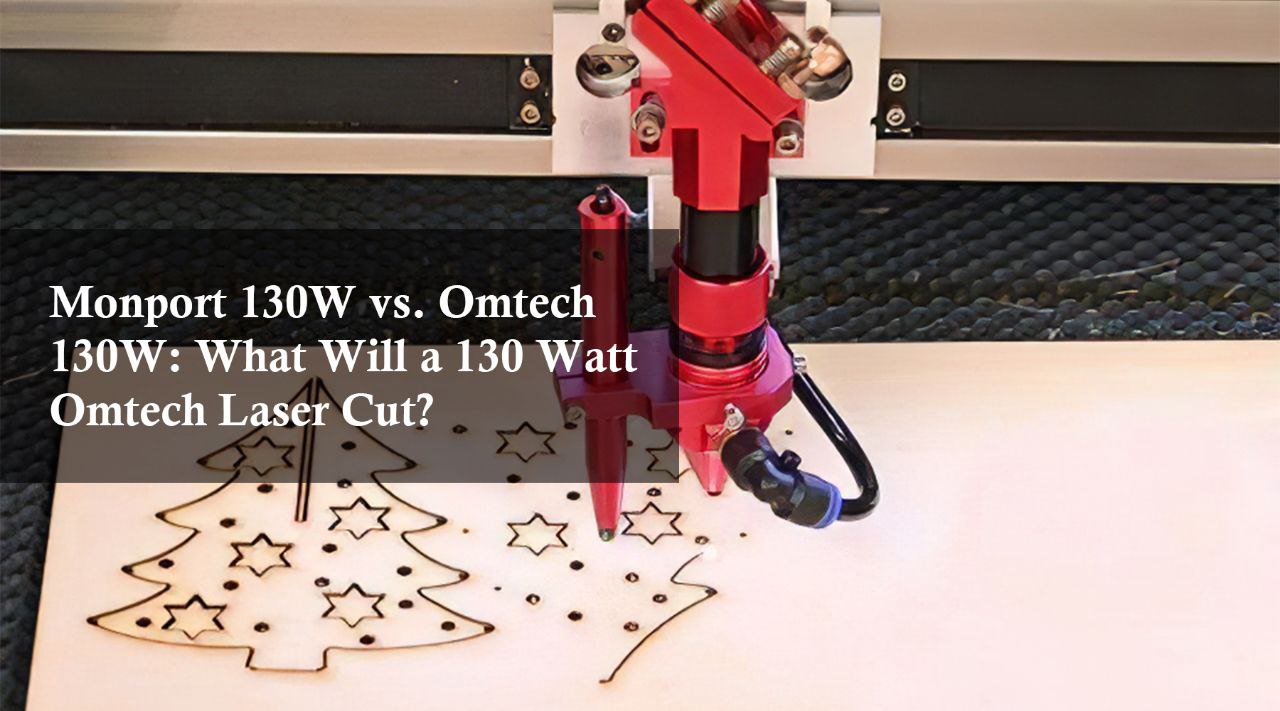
Monport 130W vs. Omtech 130W: What Will a 130 Watt Omtech Laser Cut?
Need a 130W laser cutter? Compare Monport 130w laser vs. Omtech 130w laser. We break down speed, accuracy, and features to help you decide. Learn about what will a 130 watt Omtech Laser cut. Find the perfect machine for your needs!

Comparing the Monport 55W Onyx Desktop Laser to the Omtech Polar Laser
In summary, while the Omtech Polar Laser is a competent machine, it falls short in several key areas compared to the Monport 55W Onyx Desktop Laser. With its superior speed, precision, versatility, and durability, the Monport 55W Onyx Desktop Laser emerges as the better choice for those seeking a high-performance laser engraver. Whether you are a professional looking to streamline your workflow or a hobbyist aiming for precision in your projects, the Monport 55W Onyx Desktop Laser provides the reliability and efficiency needed to achieve excellent results.

Monport K40 vs. OMTech K40: Which One is Worth Your Investment?
When considering a laser engraver for your projects, you might wonder, Is OMTech K40 worth it? or should you opt for the Monport K40? In this blog, we will compare these two popular CO2 laser cut machines to help you make an informed decision, including the use of black laser marking spray for enhanced engraving results. We’ll look at features, affordability, and overall value to guide your choice of the best laser cutter for small business and CO2 laser cutter for your needs. Special Offer | Monport 40W Pro Lightburn-Supported (12" X 8") CO2 Laser Engraver & Cutter with Air Assist - 40W Pro Shop now and get 10% off with BESTMP10 at checkout – Click here to shop! Introduction The Monport K40 and the OMTech K40 are both well-known in the laser cut machine and engraving community. With both products offering competitive features, it's essential to understand their differences and what makes one stand out over the other, helping you choose the best laser cutter for small business and the right CO2 laser cutter for your specific needs, especially when considering options like black laser marking spray for added versatility in your projects. Product Comparison Monport 40W Pro Lightburn-Supported (12" X 8") CO2 Laser Engraver & Cutter Power: 40W Work Area: 12" x 8" Compatibility: Lightburn-supported Special Features: Air assist, Pro model Price: Affordable with special offers OMTech K40+ - 40W CO2 Desktop Laser Engraver Power: 40W Work Area: 8" x 12" Compatibility: Lightburn-compatible Special Features: Detachable honeycomb workbed Price: Generally higher than Monport Feature Comparison Table Feature Monport K40 OMTech K40 Power 40W 40W Work Area 12" x 8" 12" x 8" Lightburn Support Yes Yes Air Assist Yes No Honeycomb Workbed No Yes (Detachable) Special Offers Available Less frequent Price $509.99 $659.99 Overall Value High due to features and affordability Moderate Max Process Speed 350 mm/s 300 mm/s Why Monport is Better Than OMTech Superior Features The Monport K40 offers several features that set it apart. For instance, it includes an air assist, which is crucial for improving cutting quality and reducing the risk of fire. This feature is absent in the OMTech K40, making the Monport K40 a superior choice for those seeking the best laser cutter for small business and a reliable CO2 laser cutter. More Affordable When comparing costs, Monport is more affordable than OMTech. This makes Monport an attractive option for hobbyists and small business owners looking to maximize their budget without compromising on quality, especially when combined with the use of black laser marking spray for enhanced results. Best Overall Value Considering both price and features, Monport has the best features compared to OMTech. The combination of Lightburn support, a larger working area, and air assist makes it a superior choice. FAQs Is OMTech K40 worth it?While OMTech K40 is a good machine, it tends to be pricier and lacks some features like air assist that are included in the Monport K40. What makes Monport K40 more affordable?Monport offers competitive pricing and frequent special offers, making their K40 model more budget-friendly compared to OMTech. Does Monport K40 support Lightburn?Yes, the Monport K40 is Lightburn-supported, ensuring easy and efficient design and cutting operations. What is the advantage of having an air assist in a laser engraver?Air assist improves cutting quality by blowing away debris and reducing the risk of fire, which is a significant advantage in Monport K40. Can I use black laser marking spray with the Monport K40?Yes! Black laser marking spray works great with the Monport K40 and enhances engraving precision, making your projects stand out with vibrant, sharp details. Important Details Monport K40 includes air assist, a feature that enhances cutting performance. OMTech K40 offers a detachable honeycomb workbed, which is useful but not as critical as air assist. Price difference: Monport is more budget-friendly, making it a better choice for those seeking value for money. Takeaways Monport K40 provides a larger work area, air assist, and is more affordable, making it an excellent choice for both beginners and professionals. OMTech K40 has good features but lacks some of the enhancements found in Monport, and it is generally more expensive. Conclusion In conclusion, if you're wondering, "Is OMTech K40 worth it?", it depends on your priorities. However, for a blend of affordability, advanced features, and overall value, the Monport K40 stands out as the better choice. Whether you are a hobbyist or running a small business, investing in the Monport K40 CO2 laser cutter will give you the best laser cutter for small business with its superior features and competitive pricing, especially when paired with black laser marking spray for enhanced engraving precision. Read More: Beginners Guide To The K40 Laser Engraver - Monport Shop now and get 10% off with BESTMP10 at checkout – Click here to shop! Celebrate Business Week with Monport! Enjoy up to 30% OFF on our premium laser engraving machines and unlock incredible free gifts to elevate your projects. Buy a CO₂ laser and receive a FREE Water Chiller, Rotary Axis, and LightBurn software. Purchase a Fiber Laser and get a FREE Rotary Axis. Plus, score a special $130 OFF on bundle deals and 30% OFF laser engraving materials. Don’t wait — use code BESTMP10 at checkout and click here to shop now!

How Fast is the OMTech K40 laser? A Comparative Analysis of OMTech K40 vs. Monport K40 CO2 Lasers
Explore the Monport K40 laser vs OMTech K40. Learn why Monport K40 leads in engraving speed, cutting ability, and overall efficiency, making it ideal for beginners and small workshops. Boost productivity and creativity with this powerful CO₂ laser.

Monport vs OmTech 80 CO2 Laser Engraver: Monport - Power, Precision, and Affordability You Can Trust
This comparison of OMTech vs Monport explores 80W CO2 laser engravers, focusing on speed, working area, usability, safety, and value to help buyers choose the right machine.