


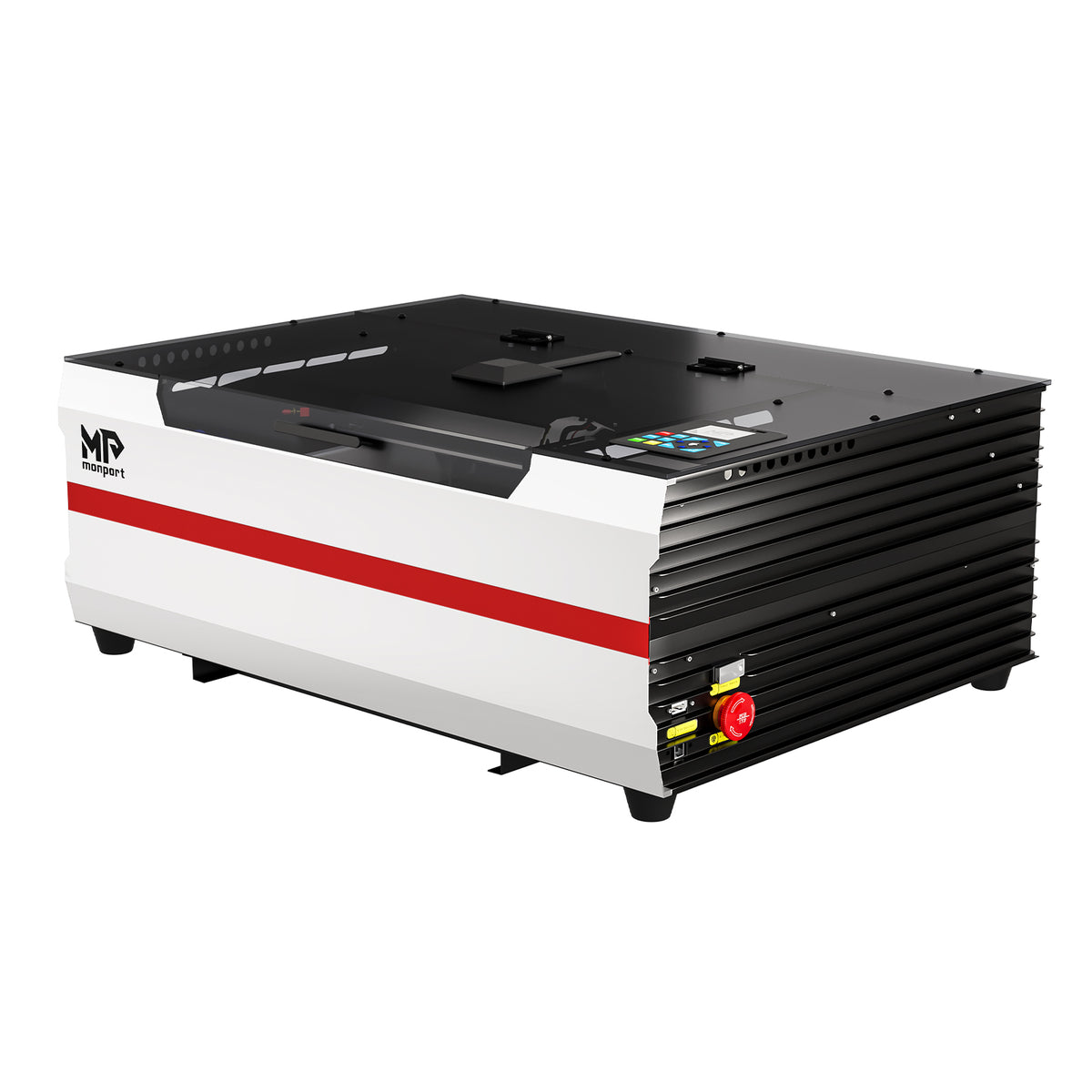


Brand New Monport Reno 45W Pro&Reno 45W Vision Desktop CO2 Laser Engraver (16"×12") | Built-In Water Cooling, Magnetic Assisted Focus
Brand New Monport Reno 45W Pro&Reno 45W Vision Desktop CO2 Laser Engraver (16"×12") | Built-In Water Cooling, Magnetic Assisted Focus
Black Friday Price
$1,380.00
No Extra Chiller Needed.
Integrated water cooling eliminates the need for a separate chiller, saving money and workspace.


Meet the Reno45 Desktop CO₂ Laser
The Reno45 desktop CO₂ laser engraver handles custom gifts, signs, and decorative projects with ease. Explore wood and acrylic applications, and compare the Pro and Vision models to find the right fit.
Free shipping and easy returns

Laser Projects for Gifts, Signs & Small Businesses
Personalize a name, develop a sign collection, or create coordinated pieces for an event. Explore wood and acrylic applications for gift makers, craft businesses, and adult creative workspaces.


Next‑Level Hardware Upgrades To Power Your Creativity


Materials for CO₂ Laser Engraving & Cutting
Engrave artwork, logos, names, patterns, and custom designs.
Create meaningful gifts, memorial pieces, décor, and personalized keepsakes.
Make custom patches, wallets, accessories, tags, and premium handmade goods.
Create signs, décor, awards, displays, and personalized gifts.
Add durable personalization to tumblers, tags, tools, plates, and more.
A Desktop Layout for Your Workspace
Plan your workspace with clear machine dimensions and processing area. Explore the Reno45’s magnetic focus-assist design and worktable features to find the right fit for your projects.


Performance, Software & Expansion Options
The power to engrave and cut a wide range of everyday materials.

Engrave at speeds of up to 600 mm/s.

Designed to keep your creative workspace more comfortable, with operation as low as 65 dB.

Reno works with the tools and workflows creators already rely on. From direct LightBurn connectivity to USB, wireless control, and mobile workflows on supported models, you can create your way without rebuilding your entire setup.

Take on more products and materials with a growing ecosystem of accessories. Add a rotary axis for cylindrical products, a smoke purifier for cleaner operation, or IR and other laser modules for expanded creative possibilities.

Reno45 Project Gallery
Names, messages, and original artwork can make familiar objects feel personal. Explore project examples across compatible materials, with captions identifying the object and material shown.


Creator Reviews & Demonstrations


Reno45 Project Demonstrations
Take a closer look at finished projects, from the overall design to the small details. These short videos focus on individual materials and project outcomes, with the version and accessories identified.
Reno45 Pro vs Vision: Compare the Features
Technical Specifications
Reno45 Pro: Small Workshops & Light-Batch Production
Reno45 Vision: High-Efficiency Production & Precision-Focused Creators
Built-in Liguid Cooling Systm
3L Water Tank, Triple Cooling Fan
Yes (Adjustable Air Volume)
20 L/min, 30 Kpa
YES
Reno45 Pro: No
Reno45 Vision: YES
What's Included with Your Reno45?
Review the contents of your selected Reno45 package. The list below distinguishes included items from optional accessories and software bundles.

Reno45 FAQs
What can the Reno45 desktop CO₂ laser cutter make?
What can the Reno45 desktop CO₂ laser cutter make?
The Reno45 supports engraving and cutting on compatible wood and acrylic for personalized signs, decorative pieces, and gifts. Project suitability depends on the material, thickness, and design dimensions. Check the material details for the intended project rather than assuming every wood sheet or plastic is suitable.
What should I look for in the best laser engraver for small business?
What should I look for in the best laser engraver for small business?
The best choice depends on what your business makes. Compare material compatibility, project size, repeatability, software, support, and the full equipment cost—not just headline power. For a business focused on personalized wood and acrylic products, assess whether Reno45 matches those requirements. Production needs should be evaluated against representative projects, not assumed from a maximum-speed claim.
How do I choose the best laser engraver for wood?
How do I choose the best laser engraver for wood?
Start with the intended result: surface engraving, cut-out shapes, or both. Compare examples made from the same wood type and thickness as your products, alongside the required project size. Wood grain and density can affect the result, so there is no single best machine for every wooden item. Reno45 supports compatible wood engraving and cutting; evaluate examples relevant to your intended application.
Does the Reno45 desktop CO₂ laser engraver include a camera?
Does the Reno45 desktop CO₂ laser engraver include a camera?
That depends on the version. Reno45 Pro does not include a camera; Reno45 Vision includes an 8MP camera for visual positioning. Camera-related descriptions on this page apply to Vision, not to both versions. Check the model comparison for the configuration of each version.
Does the Reno45 desktop CO₂ laser support LightBurn?
Does the Reno45 desktop CO₂ laser support LightBurn?
Yes. The current Reno45 specifications list LightBurn Pro support. Compatibility does not automatically include a software license: the page lists both a machine-only option and a Machine + LightBurn Pro bundle. Check the selected package for the included license. Wi-Fi support listed for other software should not be assumed to apply to LightBurn.
Are the work area and machine size the same on a desktop CO₂ laser machine?
Are the work area and machine size the same on a desktop CO₂ laser machine?
No. The work area describes the usable processing space, while machine dimensions describe the outer footprint. A honeycomb workbed measurement is a separate specification and should not automatically be treated as the usable work area. For Reno45, check these dimensions separately in the confirmed specifications for the selected version.
What should I compare when looking at a CO₂ laser cutter for sale?
What should I compare when looking at a CO₂ laser cutter for sale?
Compare the complete configuration, not only the advertised price. Review the version, supported materials, software license, included accessories, warranty, and workspace requirements. For Reno45, distinguish Pro from Vision and check whether LightBurn Pro is included. Accessories shown elsewhere on the page are not automatically part of every package.