


Small Business

Is a Laser Engraver a Good Investment for Your Small Business?
Is a laser engraver a good investment for your small business? Explore the benefits, cost savings, and precision of laser engraving. Learn why the Monport 60W CO2 Laser Engraver & Cutter is one of the best CO2 laser engravers for small businesses with features like autofocus, air assist, and safety sensors.
Read moreSmall Business

How Laser Engraved Metal Business Cards Can Elevate Your Business
In today's fast-paced business world, making a lasting impression is crucial. One of the best ways to do that is through laser engraved metal business cards. These cards are not just stylish and professional but also highly durable. Whether you're a small business owner or a professional looking to stand out, investing in laser engraved metal business cards can make a big difference. Plus, with the increasing availability of laser engraving businesses for sale, it's easier than ever to get started in this thriving industry. Special Offer | Monport GI 30W Integrated MOPA Fiber Laser Engraver & Marking Machine with Electric Lifting Why Choose Laser Engraved Metal Business Cards? Laser engraved metal business cards offer a unique combination of sophistication and durability. Here are a few reasons why you should consider them: Durability: Unlike paper or plastic cards, metal business cards don’t tear or wear out over time. Elegance: The sleek and modern look of metal gives your card a professional touch. Customization: With laser engraving, you can add intricate details, logos, and personal touches that stand out. Sustainability: Metal business cards are often more eco-friendly than paper alternatives as they last longer and are often made from recyclable materials. Benefits of Starting a Laser Engraving Business If you’re looking to start a new business, the laser engraving industry offers multiple benefits. With the rising demand for personalized products like laser engraved metal business cards, the business opportunities are endless. Here’s why you might want to consider investing in a laser engraving business for sale: High Demand: From businesses to personal gifts, the need for engraved items is always growing. Low Material Costs: Metals, plastics, and wood for engraving are relatively inexpensive. Creative Freedom: You can create a wide range of products, from business cards to trophies, plaques, and more. Scalability: Start small and gradually grow by adding more products or expanding to larger markets. What You Need to Start a Laser Engraving Business To start a laser engraving business, you’ll need the right equipment, materials, and software. Below is a table of essential items and their purposes: Equipment/Material Purpose Laser Engraving Machine Engraves designs onto various materials, including metal and wood Computer & Design Software Used for creating designs and preparing them for engraving Raw Materials (Metal, Wood, Plastic) The base materials for creating business cards and other products Safety Gear (Goggles, Gloves) Essential for ensuring safety while operating the machine If you’re looking to get started quickly, consider checking out a laser engraving business for sale. Many of these businesses already come equipped with the machinery and client base needed to hit the ground running. Recommended Tool: Monport GI 30W Integrated MOPA Fiber Laser Engraver If you're considering starting your own engraving business, the Monport GI 30W Integrated MOPA Fiber Laser Engraver & Marking Machine with Electric Lifting is an excellent option. This advanced machine is perfect for engraving metal, plastics, and more. Here are a few features: 30W power for high-speed engraving Electric lifting system for precise adjustments Integrated MOPA technology, allowing you to engrave in a wide range of materials User-friendly interface, making it easy for beginners to get started This machine will allow you to create high-quality laser engraved metal business cards quickly and efficiently. Common FAQs About Laser Engraving Businesses How much does it cost to start a laser engraving business? Starting costs can range from $5,000 to $15,000, depending on the equipment and materials. A laser engraving business for sale might reduce startup costs as it often comes with pre-owned machinery. Is laser engraving profitable? Yes, laser engraving can be highly profitable, especially when you target niche markets like personalized business cards, trophies, or promotional items. Do I need prior experience to start a laser engraving business? Not necessarily. Many laser engraving machines, like the Monport GI 30W, are user-friendly. However, investing in some design software training may help speed up the learning curve. How long do laser engraved metal business cards last? These cards can last for decades, making them a great investment for businesses looking to make a lasting impression. Key Considerations Before Purchasing a Laser Engraving Business Before diving into the purchase of a laser engraving business for sale, there are several key factors to consider: Market Demand: Is there a demand for engraved products in your area? Client Base: Does the business already have loyal customers, or will you need to build a customer base from scratch? Machinery: What condition is the equipment in? Will you need to invest in repairs or upgrades? Competition: How many other engraving businesses operate in your area? Takeaways Laser engraved metal business cards are durable, elegant, and customizable, making them a great investment for any professional. Starting a laser engraving business can be highly profitable and scalable, with many options to customize products. Investing in a laser engraving business for sale can reduce startup costs and offer an existing customer base. Tools like the Monport GI 30W Integrated MOPA Fiber Laser Engraver provide the technology you need to produce high-quality products efficiently. Conclusion In a world where first impressions matter, laser engraved metal business cards offer a standout solution for professionals and businesses. For entrepreneurs, the growing demand for personalized products makes the laser engraving industry an attractive opportunity. Whether you’re starting from scratch or purchasing a laser engraving business for sale, now is the perfect time to dive into this creative and profitable industry. With the right tools, such as the Monport GI 30W Fiber Laser Engraver, and a clear understanding of your market, you can build a successful business that provides high-quality, personalized products for years to come. For more details and special offers on the Monport GI 30W Engraver, [click here](Special Offer | Monport GI 30W Integrated MOPA Fiber Laser Engraver & Marking Machine with Electric Lifting).

Starting a Laser Engraving Business Cards Venture: A Small Business Opportunity
In today’s fast-paced digital world, standing out in business is more important than ever. One unique way to make an impression is through laser engraving business cards. Unlike traditional paper cards, laser-engraved business cards offer a premium, long-lasting touch that makes your brand unforgettable. With a growing demand for unique, high-quality business cards, many entrepreneurs ask: Is laser engraving a good business? Let’s explore this business idea in detail, the tools you’ll need, and why it could be the next big opportunity for you. Special Offer | Monport GQ 20W (4.3" x 4.3") Fiber Laser Engraver & Marking Machine Why Laser Engraving for Business Cards? The market for business cards may seem saturated, but laser engraving business cards sets you apart by offering a product that’s durable, stylish, and unique. Traditional paper cards may get tossed out or lost, but laser-engraved cards often double as keepsakes. Some advantages of laser-engraved business cards include: Durability: They don’t tear or wear like traditional paper cards. Premium Appeal: Laser engraving adds a high-end, elegant finish. Customization: You can engrave logos, designs, and text with precision. Material Versatility: Cards can be made from metal, wood, plastic, and more. Equipment for Laser Engraving Business Cards To start this business, you’ll need the right laser engraving machine. A recommended option for small business owners is the Monport GQ 20W Fiber Laser Engraver. This machine offers a compact 4.3" x 4.3" workspace, making it perfect for engraving intricate designs on small surfaces like business cards. Key Features of the Monport GQ 20W: Feature Benefit Powerful 20W Laser High precision engraving on various materials 4.3" x 4.3" Workspace Ideal for business cards and small items Easy-to-Use Interface Simple to operate even for beginners Portable Design Perfect for small businesses or home offices This fiber laser engraver is a great starting point because it offers professional-quality engraving while being accessible for small business owners. Is Laser Engraving a Good Business? Now comes the question: Is laser engraving a good business? The answer depends on a few factors, but overall, it’s a highly promising venture for several reasons: Market Demand Businesses and professionals are always looking for ways to stand out, and laser-engraved business cards offer that unique edge. The demand for customized products is on the rise, and laser engraving fits perfectly into this trend. Low Competition in Niche Markets While traditional printing services are common, there are far fewer companies offering laser engraving for business cards. This gives you a chance to tap into a niche market with less competition. High Profit Margins Once you invest in a quality laser engraver, your operating costs are relatively low. The materials used, such as metal or wood, are affordable, and the finished product can be sold at a premium. Flexibility Besides business cards, you can expand your service offerings to include other items like engraved gifts, promotional products, plaques, and more. This allows you to diversify your income streams and target various customer segments. Minimal Setup Requirements Unlike other businesses that require a large storefront or heavy inventory, a laser engraving equipment business can be run from a small office or even your home. With a compact machine like the Monport GQ 20W Fiber Laser Engraver, you don’t need a lot of space to start. FAQs About Starting a Laser Engraving Business Q: How much does it cost to start a laser engraving equipment business? A: The cost can vary depending on the equipment you choose, but you can start with an investment as low as $3,000 for a quality engraver like the Monport GQ 20W Fiber Laser Engraver. Additional costs include materials, software, and marketing. Q: What materials can I engrave? A: Laser engravers work on a variety of materials, including metal, wood, plastic, leather, and acrylic. This versatility allows you to offer a wide range of products. Q: How long does it take to make a laser-engraved business card? A: It usually takes a few minutes to engrave a single card, depending on the complexity of the design and material used. Q: Do I need special skills to operate a laser engraver? A: No, modern laser engraving equipment machines like the Monport GQ 20W are user-friendly and come with easy-to-understand interfaces. Basic design software knowledge is helpful, but you can learn through online tutorials. Important Considerations for Starting a Laser Engraving Equipment Business Initial Investment: Make sure you budget for not only the laser engraver but also materials, design software, and marketing. Learning Curve: While the equipment is easy to use, mastering the design process and learning to optimize for different materials may take some practice. Customer Base: Identify your target market early. This could be small businesses, event planners, or professionals looking for personalized business cards. Quality Assurance: Ensure you provide high-quality products by testing your designs and materials before offering them to customers. Takeaways for Entrepreneurs Laser engraving equipment business cards is a unique, in-demand service that can help businesses stand out. Equipment like the Monport GQ 20W Fiber Laser Engraver makes it easy to start this business from home or a small office. With low competition and high profit margins, this is a viable business idea for entrepreneurs looking for a niche market. Achieve Flawless Results with Monport Black Laser Marking Spray If you're looking to upgrade your metal engraving projects, the Monport black laser marking spray is the perfect companion. Specially formulated for CO2 laser engraving machines (25W and above), this spray ensures your metal markings are sharp, permanent, and highly visible. Whether you're engraving aluminum, stainless steel, or brass, this spray delivers impressive results every time. Why Choose Monport Black Laser Marking Spray? This black laser marking spray is designed for effortless application. Simply clean the metal surface with alcohol, shake the can for two minutes, and spray from 6 to 8 inches away. The ultra-fine mist provides an even coating thanks to its anti-clog nozzle, and it dries within five minutes, helping you maintain a smooth and efficient workflow. After laser engraving, all you need to do is rinse off the surface to reveal bold, high-contrast black marks. There’s no mess, no residue—just clean, permanent results. The formula is free of alcohol in the package, ensuring safe and clean use. Key Benefits Permanent and durable markingsThe fine-grained formula penetrates deeply into metal surfaces, creating marks that are heat-resistant and long-lasting. High compatibilityWorks seamlessly with CO2 laser engraving machines, making it ideal for customizing tools, jewelry, glassware, and more. Even, precise sprayThe nanoparticle formula and anti-clog nozzle provide consistent coverage, even for detailed designs. Quick application and cleanupNo waiting, no hassle. Spray, engrave, rinse—and your design is ready to shine. The black laser marking spray comes in a 14 oz aluminum can, offering plenty of product for multiple projects. Its compact size and strong performance make it a go-to tool for both professionals and DIY creators. Final Thoughts For anyone using a CO2 laser engraver, the Monport black laser marking spray is a game changer. With its easy application, permanent results, and high compatibility with metal surfaces, it’s the ideal solution to elevate your laser engraving to the next level. Try it once, and you’ll never want to engrave without it! Conclusion: Start Your Laser Engraving Business Today If you’re looking for a creative, high-demand small business opportunity, laser engraving equipment business cards is an excellent choice. With the right equipment and a clear understanding of your market, you can offer a unique product that helps businesses make a lasting impression. Investing in a reliable machine like the Monport GQ 20W Fiber Laser Engraver ensures that you deliver high-quality results every time. So, is laser engraving equipment a good business? Absolutely! It offers flexibility, low operating costs, and a unique service that is in high demand. Whether you want to focus on business cards or expand to other custom products, this is a business with huge potential for growth.

How to Transform Your Brand with a Laser Engraved Business Card
In the fast-paced world of small businesses, standing out from the crowd can be a challenge. One tool that has recently taken off among entrepreneurs is the laser engraved business card. This innovative approach is not only visually striking but also highly durable. And with the growing availability of the laser engraver for small business owners, creating unique business cards has never been easier. In this blog, we will explore how you can leverage laser engravers to enhance your branding and elevate your business presence. Special Offer | Monport GA 30W Upgraded Integrated MOPA Fiber Laser Engraver & Marking Machine with Auto Focus - Machine Why Choose Laser Engraved Business Cards? The traditional paper business card has been around for centuries, but the laser engraved business card offers several advantages that can make a significant impact: Durability: Unlike paper, laser engraved cards are typically made from materials like wood, metal, or acrylic, which are much more resilient. Sophistication: The clean, precise finish of laser engraving gives a modern, polished look that makes a lasting impression. Customization: Whether it’s your logo, text, or unique designs, a laser engraver for small business allows you to customize each card to reflect your brand personality. Sustainability: Many business owners today are turning to environmentally friendly alternatives. By choosing materials like wood or bamboo, you can create sustainable business cards that align with eco-conscious values. How Does a Laser Engraver Work? Before diving into the possibilities of a laser engraver for small business, let’s first understand how laser engraving works. Laser engraving uses a high-powered laser beam to etch or carve designs into materials like metal, plastic, wood, and more. Here's how the process typically unfolds: Step Description Design Creation Prepare your business card design using graphic design software like Adobe Illustrator or CorelDraw. Material Setup Place the material (wood, metal, etc.) onto the laser engraver's platform. Laser Engraving The laser engraver traces your design and etches it into the material. Finishing Touches Once engraved, the card can be cleaned and polished for a perfect finish. With a tool like the Monport GA 30W Upgraded Integrated MOPA Fiber Laser Engraver & Marking Machine, which features auto-focus capabilities, the engraving process becomes even more seamless. Benefits of Investing in a Laser Engraver for Small Business If you’re a small business owner looking to grow your brand, investing in a laser engraver for small business can be a game-changer. Here’s why: Cost-Efficiency: While the initial investment may seem high, owning a laser engraver like the Monport GA 30W offers long-term savings. You no longer have to outsource your engraving needs, and you have full control over production. Customization at Your Fingertips: Having your own laser engraver allows for easy customization. Change designs, tweak details, or create one-of-a-kind business cards whenever needed. Versatility: Laser engravers can be used beyond just business cards. You can create signage, promotional items, packaging, and much more—all with a professional touch. Brand Differentiation: Standing out in a crowded market is key to success. Laser engraved business cards are unique and memorable, setting you apart from competitors. FAQs About Laser Engraved Business Cards and Laser Engravers Q: Are laser engraved business cards more expensive than traditional cards? A: Yes, laser engraved business cards tend to have a higher upfront cost, especially due to material choices like wood or metal. However, they are more durable and leave a lasting impression, making them a worthwhile investment. Q: What kind of designs can I create with a laser engraver for small business? A: The possibilities are nearly endless! You can engrave logos, detailed patterns, typography, and even QR codes for added interactivity. Q: Is a laser engraver hard to operate? A: With machines like the Monport GA 30W, which features auto-focus and other user-friendly functions, the engraving process is streamlined and easy for small business owners to handle. Q: What’s the lifespan of a laser engraved business card? A: Since they’re made from durable materials like metal or wood, laser engraved business cards can last for years, unlike traditional paper cards that may fade or tear. Important Details to Consider Machine Maintenance: Like any piece of equipment, a laser engraver requires regular maintenance to ensure optimal performance. Keeping the laser clean and calibrated will extend the life of your machine. Software Compatibility: Make sure your laser engraver is compatible with popular design software. The Monport GA 30W, for example, works well with programs like AutoCAD, Adobe Illustrator, and CorelDraw. Safety Measures: Always operate your laser engraver in a well-ventilated area, and wear appropriate safety gear to protect against harmful fumes and laser exposure. Key Takeaways Laser engraved business cards offer durability, sophistication, and customization options that help your brand stand out. Investing in a laser engraver for small business can provide long-term cost savings and greater control over your branding materials. The Monport GA 30W Upgraded Integrated MOPA Fiber Laser Engraver is an excellent option for small business owners looking to dive into laser engraving. Conclusion In the competitive landscape of small businesses, every detail counts. A laser engraved business card not only elevates your brand’s image but also demonstrates a commitment to quality and innovation. With tools like the Monport GA 30W Upgraded Integrated MOPA Fiber Laser Engraver, creating these cards becomes a simple and rewarding process. Investing in laser engraving technology can open up a world of creative possibilities for your business, ensuring that you leave a lasting impression on clients and partners alike.

Starting a Successful Laser Engraving Business: Everything You Need to Know
If you're considering launching a laser engraving business, you're on the right track! With advancements in technology and growing demand for personalized products, starting a business in laser engraving can be both rewarding and profitable. But before you dive in, it’s crucial to choose the best small business laser engraver and understand the essential steps involved in this venture. In this article, we'll explore everything from selecting the right equipment to scaling your laser materials for laser engraving, ensuring you're fully prepared for success. For optimal engraving results and enhanced visibility on darker surfaces, consider incorporating black laser marking spray into your workflow. Monport 150W CO2 Laser Engraver & Cutter (64" x 40") Why Start a Laser Engraving Business? The laser materials for laser engraving business has exploded in popularity due to its versatility. It offers a wide range of applications, from personalized gifts to industrial parts. The ability to engrave on materials like wood, metal, acrylic, and glass makes it appealing to various markets. Benefits of Starting a Laser Engraving Business: Low startup costs: After purchasing a laser engraver, the ongoing costs are relatively low. High profit margins: Engraved products, especially custom ones, often have excellent profit margins. Flexibility: Whether working from home or in a dedicated space, the business model is highly adaptable. Choosing the Best Small Business Laser Engraver To kick off your laser engraving business, selecting the right equipment is essential. One standout option is the Monport 150W CO2 Laser Engraver & Cutter (64" x 40"). The Monport 150W CO2 Laser Engraver stands out for its precision, ease of use, and ability to handle large projects, making it one of the best small business laser engravers. With a 64" x 40" work area, it offers the flexibility to handle a variety of project sizes, from intricate jewelry pieces to large industrial parts. Steps to Start Your Laser Engraving Business Once you have your best small business laser engraver ready, follow these steps to get your business up and running: 1. Research Your Market Before starting your laser materials for laser materials for laser engraving business, identify your target market. Are you interested in custom gifts, industrial components, or signage? Understanding your niche will help focus your marketing efforts. 2. Create a Business Plan A well-thought-out laser materials for laser engraving business plan outlines your goals, target audience, startup costs, and marketing strategies. It helps guide your laser materials for laser engraving business toward profitability. 3. Set Up Your Workspace Make sure you have a designated area for your laser engraver and materials. Ensure proper ventilation, as some materials may emit fumes when engraved. 4. Source Materials From wood and acrylic to metals and glass, sourcing high-quality materials is key to producing exceptional products. Your laser engraver should be compatible with various materials to increase your offerings. 5. Market Your Services Use platforms like social media, local marketplaces, and your own website to promote your services. Offering custom designs, quick turnarounds, and unique products can attract customers. 6. Pricing Your Products Set competitive pricing by researching similar businesses and understanding your production costs. Offering tiered pricing for bulk orders can also help increase sales. Tips for Running a Successful Laser Engraving Business Now that you've set up your business, here are a few tips to ensure long-term success: Focus on Quality: Ensure that each product meets high standards. A satisfied customer is more likely to recommend your services. Offer Customization: Personalized products are highly sought after. Consider offering custom engraving for special occasions like weddings, birthdays, and corporate events. Continuous Learning: The world of laser engraving materials is constantly evolving. Keep up with the latest technology and trends to stay competitive. Frequently Asked Questions (FAQs) Q1: What materials can I engrave with the Monport 150W CO2 Laser Engraver? A.You can engrave materials such as wood, acrylic, metal, glass, fabric, and leather. Q2: Is the Monport 150W CO2 Laser Engraver suitable for beginners? A. Yes, while it offers professional-grade features, it is user-friendly and comes with detailed instructions, making it suitable for both beginners and experienced users. Q3: What is the average cost of starting a laser engraving business? A. Startup costs vary, but typically, with the purchase of a laser engraver, materials, and other essentials, initial investments range from $5,000 to $10,000. Q4: How much can I charge for laser engraving services? A. Pricing depends on the complexity of the project and materials used. For small, personalized items, you can charge between $20 and $100 per piece, while larger industrial projects can bring in significantly more. Important Details for New Business Owners Starting a laser engraving business comes with a few considerations: Licensing and Permits: Depending on your location, you may need to obtain business licenses or permits. Insurance: It's wise to get business insurance to protect your equipment and products. Time Management: Like any business, time management is key. Proper scheduling can help you meet deadlines and grow your clientele. Key Takeaways The laser engraving business is versatile, profitable, and suitable for a wide range of applications. The Monport 150W CO2 Laser Engraver is an excellent investment, offering precision and a large work area. Careful planning, marketing, and maintaining quality are critical to long-term success. Conclusion Launching a laser engraving business is an exciting opportunity with the potential for great returns. By choosing the best small business laser engraver, such as the Monport 150W CO2 Laser Engraver, and following the steps outlined above, you'll be well on your way to building a profitable and sustainable business. Whether you're engraving custom gifts or industrial components, the possibilities are endless with the right tools, dedication, and the added precision of black laser marking spray.

How Much Can You Make a Year with a Laser Engraving Business?
Discover how much you can make a year with a laser engraving business. Explore profitable laser engraving business ideas like personalized gifts, corporate branding, and custom signage. Learn how the Monport 100W CO2 Laser Engraver can boost your productivity and earnings. Start your business today!

The Best Budget Laser Engraver 2024: A Guide for Small Businesses
In today's competitive market, finding the best budget laser engraver 2024 can significantly impact your small business's productivity and growth. Whether you're starting a new business or looking to expand, a reliable and cost-effective laser engraver 2024 will help you create high-quality products without breaking the bank. One standout product that’s affordable yet highly efficient is the Monport 40W Lightburn-ready (12" X 8") CO2 Laser Engraver & Cutter. In this article, we will explore why investing in a laser engraver is a game-changer for small businesses, and we'll review key factors to consider when choosing the best budget option for 2024. Let’s dive into the details! Monport 40W Lightburn-ready (12" X 8") CO2 Laser Engraver & Cutter What is a Laser Engraver? A laser engraver is a machine that uses focused laser beams to cut or engrave designs into various materials like wood, plastic, metal, and more. These machines have become increasingly popular in small business settings because they allow for precise and fast production of customized goods. Why Choose a Laser Engraver for Your Small Business? There are many benefits to adding a laser engraver 2024 to your business: Cost-effective production: Creating high-quality, customized products quickly without the need for expensive molds or dyes. Versatility: Laser engravers can work on various materials, allowing businesses to diversify their product offerings. Precision: With the ability to create fine details, laser engravers enhance product quality and appearance. Automation: You can save time and effort by automating design processes. Features of the Monport 40W Lightburn-Ready CO2 Laser Engraver When considering the best budget laser engraver 2024, the Monport 40W model stands out for several reasons. Here’s a breakdown of its key features: Feature Details Laser Power 40W CO2 Engraving Area 12" X 8" Software Compatibility Lightburn-ready Price Range Affordable, great for small businesses Material Compatibility Works on wood, acrylic, leather, paper, and more Ease of Use User-friendly, ideal for beginners Benefits of the Monport 40W Lightburn-Ready Laser Engraver User-Friendly: The Monport 40W is designed for beginners and professionals alike. Its interface is simple, and it’s compatible with Lightburn software, which is widely regarded as easy to use. Versatile Material Compatibility: This model can cut and engrave on a variety of materials, including wood, acrylic, leather, and more. This versatility allows small businesses to explore different product lines. Compact Size: The 12" X 8" engraving area is perfect for small workshops or home-based businesses with limited space. How to Choose the Best Budget Laser Engraver 2024 for Your Business When selecting the best laser engraver 2024 for your small business, consider the following factors: 1. Budget Look for a machine that fits your budget but still offers the functionality you need. The Monport 40W, for example, is one of the best affordable options on the market. 2. Materials and Projects Consider the types of materials you’ll be working with. Make sure the laser engraver you choose can handle those materials effectively. 3. Software Compatibility Ensure that the machine works with user-friendly software like Lightburn, which makes the design process simpler and more intuitive. 4. Size and Power Depending on the scale of your projects, you’ll need to choose an engraver with the appropriate power and engraving area. The Monport 40W’s size and power make it perfect for small to medium-sized projects. FAQs Q1: Can I use the Monport 40W Laser Engraver for commercial purposes? A. Yes! The Monport 40W is suitable for small businesses looking to produce custom products, such as signs, personalized gifts, or jewelry. Q2: What materials can I engrave with the Monport 40W? A. This model works on various materials, including wood, leather, acrylic, fabric, and paper, making it versatile for different types of projects. Q3: Is the Monport 40W difficult to operate? A. No, it’s beginner-friendly. The Lightburn software is easy to learn, and the engraver comes with simple controls, making it accessible even for those with no prior experience. Important Details Before making your purchase, here are some essential points to keep in mind: Maintenance: Keep your laser engraver in good working condition by regularly cleaning it and checking for any technical issues. Safety: Always follow the manufacturer's safety instructions. The Monport 40W comes with safety features, but extra caution is always recommended when working with laser machines. Warranty: Make sure the engraver comes with a warranty for peace of mind. The Monport 40W offers good customer support and warranty coverage. Takeaways The Monport 40W Lightburn-ready (12" X 8") CO2 Laser Engraver & Cutter is an excellent option for small businesses due to its affordability, ease of use, and versatility. It’s a reliable choice for businesses looking to produce high-quality, customized products at a lower cost. Always consider factors like budget, materials, and software compatibility when choosing the best budget laser engraver 2024. Safety, maintenance, and warranty should never be overlooked when investing in a laser engraver. Conclusion Investing in the best budget laser engraver 2024 is a smart move for any small business looking to enhance production and improve product quality. The Monport 40W Lightburn-ready CO2 Laser Engraver stands out as a great choice for small businesses due to its affordability, versatility, and user-friendly features. Whether you’re engraving wood, leather, or acrylic, this engraver will help you create beautiful products that will impress your customers and boost your business’s profitability. If you’re ready to elevate your business with an affordable and reliable laser engraver, the Monport 40W Lightburn-ready model is definitely worth considering.

Creative Business Ventures: Inspiring Laser Engraving Business and Craft Ideas
Laser engraving is a craft that offers endless possibilities for business growth and creativity. With the right laser engraving business ideas and the proper tools, such as the Monport 40W Pro Lightburn-Supported CO2 Laser Engraver, you can tap into a lucrative market filled with opportunities for customization and personalization. Whether you're engraving phone cases, jewelry, or home décor items, the flexibility and precision of laser engraving make it an excellent investment for any small business.

Are Laser Engravers Worth It? Discover the Amazing Benefits of Laser Engraving
So, “Are laser engravers worth it?” Without a doubt, the investment in a laser engraver like the Monport 40W Pro can offer tremendous value for small businesses. The wide range of laser engraving benefits, including customization, material versatility, and production efficiency, make it a highly profitable addition to any business. Whether you’re just starting out or looking to expand, laser engraving can unlock new opportunities for creativity and growth, ensuring that your business stays competitive in the ever-evolving marketplace.

Is There Money in Laser Engraving? Exploring the Benefits of the Craft
As we’ve explored throughout this article, there is indeed money to be made in laser engraving. With its low startup costs, high-profit margins, and versatile applications, this craft is an excellent opportunity for entrepreneurs looking to break into the personalized products market. The Monport 40W Pro Lightburn-Supported CO2 Laser Engraver serves as an ideal entry point for those wishing to harness the laser engraving benefits. By investing in the right equipment and understanding your market, you can unlock significant profit potential in this exciting industry.
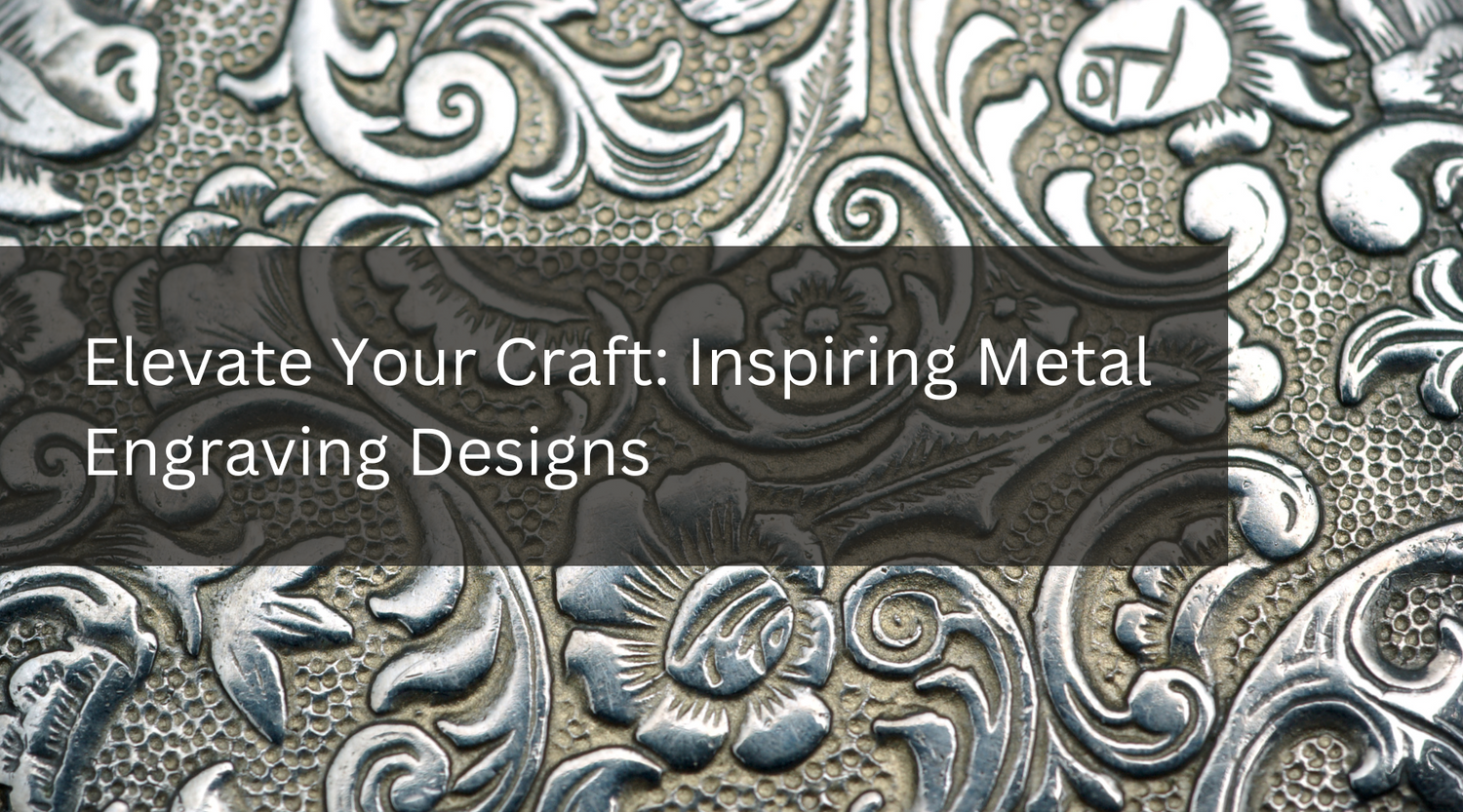
Elevate Your Craft: Inspiring Metal Engraving Designs
Metal engraving is a versatile and timeless art form that offers boundless opportunities for creativity and expression. Whether you're drawn to ornate patterns, symbolic imagery, or contemporary designs, there's a wealth of inspiration to be found in the world of metal engraving. So, pick up your engraving tools, let your imagination soar, and embark on a journey of artistic discovery as you explore the endless possibilities of metalwork craftsmanship.

Top 10 Best Laser-Cut Gift Ideas for Every Occasion
Laser cutting technology opens up a world of creative possibilities for unique and memorable gifts. Whether you're looking for something elegant and sophisticated or quirky and whimsical, there's a laser-cut gift idea to suit every taste and occasion. So, unleash your creativity and delight your loved ones with personalized treasures that will be cherished for years to come.

Start Engraving Onto Wood with Monport - Small Business Ideas
Wood laser engraving is a growing industry that continues to gain traction due to its versatility and affordability. In this blog, we will explore the advantages of having a small business in wood laser engraving. Whether you're looking to start a small business or you want to expand your existing product line, this guide highlights the benefits of wood laser engraving. We will also showcase some statistics from Monport's 40W Pro Lightburn-Supported CO2 Laser Engraver, emphasizing the importance of investing in high-quality machinery for optimal results.