


Laser Engraving & Festivals

Best Laser Engraver Black Friday Deals 2026: Prices & Buying Guide
Last updated: November 12, 2026 Black Friday 2026 falls on November 27, with Cyber Monday on November 30. Laser engraver promotions are already underway, but the advertised discount is only one part of the decision. The right purchase depends on the material you process, the size of your workpieces, the machine configuration, and the equipment needed to run it safely. This guide compares selected 2026 offers from Monport and xTool, separates desktop CO₂ machines from metal-marking and specialty systems, and explains what each advertised price includes. It is a documentation-based comparison of public prices, product specifications, dated sale announcements, and independent reviews. We did not conduct hands-on tests of the machines discussed here. Price-check date: November 12, 2026. Prices are advertised U.S. prices, not independently verified checkout totals. Taxes, shipping, final cart adjustments, and stock can change. Where an announcement does not identify the exact package, that limitation is stated rather than assumed. How We Compare Laser Engraver Black Friday Deals The comparison uses four checks: Exact model and laser type: A CO₂ cutter, diode craft machine, fiber marker, and UV system are not interchangeable, even when their prices are close. Configuration: Machine-only prices are separated from bundles that include software, extraction, rotary attachments, or other accessories. Published specifications: Work area, laser power, camera or autofocus features, and stated speed are taken from the relevant product information. A maximum speed is not treated as a guaranteed production rate. Promotion evidence: A dated sale announcement is identified as an announced offer, not as proof of the final price in every customer's cart. This is a specification-and-offer comparison, not a hands-on ranking. Quick Picks: Which Type of Deal Should You Compare? Desktop CO₂: Reno 45W for smaller jobs; Reno 65W Pro for a 24 × 16-inch bed. Camera-assisted batches: MEGAS 70W. Metal marking: GM Pro 30W fiber. Large-format cutting: Effi16S 150W bundle. 2026 Black Friday and Cyber Monday Sale Dates Brand Published sale window Offer detail to check Monport Early Bird: November 2–12, 2026 8% off laser machines, with free gifts on selected series. The sale page says additional Black Friday and Cyber Monday offers may follow. Black Friday November 27, 2026 Some offers, including the xTool F1 Ultra flash price, are limited to this date. Cyber Monday November 30, 2026 The xTool F1 Ultra flash price is also announced for this date. Monport's published Early Bird window ends November 12. Later offers may follow, so check the live sale page if you are reading this after that date. xTool's November 10 announcement says its website promotion runs through December 4 and lists a $1,999 F1 Ultra flash offer for November 27 and 30 only. The same announcement lists the P3 at $5,899; verify the live listing and cart before ordering. 2026 Laser Engraver Black Friday Price Snapshot This is a price snapshot, not a like-for-like ranking. Machine-only offers and bundles are identified separately. Model Laser type Advertised U.S. price Configuration and qualification xTool M2 Diode / optional modules $499 Price in the November 10 announcement; the release does not identify the module or package. The reviewed 10W version has a 426 × 320 mm work area and a Class 1 enclosure. Monport Reno 45W CO₂ $1,058.00 Black Friday machine price; 16 × 12-inch work area. Check the selected option and shipping estimate. Monport GM Pro 30W Fiber $1,699.98 Special price for the standard GM30 Pro configuration; product page says no free gifts are included. Monport Reno 65W Pro CO₂ $1,904.40 Black Friday price for the Pro without camera. The Vision version is a separate camera-equipped option. xTool F1 Ultra Fiber + diode $2,299; $1,999 flash offer The $1,999 price is announced for November 27 and 30 only. Monport MEGAS 70W CO₂ $2,599.92 Black Friday machine price; 28 × 14-inch work area, 8MP camera and autofocus. Conveyor is optional. Monport 10W UV Galvo UV $3,999.88 Special price; product page says no free gifts are included. Check the selected package, including chiller options. xTool P3 80W CO₂ $5,899 announced Price in the November 10 announcement. A separate live listing showed a different amount during research, so treat $5,899 as an announced offer rather than a verified checkout price. Monport Effi16S 150W bundle CO₂ $7,452.00 Bundle price. Includes the machine, 400W fume extractor, LightBurn Pro, 4-wheel rotary axis, and three black marking sprays. TechRadar's review of the M2 10W reports a 426 × 320 mm work area, 600 mm/s maximum XY speed, and Class 1 enclosure. The $499 sale announcement does not identify the exact module or bundle, so confirm the selected configuration. Best CO₂ Laser Engraver Black Friday Deals: Monport vs. xTool CO₂ machines are the most useful direct comparison in this roundup because they are commonly considered for wood, acrylic, leather, and other compatible non-metal work. The Reno models are desktop systems; MEGAS adds camera-assisted workflow features; the P3 has a larger bed; and Effi16S is a large-format machine sold here as a bundle. Browse Monport's desktop CO₂ laser collection for the current range. Model Laser power Work area Advertised price Configuration / main difference Monport Reno 45W 45W 16 × 12 in $1,058.00 Machine price; built-in cooling and air assist; no camera listed. Monport Reno 65W Pro 65W 24 × 16 in $1,904.40 Pro without camera; built-in water cooling. Vision is a separate camera-equipped option. Monport MEGAS 70W 70W 28 × 14 in $2,599.92 Machine price; 8MP camera, autofocus, built-in cooling, and conveyor compatibility. xTool P3 80W 36 × 18 in $5,899 announced Four-camera positioning and monitoring; the sale price is announced, not verified at checkout. Monport Effi16S 150W 63 × 40 in $7,452.00 Bundle including a 400W fume extractor, LightBurn Pro, 4-wheel rotary axis, and three marking sprays. Tom's Hardware identifies the P3 as an 80W CO₂ machine with a 36 × 18-inch bed, four-camera positioning and monitoring, and an in-line extractor. The review also notes its substantial size and weight, both relevant to workshop planning. The $5,899 P3 price comes from xTool's November 10 announcement. A separate live listing showed $6,299 during this review, so the announcement price is not a confirmed checkout total. What the CO₂ Price Differences Buy Reno 45W is the compact choice for smaller signs, ornaments, and personalized products. Its 16 × 12-inch bed, built-in 3L cooling, and air assist suit a desktop workflow, with extraction still required. Reno 65W Pro increases the bed to 24 × 16 inches. The $1,904.40 offer is for the Pro without camera; the product page lists the camera-equipped Reno 65 Vision separately at $2,499.99. The key distinction is the configuration: the Pro has no camera, while Vision adds camera-assisted positioning. MEGAS has a 28 × 14-inch bed, 8MP camera, and autofocus. Monport lists 600 mm/s as its maximum speed and says optimal results are achieved at 300 mm/s or below. The conveyor is compatible but not included in the machine-only price. The P3's 36 × 18-inch bed suits larger desktop jobs but needs more floor and loading space. Effi16S is a different scale again: its 63 × 40-inch bed is designed for larger panels, and the $7,452 price is for a bundle rather than a machine-only configuration. A larger bed can reduce repositioning, but output still depends on layout, toolpaths, settings, handling, and inspection. What Monport's 2026 Black Friday Offer Includes Monport's sale page states that its Early Bird promotion offers 8% off laser machines from November 2 through November 12, 2026. Free accessories vary by series and model. The published gift list is: Machine series Published gift offer Important qualification MEGAS External air pump + three marking sprays Confirm that the selected MEGAS option qualifies and that the gifts appear in the cart. Reno Three marking sprays + protective glasses Check the exact Reno model and package. Effi Three marking sprays + protective glasses The Effi16S bundle already lists three sprays; confirm whether eligible Early Bird orders also receive protective glasses so the sprays are not counted twice. Selected fiber models Rotary axis Not every fiber model or special price necessarily qualifies. Selected UV models Rotary axis The 10W UV special-price listing is marked as excluding free gifts. The 8% offer applies to machines; accessories and bundles may have separate terms. Gift eligibility also varies by model, so check the selected product page and cart. See Monport's 2026 sale terms. The GM Pro 30W ($1,699.98) and 10W UV Galvo ($3,999.88) pages both state that their special prices exclude free gifts. The UV page lists separate package options, including water-chiller configurations. Compare the exact option, not just the headline price. Choosing a Deal by Budget and Project Under $600: Enclosed Diode Craft Work The November 10 announcement lists the xTool M2 at $499 but does not identify the module or package. TechRadar's review of the 10W version reports a 426 × 320 mm work area, Class 1 enclosure, built-in air assist, and a claimed maximum cut of up to 8 mm basswood. It is a compact option for wood and compatible craft materials, not a substitute for CO₂ when clear acrylic is a regular job. Standard blue diode lasers generally do not cut clear acrylic effectively because much of the blue light passes through it. Some dark formulations may respond differently, so test the exact sheet. $600–$1,500: Desktop CO₂ for Acrylic and Wood The Reno 45W is the main CO₂ option in this band at $1,058.00, with a 16 × 12-inch bed, built-in cooling, and air assist. Check the live delivery estimate for the selected option. CO₂ is generally the more suitable choice for clear acrylic, although cast and extruded sheets can produce different edges. Monport's acrylic cutting guide explains material selection and setup. $1,500–$3,000: Metal Marking or More Capable CO₂ Workflows This range covers different workflows. The GM Pro 30W ($1,699.98) is a fiber marker for suitable metals, with a 150 × 150 mm field and autofocus. The special price is for the standard GM30 Pro and excludes gifts; BslAppSimple is listed as included, while LightBurn is optional. Reno 65W Pro ($1,904.40) is a desktop CO₂ machine with a 24 × 16-inch bed and built-in water cooling. It is the no-camera version; Vision is a separate option. MEGAS 70W ($2,599.92) adds an 8MP camera, autofocus, a 28 × 14-inch bed, and conveyor compatibility. The conveyor is not included in the machine-only price; the product page lists it at $899.99 and the rotary axis at $349.99. xTool's F1 Ultra combines fiber and diode sources. The November 10 announcement lists $2,299, with a $1,999 flash offer on November 27 and 30 only. It is a dual-source personalization platform, not a large-bed CO₂ cutter. Over $3,000: Specialty Marking and Large-Format Production The 10W UV Galvo is listed at $3,999.88 with a special-price/no-free-gifts note. Its product page identifies 2D inner-glass engraving as an intended application; check the selected package because other options list different accessories. UV is a specialty choice, not a universal upgrade over CO₂ or fiber. The Effi16S 150W bundle is $7,452.00 and includes a 400W fume extractor, LightBurn Pro, a 4-wheel rotary axis, and three black marking sprays. Its 63 × 40-inch bed, autofocus, and built-in water cooling suit larger panel work, but the workshop must have space, electrical capacity, exhaust routing, and material-loading access. Compare it with other options in Monport's industrial CO₂ laser collection. Which Laser Type Should You Buy? Laser type Common applications Material notes Main limitation Diode Wood crafts, leather, paper, selected coated materials Standard blue diode systems work on many wood and dark or coated surfaces; clear acrylic is generally unsuitable. Cutting capacity depends on optical power, wavelength, material, and thickness. CO₂ Wood and acrylic cutting, leather, paper, selected non-metals Common choice for clear acrylic and many non-metal sheet projects. Not a general-purpose direct metal cutter; cooling and extraction must be planned. Fiber Metal marking, serial plates, jewelry, identification Strong fit for many bare-metal marking and engraving jobs. A compact fiber marker is not an industrial sheet-metal cutter and is not the normal choice for wood or clear acrylic. MOPA fiber Specialized metal marking and selected surface effects Adjustable pulse parameters can expand the range of finishes on suitable materials. Results depend on alloy, surface finish, pulse settings, and testing; color is not guaranteed on every metal. UV Fine marking on selected plastics, glass, and sensitive components Useful for specific high-detail or inner-glass marking workflows. Material compatibility is application-specific; it is not a universal low-heat solution for every substrate. For a broader material overview, see Monport's CO₂, fiber, and diode material guide. A separate laser engraver vs. laser cutter guide explains how marking and cutting tasks differ. Browse the integrated fiber laser collection for metal-marking equipment. Standard Fiber vs. MOPA Fiber MOPA is a type of fiber laser architecture that allows pulse-width adjustment. That matters when a user needs to tune how energy is delivered to a material, such as when developing selected surface finishes on stainless steel. It does not mean that a MOPA system will produce the same color on every alloy or finish. Monport's published specifications distinguish the standard GM30 Pro from the GM30 MOPA Pro. The standard GM30 Pro uses a MAX source and lists a fixed pulse width of 80–120 ns. The GM30 MOPA Pro uses a JPT source and lists an adjustable 2–500 ns range. These are different configurations; the $1,699.98 GM Pro Black Friday price should not be assumed to apply to the MOPA version. For more on the difference, read Monport's MOPA vs. fiber laser guide. Features That Matter More Than a Headline Wattage Laser Power and the Actual Process Wattage is useful only when compared within a relevant laser category. A 30W fiber marker and a 45W CO₂ machine do not perform the same task, so their power figures cannot be ranked as if they were equivalent. For cutting, the material, thickness, focus, air assist, speed, and number of passes all affect the result. For marking, pulse behavior, beam quality, lens, marking field, and surface condition also matter. Ask for a sample or documented settings for the material you actually plan to use. A maximum-thickness statement is not enough unless the material, pass count, edge quality, and test conditions are clear. Working Area and Batch Layout Compare the bed dimensions with the largest regular workpiece, not just the average small item. A 16 × 12-inch bed may be adequate for coasters and small signs. A 24 × 16-inch or 28 × 14-inch bed can fit larger panels or more small pieces in one layout. A 36 × 18-inch or 63 × 40-inch machine addresses a different sheet size and workshop footprint. A larger bed can reduce repositioning when the stock and layout fit. It does not guarantee more finished pieces per hour. The number of parts depends on design dimensions, spacing, cutting paths, material handling, and inspection time. Cameras, Autofocus, and Repeatability Camera positioning and autofocus can reduce alignment and focusing steps on repeat or mixed-shape jobs, but they do not remove the need for fixtures, checks, and sample runs. Software and Controller Compatibility Do not assume that every CO₂, diode, or fiber machine works with every version of LightBurn. Compatibility depends on the controller and firmware, not just the laser source. LightBurn identifies GCode, DSP, and Galvo controller families; Core supports compatible GCode systems, while Pro adds support for selected DSP and Galvo controllers. Confirm the exact controller, model, operating system, and required features before buying a license. Check LightBurn's controller and license guidance. Monport's GM Pro product page lists BslAppSimple as included and LightBurn as not included. Other models and packages may have different software options. The Monport software compatibility guide explains the difference between design tools and machine-control software. Cooling, Extraction, and Laser Safety Cooling and ventilation solve different problems. A water-cooling system manages the laser tube or source temperature where required. Air assist directs airflow at the processing point. Extraction removes smoke and airborne contaminants from the work area. Air assist is not a substitute for exhaust or filtration. OSHA's Technical Manual says adequate ventilation should be installed to reduce hazardous fumes and vapors produced by laser cutting and other target interactions. The extraction plan depends on the process, material, and workplace. Follow the machine manual and do not process unknown plastics or materials that may release hazardous gases. Read OSHA's laser-hazards guidance. Check the machine's laser classification, enclosure, interlocks, emergency stop, fire precautions, and service procedures. A Class 1 rating describes accessible emissions under specified operating conditions; it does not make servicing, defeated interlocks, unsuitable materials, or poor ventilation safe. The FDA outlines its hazard classes and product-labeling requirements in its Laser Products and Instruments guidance. Real Setup Cost: Machine, Accessories, and Bundle Contents Use this formula before comparing offers: Total setup cost = machine price + required accessories + shipping and tax + initial materials + installation or facility work. A rotary is unnecessary for flat signs; extraction may be essential to a particular installation. Software may be included in one package and sold separately in another. MEGAS product listings provide a useful example of how accessories change the budget: Accessory Standalone price shown on the product page What to check External air pump $129.99 The Early Bird gift list includes an air pump for eligible MEGAS orders; confirm it appears in the cart before adding its cost again. MEGAS conveyor $899.99 Optional for compatible workflows; not included in the machine-only price. The selected conveyor package may have a different shipping estimate. MEGAS rotary axis $349.99 Needed only for compatible cylindrical work; check the exact machine and workpiece diameter. The Effi16S $7,452 offer is a bundle rather than a machine-only comparison. It includes the machine, 400W fume extractor, LightBurn Pro, 4-wheel rotary axis, and three black marking sprays. That may reduce the need to buy those items separately, but it does not remove the need to plan the installation, electrical supply, exhaust route, material storage, and operator training. Before checkout, confirm the package, software license, accessory compatibility, delivery estimate, warranty coverage, return conditions, and any shipping or restocking charges. Warranty terms vary by product family, so check the exact model. Use the checklist above to compare the costs that apply to your own installation. How to Tell Whether a Black Friday Laser Deal Is Worth It Use this short check before placing an order: Compare the same configuration. Machine-only, software bundle, rotary bundle, and extraction bundle are different products for price-comparison purposes. Treat MSRP carefully. A crossed-out MSRP does not prove the item sold at that price immediately before the promotion. Use a documented earlier price for the same SKU if you have one. Calculate what you still need. Add only the accessories required for your planned jobs. Do not pay for a rotary or conveyor attachment that will sit unused. Read the exclusions. Some special prices exclude gifts or coupon stacking. Confirm the offer in the order summary. Check delivery and stock. A low price is not useful if the machine arrives after the order deadline for your holiday products. Review warranty and returns. Check the coverage for the laser source, machine components, and accessories separately. Plan the workspace. Confirm footprint, loading access, power, cooling, ventilation, and safe material handling before ordering a large machine. A deal is useful when it lowers the cost of the right configuration. A large discount on the wrong machine is still expensive. Frequently Asked Questions Does the $1,904.40 Reno 65W price include the camera? No. The $1,904.40 Black Friday price is for the Reno 65W Pro without camera. Reno 65 Vision is a separate camera-equipped option and has a different displayed price. Check the selected variant before checkout. Is the MEGAS 70W engraving speed 600 mm/s? Monport lists 600 mm/s as the maximum working speed and notes that optimal results are achieved at 300 mm/s or below. Actual job speed depends on material, design, settings, and the result required. Can a 10W diode laser cut clear acrylic? A standard blue diode laser is generally not suitable for clear acrylic because much of the blue light passes through it. CO₂ is usually the better starting point, but check the exact sheet type and thickness. Is the $1,699.98 GM Pro 30W a MOPA laser? No. The listed price is for the standard GM30 Pro, with a MAX source and fixed 80–120 ns pulse width. GM30 MOPA Pro is a separate JPT configuration with an adjustable 2–500 ns range. Do not apply the standard GM30 Pro price to the MOPA version. Does the MEGAS 70W include a conveyor? The machine-only offer does not include the conveyor. MEGAS is listed as conveyor-compatible, and the conveyor is offered separately or through a selected package. Check the package contents and shipping estimate for the option you choose. What is included in the $7,452 Effi16S offer? The listed bundle includes the Effi16S 150W machine, a 400W fume extractor, LightBurn Pro, a 4-wheel rotary axis, and three black marking sprays. It is a bundle price, not a machine-only price. Do all Monport Black Friday machines include free gifts? No. Gifts vary by series and selected model. The sale page lists gifts for eligible MEGAS, Reno, Effi, fiber, and UV machines, but some special-price listings explicitly exclude free gifts. Check the individual product page and cart. Choose the Machine That Fits the Work A suitable Black Friday laser deal starts with the material and finished part, then moves to work area, workflow features, package contents, and total setup cost. The Reno 45W and Reno 65W Pro address desktop CO₂ projects at different bed sizes. MEGAS adds camera-assisted positioning for repeat layouts. GM Pro is for metal marking, while UV equipment serves more specialized marking tasks. Effi16S is a large-format CO₂ option with a substantial bundle. Compare the exact configuration, confirm the current offer, and make sure the machine can perform the work you plan to run. Review the product pages linked in this guide before choosing.
Read moreLaser Engraving & Festivals

Black Friday CO2 Laser Engraver Deals 2026 | Monport
Updated November 11, 2026 · U.S. pricing snapshot Monport's 2026 Black Friday CO2 laser engraver deals cover compact craft machines, camera-equipped desktop engravers, and larger workshop cutters. The Early Bird promotion runs November 2–12, with an advertised extra 8% off eligible machines and selected accessory gifts. For buyers ready to compare prices, a Reno45 Pro is shown at $1,380.00, a Reno65 Pro at $1,904.40, and a MEGAS 70W at $2,599.92 on the official sale pages. A discount alone does not tell you which machine belongs in your workshop. A compact engraver might handle a full range of personalized gifts, while a busy signage shop may need a larger work area, autofocus, or more demanding cutting capability. This Monport-focused guide compares Black Friday CO2 laser engraver prices across selected brands, actual Monport configurations, shipping considerations, and the additional equipment needed to put a machine to work. 2026 Black Friday CO2 Laser Engraver Deals at a Glance The following prices were displayed on Monport's U.S. Black Friday sale and matching product pages on November 11, 2026. Each entry uses the machine-only option shown for that product, rather than mixing standalone machines with software or accessory bundles. The "listed price" is the price displayed immediately before the additional Early Bird reduction—not the higher crossed-out MSRP. Compare 2026 Black Friday CO2 Laser Prices and Savings CO2 Laser Model Listed Price Black Friday Price Extra Savings Best For Reno45 Pro 45W $1,499.99 $1,380.00 $119.99 Small gifts and compact studios Reno65 Pro 65W $2,069.99 $1,904.40 $165.59 Growing personalization shops New MEGA 70W (pre-sale) $2,169.99 $1,996.40 $173.59 Buyers comparing a new 70W release MEGAS 70W $2,825.99 $2,599.92 $226.07 Camera-assisted batch engraving Effi7 90W $2,999.99 $2,760.00 $239.99 Growing cutting workshops Effi16S 150W $8,099.99 $7,452.00 $647.99 Large-format production Price basis: "Extra savings" equals listed price minus Black Friday price for the same selected machine option. It does not represent savings against the crossed-out MSRP or a verified historical low. The displayed prices exclude any applicable taxes, additional equipment, or delivery-related surcharges; final checkout totals and offer eligibility may differ. The Early Bird terms are scheduled to end November 12, so these figures must be refreshed for later Black Friday phases. There are two comparisons worth making. The MEGAS is $695.52 more than the Reno65 Pro in this snapshot; that difference matters if camera positioning and batch preparation will be used regularly. The Effi7 is only $160.08 above the MEGAS, but its larger bed and cutting-oriented format answer different production needs. A lower price is not a direct substitute for the right working area or workflow. Shipping can change the decision: the new MEGA 70W machine option shows an estimated late-November shipment, while the Effi7 machine option shows an estimated early-December shipment. Selected MEGAS conveyor and rotary packages show later fulfillment dates. Buyers with deadlines should check the exact option before purchase. For the latest offer period, eligibility, and any changes to these numbers, use the official Monport Black Friday sale. To compare other configurations, browse the Monport CO2 laser collection. Promotional gifts are subject to the selected purchase and checkout conditions. 2026 Black Friday CO2 Laser Price Comparison: Monport vs. Competitors The advertised price of a CO2 laser is easier to evaluate when compared with offers from other brands. Below are selected U.S. CO2 laser prices publicly displayed or announced for the 2026 Black Friday period as of November 11, 2026. Monport entries use the specified machine options above. Competitor entries use the specific model or package named in the price context; they are not assumed to have matching accessories or performance. Brand / Model Power Advertised U.S. Price Sale / Package Context Monport Reno45 Pro 45W $1,380.00 Monport Early Bird; Pro machine FLUX beamo II 30W $1,490.00 FLUX Black Friday, Nov 9–22 Monport Reno65 Pro 65W $1,904.40 Monport Early Bird; Pro machine Monport MEGA (pre-sale) 70W $1,996.40 Monport Early Bird; pre-sale OMTech Polar Lite 55W $2,199.99 OMTech Black Friday; standard package Monport MEGAS 70W $2,599.92 Monport Early Bird; machine-only option FLUX Beambox II 55W $2,699.00 FLUX Black Friday, Nov 9–22 Monport Effi7 90W $2,760.00 Monport Early Bird; machine-only option OMTech Maker AF2028-80 90W $2,899.99 OMTech Black Friday; standard package xTool P3 80W $5,899.00 xTool announced 2026 Black Friday offer Monport Effi16S 150W $7,452.00 Monport Early Bird; machine-only option How to read this comparison: FLUX lists its promotion for November 9–22, while Monport's Early Bird pricing runs November 2–12. OMTech's figures come from its Black Friday sale page; the xTool P3 figure comes from xTool's November 10 promotional announcement. These are advertised U.S. prices, not independently confirmed final checkout totals. Taxes, shipping, cooling, software, cameras, accessories, warranty terms and shipment dates can change overall value. No historical price-low claim is implied. For this reason, the table does not compare the brands by "percentage off," since their reference prices and packages are not uniform. Compact home workshops: At $1,380.00, Monport Reno45 Pro sits $110.00 below the advertised FLUX beamo II price of $1,490.00. They are not equivalent machines: Reno45 Pro is rated at 45W, while beamo II is a 30W model, and their footprints and positioning features also differ. Compare actual project dimensions and included hardware before choosing. Small-business buyers: The Reno65 Pro is listed at $1,904.40, while OMTech Polar Lite 55W is advertised at $2,199.99 for its standard package. The new Monport MEGA 70W appears at $1,996.40, but its pre-sale delivery estimate makes it a different purchase decision from a machine ready to ship. For camera-assisted work, the MEGAS 70W at $2,599.92 is $99.08 below the FLUX Beambox II offer of $2,699.00, although laser power, workspace and bundled features are different. Larger cutting shops: Monport Effi7 90W is displayed at $2,760.00 versus $2,899.99 for OMTech's Maker AF2028-80 90W standard package, a $139.99 advertised gap. The OMTech package may require additional cooling or accessories for a particular installation, so compare complete configurations rather than declaring either machine cheaper to operate. xTool's P3 80W is separately advertised at $5,899.00; its automation-oriented positioning makes a direct wattage-only comparison inappropriate. The 2026 xTool Black Friday terms also list the P2S among the models excluded from its tiered Black Friday discounts, so a P2S regular listing price is not presented as a confirmed tier-discount deal here. Before publishing or placing an order, verify the exact option and sale eligibility on each brand's official checkout page. This guide does not link to competitor storefronts; the price sources are recorded in the editorial audit. Best CO2 Laser Engravers for Different Types of Workshops A wood-gift studio producing small ornaments usually needs a different machine from an acrylic-sign shop. Compare the size of your most common materials, the number of pieces per job, and how much alignment work each order requires before deciding which sale price makes sense. Best for Home Workshops and Beginners: Reno45 Pro 45W For wooden ornaments, engraved coasters, acrylic decorations, and small custom gifts, the Reno45 Pro is a sensible starting point if the projects fit its 16" × 12" working area. Its 45W CO2 source, integrated cooling, and magnetic focus assistance suit users who want a compact production setup without installing a larger floor-standing cutter. Before choosing it, measure the sheet, not just an individual ornament. A maker cutting 3-inch decorative shapes needs space for the actual arrangement, gaps between cuts, and safe margins. A 16-inch-wide sheet that barely fits on paper may leave insufficient clearance once fixtures and the usable travel area are considered. Drawing the layout at full scale before buying is more reliable than estimating by eye. The machine's built-in cooling reduces one separate equipment purchase, but it does not remove the need for properly designed fume extraction. A home studio must also provide a stable surface, safe materials, and supervision during operation. Larger signs or frequent oversized panels are better served by a wider machine. Best for Growing Small Businesses: Reno65 Pro 65W The Reno65 provides a 24" × 16" working area for customized wooden products, acrylic signs, and grouped orders. Compared with the Reno45, the additional width and depth let a shop arrange larger workpieces or more small designs in one layout. That benefit depends on material size and actual spacing, not simply the machine's wattage. The Black Friday price comparison above uses the Reno65 Pro without a camera. Monport also lists a Reno65 Vision with a camera, so shoppers should not treat the two configurations as identical. A shop that uses repeatable rectangular fixtures may be well served by the Pro version. For frequently changing irregular blanks, Vision's visual positioning is worth evaluating—but users should still check camera calibration and compare the actual upgraded checkout cost. If moving from a smaller cutter, first identify what causes delays. If most jobs require extra sheet changes because of limited bed dimensions, the Reno65 could make an immediate workflow difference. If alignment on many individual objects is the main problem, a machine with more dedicated camera-assisted batch features may justify additional spending. Best for Personalized Orders and Batch Production: MEGAS 70W Batch engraving is not just laser movement. Operators also import designs, place materials, check focus, align artwork, and inspect completed pieces. The MEGAS combines a 70W CO2 source with a 28" × 14" nominal work area, 8MP camera, and autofocus to support more organized small-batch preparation. Monport describes its M-Design Hub software as using camera-based shape recognition and intelligent filling for multiple objects. A practical workflow begins by placing compatible wooden tags or nameplates, previewing their positions, arranging the designs, checking the alignment, and then running a controlled test before processing a full set. Camera previews can simplify placement but do not guarantee correct focus, positioning, or identical results without calibration. The MEGAS offers selected rotary and conveyor options for other product shapes and longer materials. The exact accessory configuration matters: the machine-only Black Friday price in the table does not include all these upgrades, and some accessory options display later shipping estimates. One dimensional detail affects actual selection. The MEGAS is longer in one direction than the Reno65 (28 inches versus 24) but narrower in the other (14 inches versus 16). A wide sign may fit the Reno65 and not the MEGAS in its required orientation. Test a real file layout instead of deciding that the larger wattage or first dimension always wins. Should You Choose the New MEGA 70W or the MEGAS 70W? Monport currently maintains separate product pages for a new MEGA 70W desktop machine and the MEGAS 70W. Both listings mention a camera and autofocus, but they have different Black Friday prices and different sale options. The new MEGA is shown at $1,996.40, while the MEGAS is shown at $2,599.92—an observed gap of $603.52 for their respective machine-only options. Do not assume the two names indicate the same SKU or interchangeable accessories. Compare their controller/software workflow, included items, compatibility, and the latest specifications on each product page. The new MEGA machine option also carries an estimated late-November shipping notice. For a workshop needing equipment in service before that date, delivery may matter more than the apparent price advantage. Best for Professional and Large-Format Workshops: Effi Series A workshop moving from personalized gifts into larger signage or sheet cutting should measure the widest and tallest production pieces before investing in a high-power system. The Effi7 is listed as a 90W machine with a 28" × 20" work area and autofocus. It may suit shops that have outgrown desktop work areas but do not require a 63-inch-wide bed. The exact Effi7 sale option currently has an estimated early-December shipment. For substantially larger jobs, the Effi16S offers 150W and a 63" × 40" work area with autofocus and a built-in water chiller. Its format is relevant to larger acrylic signage, decorative wood panels, and production projects that require room for sizable materials. Higher rated power does not automatically improve fine engraving. Lens selection, focus, material, job settings, and surface condition still determine the result. Before ordering either machine, check access to the delivery location, available floor space, power requirements, extraction, and how finished panels will be handled. These practical constraints often decide whether a larger cutter is truly useful. Reno vs. MEGAS vs. Effi: Which Features Matter Most? Buyers can compare power and price quickly, but the workflow features often explain why two machines cost different amounts. The table summarizes the specific variants discussed above. Do not transfer one variant's camera, software, or cooling specification to every machine bearing the series name. Machine Work Area Focus / Camera Best Reason to Choose It Reno45 Pro 45W 16" × 12" Magnetic focus assist; no camera in Pro option Small craft projects in limited space Reno65 Pro 65W 24" × 16" Magnetic focus assist; no camera in Pro option Larger sheets and grouped orders MEGAS 70W 28" × 14" Autofocus; 8MP camera Camera-aided batch preparation Effi7 90W 28" × 20" Autofocus Larger cutting layouts Effi16S 150W 63" × 40" Autofocus; built-in chiller Large-format production Positioning and Batch Preparation A camera can help users see where designs will land on irregular blanks; a well-designed fixture can make repeated rectangular blanks equally predictable without one. Autofocus helps establish the working height but does not remove the need to confirm material thickness and safe clearance. For production, evaluate loading, positioning, engraving, unloading, and inspection as one workflow. Cooling, Software, and Upgrade Compatibility Integrated cooling reduces the equipment that must be purchased separately, but ventilation remains a separate safety requirement. Software is also controller-specific. LightBurn's official license guide explains the differences between GCode, DSP, and Galvo controllers; the appropriate Core or Pro version depends on the exact controller and Monport package selected. Check the machine's official documentation and selected software option before purchasing a license. Rotary attachments and conveyors should be checked against the particular model—not just the wattage. A cheaper machine-only offer can cost more after the accessories required for your actual products are added. How Much CO2 Laser Power Do You Really Need? Rated power is most useful when considered alongside the materials you plan to cut. A 45W CO2 machine may be adequate for detailed markings and suitable thinner nonmetals, while higher-power options can provide advantages for certain cutting jobs. Yet power alone does not predict the finished edge or production time: lens, focus, material composition, air assist, speed, and passes still matter. Choose by the Job, Not Just the Wattage Start with three sample projects: your smallest detailed engraving, the largest sheet you actually need to process, and the most demanding regular cutting job. Ask whether the finished quality is acceptable, whether the work area fits, and whether the setup can be repeated without excessive manual handling. For instance, a gift maker engraving many small nameplates may gain more from better batch alignment than from a modest power increase. A sign shop cutting larger acrylic sheets may place a higher value on work area, extraction capacity, and cutting performance. These are different problems; buying the most powerful option is not necessarily the most efficient answer. An advertised maximum engraving speed is not a completed-order benchmark. File size, scanning distance, acceleration, material placement, and quality checks also affect the time to finish a batch. Monport's guide to laser engraving speed versus quality explains why a faster programmed setting can still produce a poor result or limited time savings. Materials You Can and Cannot Process Suitable wood, paper, cardboard, and specified acrylic sheets are common CO2 applications. Clear acrylic absorbs CO2 laser wavelengths, making CO2 a useful choice for compatible clear-acrylic signs; a detailed acrylic laser-cutting guide explains where laser types differ. Conventional CO2 systems are not generally the tool of choice for direct bare-metal marking. Some surfaces can be marked with an approved marking compound, but this is different from fiber laser marking. Never infer a material is safe merely because it is sold as synthetic leather or plastic: identify the material and check its safety data sheet. Avoid PVC, vinyl, and unsuitable coated composites, which can create hazardous emissions or damage equipment. Are Black Friday Laser Engraver Bundles Worth It? A bundle can be the better buy when it contains items you would have purchased separately. A rotary is useful for suitable cylindrical objects; a fume extractor may be necessary for a particular installation; and software must match the machine's controller. An unused accessory should not be counted as cash saved. Compare Machine-Only and Bundle Checkout Totals The Reno65 Pro is a useful example because Monport also advertises a package with a fume extractor, LightBurn Pro, rotary axis, and marking sprays. The bundle listing has a different configuration—and its sale-page and individual product-page display prices have not always matched in available snapshots. For a valid comparison, select the exact package and check both carts during the same visit instead of comparing unrelated crossed-out MSRPs. A straightforward calculation is: Practical savings = Cost of the machine and accessories you actually need when purchased separately − Final checkout total for the equivalent bundle. Then add any required taxes, installation, and delivery charges to both alternatives. The nominal retail value of an item you will never use should not inflate your savings estimate. What Do the 2026 Early Bird Gifts Include? Monport's announced November 2–12 offer lists an air pump and three marking sprays for eligible MEGAS purchases, and three marking sprays plus protective glasses for eligible Reno and Effi purchases. A $200 conveyor reduction was also announced. Verify model eligibility and checkout rules before assuming gifts or discounts will stack. The MEGAS product listing distinguishes an external air pump accessory from its machine hardware. Confirm exactly what is included and whether the extra pump is helpful for the material you intend to cut. Protective glasses and consumables do not replace a suitable machine enclosure, extraction system, or safe operation. What Does a CO2 Laser Workshop Really Cost? The machine's Black Friday price is only one line in a workable workshop budget. An inexpensive engraver can become a costly purchase if the shop has no safe extraction route or the software and accessories needed for the intended products are missing. Separate Included, Required, and Optional Equipment The MIT laser cutter safety guidance identifies ventilation, fire risk, suitable materials, and safe supervision as central operating considerations. Adequate extraction and appropriate fire precautions should be planned before the first job; they are not optional cosmetic upgrades. Cost Item Budget Classification What to Verify CO2 laser machine Required initial purchase Selected version and checkout total Ventilation / extraction Required for a safe setup Exhaust route, filtration, maintenance Cooling Built in on some models; otherwise required Capacity, coolant and servicing Software Included or separately purchased Controller support and license type Rotary / conveyor Optional, project dependent Compatibility and delivery date Approved materials Initial plus recurring Composition, sizes and supplier Maintenance Recurring Filters, optics, cooling and tube coverage Delivery / installation Order and site dependent Truck access and possible extra fees A useful first-purchase estimate is total setup cost = machine checkout price + required external equipment + installation and delivery charges + software and initial materials. Keep future maintenance and consumables in a separate operating budget. Avoid using estimated returns or unverified production savings to justify the purchase. Shipping and Warranty May Change the Real Cost Monport's current U.S. shipping policy distinguishes smaller desktop deliveries from larger CO2 truck deliveries. It also notes that curbside service may not cover stairs, long carries, or inside delivery without extra fees. Check the receiving location before ordering large-format equipment. The Monport warranty policy sets out different terms for machine components and laser tubes; specific product pages may list additional model-specific information. Confirm the warranty attached to the purchased SKU, rather than assuming every component has the same coverage period. Black Friday CO2 Laser Buying Checklist: 7 Things to Verify Black Friday creates pressure to purchase quickly. Before ordering, check these seven points: Confirm the exact model and version. A Reno65 Pro and Reno65 Vision may have different features and prices. Verify the actual checkout price. Compare the selected configuration, not only the advertised MSRP. Match the work area to your materials. Consider both dimensions, usable margins, fixtures, and product orientation. Check included software and accessories. Confirm licenses, rotary attachments, cooling, and air-assist components. Review installation requirements. Ensure the workshop has suitable ventilation, electrical capacity, and operating space. Check shipping, warranty, and returns. For large CO2 cutters, confirm truck/curbside access, possible inside-delivery charges, and the laser tube warranty separately from machine coverage. Confirm promotional deadlines and eligibility. Verify gift conditions, discount combinations, and availability before placing the order. A pre-sale shipping estimate is not a guaranteed arrival date. If holiday orders depend on a specific delivery deadline, confirm stock and fulfillment for the selected configuration before paying. Frequently Asked Questions When Do Black Friday CO2 Laser Engraver Deals Start in 2026? Black Friday is November 27, 2026. Monport's currently announced Early Bird offer runs November 2–12 and features an additional 8% reduction on eligible machines. Later promotions may differ. The date and prices in this article reflect the November 11 snapshot, not a promise that the same offer will remain active on November 27. Is Black Friday a Good Time to Buy a CO2 Laser Engraver? It can be a good time to compare machine offers, especially when discounts apply to equipment or accessories already on your purchase list. However, the advertised discount percentage does not necessarily represent the lowest historical selling price. Compare the current checkout total with recent prices for the same configuration, and review warranty, shipping, and bundle conditions. Should Beginners Choose a 45W or 70W CO2 Laser Engraver? A 45W machine can be suitable for beginners who mainly produce small wood and acrylic projects. A 70W machine such as the MEGAS may be more relevant when users need additional power, camera positioning, autofocus, or more advanced production workflows. The correct choice depends on available space, materials, project dimensions, and budget. Can a CO2 Laser Engraver Cut Clear Acrylic? Yes. CO2 laser systems can cut compatible clear acrylic, subject to material thickness, machine capability, and processing settings. Acrylic composition matters, so buyers should confirm material suitability and review safety information before cutting. Different machines may require different settings to achieve clean edges and consistent results. Can a CO2 Laser Engraver Mark Bare Metal? Conventional CO2 lasers generally cannot directly engrave bare metals in the same way as fiber laser marking systems. Certain metals can be marked using suitable laser marking compounds. For direct metal marking applications, compare fiber laser equipment rather than assuming a standard CO2 machine will meet the requirement. Can I Combine Monport Black Friday Discounts With Other Coupons? Do not assume promotional codes and automatic sale prices can be combined. Eligibility may depend on the model, package, date, and offer conditions. Compare the actual checkout total with and without any accepted code and review the gifts shown for that order. A machine-only offer, a pre-sale option, and an accessory bundle are not necessarily interchangeable. Conclusion: Find the Right Black Friday CO2 Laser Deal For small craft work, the Reno45 Pro's $1,380.00 snapshot price is a useful starting point. The Reno65 Pro offers more room for larger orders, while the MEGAS adds camera-guided batch preparation. The new MEGA 70W offers another 70W price point, but its estimated shipment date matters. Larger cutting jobs may justify an Effi7 or Effi16S after the shop's delivery access, extraction, and workpiece sizes have been checked. Before buying, compare the exact machine option, current Black Friday price, accessories you need, and the delivery estimate. Use Monport's official sale page for updated promotions and the product pages for detailed configuration terms.

Monport Reno Series Buying Guide: Black Friday 2026
The Monport Reno Series has six buying configurations, but the choice comes down to three questions: how large are your projects, what kind of engraving or cutting will you do, and how much help do you need with positioning and machine control? Start with Reno45 for compact products and routine engraving. Compare Reno65 when you need more cutting power or a larger bed. Then decide whether Basic, Pro, or Vision provides features you will actually use. Monport's Black Friday early promotion is already being advertised in November 2026. That makes it a useful time to compare packages, but a discount should be the last part of the decision—not the first. This CO2 laser engraver buying guide explains the Reno45 vs. Reno65 trade-off, the control and camera options, and how to calculate a realistic purchase budget before ordering. What Makes the Monport Reno Series Different? Reno is a family of enclosed desktop CO2 laser engravers intended for materials such as wood, suitable acrylic, paper, and selected leather and fabric products. Wood can be engraved or cut within material-specific limits; clear acrylic is particularly relevant to CO2 laser cutting, although the acrylic grade, thickness, focus, and settings affect edge quality. Glass is generally engraved rather than cut. Painted or coated metal may accept surface marks, but these machines are not designed to cut bare metal. The current-generation Reno product pages describe built-in 3 L liquid cooling, adjustable air assist, magnetic assisted focusing, and workbed options. Cooling manages laser-tube temperature; air assist helps clear debris at the cut; and focus assistance reduces setup steps. Magnetic assisted focus is not a promise of fully automatic focus across every version. These features also do not replace effective fume extraction, material checks, or operator supervision. Older Reno information still circulating on the site mentions a separate pump, so compare the exact current-generation SKU rather than assuming every historical Reno has the same cooling setup. For more background on the machines and their applications, Monport's desktop CO2 laser cutter overview of the Reno Series provides additional context. Reno45 vs. Reno65: Which CO2 Laser Power Do You Need? The Reno45 45W CO2 laser engraver has a nominal 16 × 12 in (400 × 300 mm) working area. The Reno65 65W desktop CO2 laser expands that to 24 × 16 in (600 × 400 mm). The rated workspace is approximately twice as large on the Reno65, but it does not follow that every job finishes in half the time. A 45W machine is often sufficient when your orders consist mainly of small surface engravings—coasters, ornaments, name tags, or leather patches—and the occasional light cutting job. The important tests are whether your largest regular blank fits the working area and whether your material can be processed under acceptable settings. A small business with hundreds of tiny engraved items does not automatically need 65W; production method matters more than company size. Reno65 becomes the stronger candidate for larger acrylic signs, wooden display components, and projects requiring more cutting power. More output power can reduce the number of passes required for certain compatible materials, but results vary with material type, thickness, adhesives, air assist, focus, and the target edge finish. Do not take a maximum cutting-thickness claim as a guarantee for every piece of plywood or acrylic. Illustrative layout, not a production test: Imagine square ornaments measuring 3 × 3 in, with roughly 0.5 in between pieces and around 0.5 in of perimeter clearance. A simple rectangular layout could hold about 12 ornaments (4 × 3) in the Reno45 area and 24 (6 × 4) in Reno65. Real counts depend on the exact usable margins, clamps, shapes, material size, and machine setup. Doubling the number of positions does not double engraving speed, since the beam still has to process each design. Why More Watts Do Not Always Mean Faster Engraving Reno45 Basic and Reno65 Basic are both listed at up to 500 mm/s maximum engraving speed. By contrast, Reno45 Pro and Pro Vision are listed at up to 600 mm/s, while Reno65 Pro and Vision reach a published maximum of 800 mm/s. These are stated machine limits, not promised job-completion speeds. Raster photo engraving depends on line spacing, image detail, acceleration, and travel. Vector cutting depends strongly on material resistance, laser power, and the number of passes. Compare the process you actually use, not one speed number. Reno Basic vs. Pro vs. Vision: Which Upgrade Is Worth It? Laser power determines only part of the decision. The control system and positioning tools may affect daily work more often than the difference between two wattage ratings. Reno configuration Power / working area Maximum engraving speed Camera Controller and LightBurn requirement Reno45 Basic 45W / 16 × 12 in 500 mm/s No GCode; LightBurn Core Reno45 Pro 45W / 16 × 12 in 600 mm/s No DSP; LightBurn Pro Reno45 Vision 45W / 16 × 12 in 600 mm/s 8MP DSP; LightBurn Pro Reno65 Basic 65W / 24 × 16 in 500 mm/s No GCode; LightBurn Core Reno65 Pro 65W / 24 × 16 in 800 mm/s No DSP; LightBurn Pro Reno65 Vision 65W / 24 × 16 in 800 mm/s 8MP DSP; LightBurn Pro These are manufacturer-listed maximum engraving speeds for the stated configurations. Software compatibility is not proof that a license is included with the machine. Confirm the selected SKU and package before checkout. Basic: A Straightforward Computer-to-Laser Workflow Basic is a sensible choice for makers who prepare designs on a computer, connect by USB, and run established jobs with little need for additional control options. Its GCode-based controller is listed for LightBurn Core and LaserGRBL. It is not inherently less precise because it is the entry configuration; focus, artwork, setup, and the material still have a large effect on the finished piece. Pro: More Control for Repeated Work Pro uses a DSP controller and adds a more flexible machine-control workflow, including an LCD control interface and listed options such as USB, U-disk, and Wi-Fi with supported Monport applications. Monport specifies that Wi-Fi is for AutoLaser and TopwisdomLaser, not a promise that every LightBurn function operates wirelessly. A workshop changing jobs regularly may appreciate file-transfer and local-control options even when the engraving itself is simple. The distinction matters when budgeting for software. The LightBurn documentation on laser controller types identifies Core for GCode connections and Pro for DSP connections. Check your checkout selection: a listing that says compatible with LightBurn Pro does not necessarily include a Pro license. Vision: A Camera for More Complex Placement The Vision configurations add an 8MP camera for visual layout and positioning. Monport also describes contour recognition and batch arrangement on the Reno45 Vision product page. These features matter when one job contains different-sized blanks or irregular objects that need individual design placement. They still require sensible calibration and stable workpieces; a camera cannot correct a shifting blank or poor focus. The Reno45 Pro/Vision product options serve smaller work areas, while the Reno65 Pro/Vision options apply the control and camera choices to a larger workspace. Check which variant is selected on each product page before comparing its price. How to Choose Your Reno Laser Engraver in Three Steps Choose the bed and power first. If your regular blanks fit comfortably in 16 × 12 in and mostly need engraving or light cutting, begin with Reno45. For wider products and more demanding cutting, compare Reno65. Decide how you transfer and run jobs. If a computer-and-USB workflow is sufficient, Basic may cover your needs. Consider Pro if the DSP controller, local controls, and additional supported transfer options will be used regularly. Check whether a camera solves a real positioning problem. Choose Vision when irregular layouts or frequent product changes justify the added feature. For identical blanks held in a fixed jig, Pro without a camera may already be effective. Which Reno Model Fits Your Actual Projects? A list of materials alone cannot answer the purchasing question. Your job setup—especially blank size, repetition, cutting frequency, and how often you reposition pieces—is more useful. Project or workflow Suggested Reno Why it fits Check before buying Compact gifts and occasional engraving Reno45 Basic Small bed and direct USB workflow Largest blank; exhaust setup Regular small custom products Reno45 Pro Added control and job-transfer options Software license; actual job volume Irregularly placed ornaments or accessories Reno45 Vision Camera-supported placement Camera calibration and software workflow Larger acrylic or wooden signs Reno65 Basic Larger work area and higher power Sheet dimensions; thickness; cutting tests Repeated cutting and larger production layouts Reno65 Pro Workspace plus DSP workflow Cutting settings; fixtures; ventilation Mixed shapes in larger batches Reno65 Vision Larger bed plus visual positioning Whether a jig would do the same job Consider two hypothetical shops. One makes 40 identical coasters using a repeatable jig. Once the blank positions and job origin are fixed, a non-camera Pro model may be practical. The other accepts mixed ornaments in different shapes and sizes throughout the day. A Vision camera can make the layout stage easier to manage. Neither scenario is a measured productivity test; it illustrates how workflow changes the value of an upgrade. For acrylic-heavy orders, the details of cast versus extruded material, edge quality, and support methods matter as much as the wattage. Monport's acrylic laser cutting guide covers those material-specific choices. If your main business involves direct marking on bare metal, compare a suitable fiber laser instead of purchasing Reno simply because it is on sale. Likewise, sheets much larger than the stated work area may call for a larger-format machine. The desktop CO2 laser engraver collection provides broader machine context if Reno is not quite the right fit. 2026 Desktop CO2 Laser Engraver Price Comparison: Monport vs. Competitors Price matters, but desktop CO2 laser engravers at different price points do not necessarily offer the same working area, camera system, cooling setup, or software package. The comparison below uses the advertised U.S. prices shown on manufacturers' websites on November 11, 2026, for the stated machine-only or base configuration where available. Monport's Reno45 and Reno65 figures are the advertised Black Friday prices; the other figures are the advertised prices shown for the specified options at the time of checking. Brand / model CO2 laser power Work area Advertised price (USD) Key difference OMTech K40+ 45W 12 × 8 in $579.99 Lower entry price; smaller bed; external water pump Monport Reno45 Basic 45W 16 × 12 in $1,058.00 Black Friday price; built-in liquid cooling Monport Reno65 Basic 65W 24 × 16 in $1,472.00 Black Friday price; larger bed and higher output OMTech Polar Lite 55W 20.1 × 11.8 in $2,199.99 Autofocus and 5MP positioning camera FLUX Beambox II 55W 24 × 15 in $2,699.00 Camera preview and autofocus xTool P2S 55W 23.6 × 12 in $2,799.00 Dual-camera positioning and passthrough options Glowforge Pro HD 45W 20 × 12 in $7,999.00 Premium camera-driven platform and passthrough The OMTech K40+ is the lowest-priced model in this selection, but its smaller 12 × 8 in bed and external-pump cooling setup are not equivalent to Reno45's configuration. Reno65 offers a larger 24 × 16 in workspace at its advertised Black Friday price, while higher-priced models may include camera positioning, autofocus, passthrough features, or different software ecosystems. Prices are a dated snapshot, not a like-for-like performance ranking. Check the exact package, stock status, included software, applicable promotions, tax, shipping, and final checkout price before purchasing. Black Friday Reno Laser Deals: How to Judge the Real Value Monport's November 2026 early Black Friday banner advertises 8% off machines plus free accessories. That is a promotional headline, not proof that the discount stacks with every sale price, bundle, or coupon. Selected machine options, gift lists, and preorder notices can differ. Confirm what appears at checkout before stating the final savings. Calculate the Full Setup Cost The relevant number is final machine price + required extras not included + applicable tax and shipping. Compare packages using the same definition of total cost. A package that already includes LightBurn Pro, a rotary attachment, or a fume extractor should not be charged for those items again in your comparison. Illustrative cost item Hypothetical amount Machine after discount $1,200 Software not included in package $100 Required exhaust equipment $250 Additional compatible accessories $100 Subtotal before applicable tax/shipping $1,650 Illustrative arithmetic only, not actual Monport prices or a quoted bundle. Use your selected machine's checkout and included-items list to replace these figures. Decide Whether the Bundle and Upgrade Pay Off for You For example, Monport currently lists a Reno65 Pro bundle containing LightBurn Pro, a multifunctional rotary axis, a 260W fume extractor, and three black marking sprays. This is a specific package, not a promise that the machine-only option includes those accessories. Check the current bundle contents at checkout. Rotary tools can be useful for cylindrical items, but check the specific machine's compatibility before counting one as a benefit. Monport's guide to choosing a laser engraver with a rotary attachment explains the accessory decision. Likewise, promotional marking spray or protective accessories have value only if they suit your materials and setup. Imagine an upgrade costs $300 after all discounts. This is a hypothetical price gap. If you repeatedly handle irregular blanks, compare that extra cost with how often camera placement might simplify setup. If you engrave fixed-position coasters once a week, the extra camera may see little use. Apply the same reasoning to Pro controls and to the Reno65 working area. Before ordering, compare the live model options in the Monport Reno Series collection. Look at the selected version, software inclusion, bundle contents, promotion terms, stock status, and actual checkout total—not just the crossed-out reference price. Five Checks Before You Order a Reno CO2 Laser Material and size. Confirm that your largest typical blank fits the usable bed and your material is approved for laser processing. Carnegie Mellon University's laser cutter material-selection guidance warns against chloride- or vinyl-containing material such as PVC because of hazardous gases. Verify synthetic leather and unknown plastics before use. Ventilation and room layout. Measure the external machine footprint, access clearance, and fume-extraction route. Enclosure and air assist do not replace adequate exhaust or fire-safe operation. Controller, software, and accessories. Check Core versus Pro license needs and whether the chosen purchase option includes the license. Verify rotary compatibility before adding it. Whole-project budget. Include supplies, replacement consumables, compatible software, cooling upkeep, and necessary extraction equipment; do not double-count bundled components. Preorder and delivery terms. Some Reno selections are listed as presale or show an estimated dispatch period. An estimated shipping date is not an assured delivery date. Verify the selected SKU, warranty, return rules, and timing before scheduling customer orders around its arrival. Frequently Asked Questions About the Monport Reno Series Is Reno45 enough for a small personalization business? It can be. Reno45 is a practical choice when most products fit within its 16 × 12 in work area and your work mainly involves engraving with occasional suitable-material cutting. Order volume alone does not determine the machine. If your recurring products are wider, or cutting demands become more significant, compare Reno65. What is the difference between Reno45 Pro and Reno45 Vision? Both are 45W configurations with the same stated work area and a published maximum engraving speed of 600 mm/s. Vision adds an 8MP camera for preview and placement workflows. Pro without Vision can make more sense when pieces use a stable jig and the added camera is unlikely to be used. Is a 65W CO2 laser always better for cutting acrylic? No. Reno65 provides more rated output power, which can help with demanding cuts, but acrylic grade, thickness, focus, settings, and the desired edge finish still determine the result. For small, thin products, Reno45 may be sufficient. Always check material-specific cutting guidance and test responsibly. Does a Reno purchase include LightBurn software? Compatibility and inclusion are different. Reno Basic is listed for LightBurn Core; Pro and Vision are listed for LightBurn Pro. Some product pages offer separate machine-only and machine-plus-software options. Check the exact package before purchase rather than assuming a license comes with the machine. Can a Monport Reno engrave bare metal? A conventional CO2 Reno is not the appropriate choice for routine direct marking or cutting of bare metal. Some coated or painted metals may be marked, and certain marking compounds may enable other surface effects. Those applications are different from direct bare-metal marking with a suitable fiber laser. Should I buy during Black Friday or wait? Buy during the promotion if your chosen configuration already suits your projects, the final all-in cost is competitive, and its shipping terms meet your schedule. If the key material, work area, software version, or expected workload is uncertain, resolve that first. A large advertised discount cannot make an unsuitable machine a good purchase. Final Recommendation: Choose the Reno That Fits Your Workflow Start with the product dimensions and cutting requirements to choose between Reno45 and Reno65. Next, decide whether the Basic USB workflow, Pro control features, or Vision camera positioning will actually be used. Finally, compare the selected package's complete cost and delivery terms against your budget. Those three decisions are more useful than chasing the largest advertised Black Friday percentage.

Craft Love in Metal: Jewelry Engraving Machine Guide for Mother’s Day Engraved Necklace Gifts
There’s something different when a gift is made, not just bought. A jewelry engraving machine turns simple metal into something personal, something that stays. For this season, a mother's day engraved necklace isn’t just another present, it’s a message she can wear every day. Using a jewelry engraving machine, you can create a mother's day engraved necklace that carries names, dates, or even small handwritten notes that feel real, not mass-produced. If you’re thinking of crafting instead of buying generic gifts, this guide walks you through ideas, tools, and real ways to make a mother's day engraved necklace using a jewelry engraving machine without overcomplicating things. Monport GA 60W MOPA Fiber Laser Integrated Engraver & Color Marking Machine with AutoFocus Why Engraved Jewelry Still Matters A mother's day engraved necklace works because it tells a story. It’s not loud, not flashy, but it stays. When you use a jewelry engraving machine, you’re not just decorating metal, you’re putting meaning into it. People still choose a mother's day engraved necklace over other gifts because it lasts longer than flowers and feels more thoughtful than ready-made items. With a jewelry engraving machine, even a small pendant becomes something unique. Getting Started with a Jewelry Engraving Machine Starting doesn’t need to feel technical. A good jewelry engraving machine is designed so beginners can still get clean results. You don’t need years of experience to produce a beautiful mother's day engraved necklace. Here’s what you typically need A reliable jewelry engraving machine Metal blanks like stainless steel or silver Simple design software A clear idea of what message goes on the mother's day engraved necklace When you begin, keep designs simple. Names, initials, or short phrases look better and engrave cleaner using a jewelry engraving machine. Project Ideas for Mother’s Day Engraved Necklace Gifts Name and Birthdate Pendant This is one of the easiest ways to use a jewelry engraving machine. A mother's day engraved necklace with a child’s name and birthdate feels personal right away. You can place the name in the center, date below it. Clean, readable, and meaningful. Handwriting Engraving If you can scan a handwritten note, your jewelry engraving machine can turn it into a mother's day engraved necklace. This one hits different because it feels more human, less digital. Coordinates Design Engrave the location of a meaningful place. A mother's day engraved necklace with coordinates of a home or birthplace adds a subtle but deep message, made precise using a jewelry engraving machine. Minimalist Heart or Symbol Not everything needs words. A mother's day engraved necklace with a tiny heart, infinity sign, or line art works well, especially when done cleanly with a jewelry engraving machine. Why Monport Stands Out for Jewelry Engraving When choosing a jewelry engraving machine, build quality and precision matter. This is where Monport gets attention, especially for creators who want consistent results. The Monport GA 60W MOPA Fiber Laser is built for serious engraving without making things complicated. It handles a mother's day engraved necklace project with speed and accuracy, even if you’re still learning. What Makes It Different The machine isn’t just powerful, it’s practical. 60W laser power gives strong engraving depth High speed up to 10000mm/s keeps production fast Auto-focus makes setup easier for any jewelry engraving machine user Long lifespan means you’re not replacing it anytime soon Easy Setup for Beginners A lot of machines look good but take forever to set up. This one doesn’t. You can start your first mother's day engraved necklace project quickly because the jewelry engraving machine is designed for simple installation. Precision That Shows in Every Piece When engraving jewelry, small mistakes are obvious. The Monport system keeps lines sharp, which is exactly what you want for a mother's day engraved necklace made using a jewelry engraving machine. Tips to Make Your Engraved Necklace Look Premium Even with a good jewelry engraving machine, design choices matter. Keep It Simple A mother's day engraved necklace doesn’t need too much detail. Clean layouts look better and last longer. Choose the Right Material Stainless steel and anodized aluminum respond well to a jewelry engraving machine, especially for a mother's day engraved necklace that needs durability. Test Before Final Engraving Always run a sample before engraving the final piece. A quick test with your jewelry engraving machine helps avoid mistakes on the actual mother's day engraved necklace. Make It a Gift That Sells If you’re not just making for personal use, a jewelry engraving machine can turn into a small business tool. A mother's day engraved necklace is one of the easiest products to sell because it already has emotional value. Use clear product photos, show close-up engraving details, and highlight customization options. People buying a mother's day engraved necklace want to feel that it’s made just for them, and your jewelry engraving machine helps deliver that. Limited-Time Offer If you’re ready to start, this is a good time. Use code BESTMP10 to get 8% off your machine. A solid jewelry engraving machine is an investment, but it pays off fast when you start creating products like a mother's day engraved necklace that people actually want. Shop Now and start crafting pieces that feel personal, not generic. Discover More designs you can create with your own jewelry engraving machine. Key Takeaways A jewelry engraving machine lets you create meaningful, custom jewelry at home or in a small shop A mother's day engraved necklace stands out because it’s personal and emotional Choosing the right machine affects quality, speed, and finish Monport machines offer strong performance for beginners and pros Simple designs often feel more meaningful than complex ones Conclusion A gift becomes memorable when it carries meaning. That’s exactly what a mother's day engraved necklace does. With the help of a jewelry engraving machine, you can turn simple ideas into something lasting and personal. Whether you’re creating for family or building something bigger, starting with a jewelry engraving machine opens a lot of possibilities. And when your first mother's day engraved necklace is done, you’ll see why people keep choosing engraved gifts over everything else. FAQs What materials work best with a jewelry engraving machine? Stainless steel, silver, and anodized aluminum are great choices for a jewelry engraving machine, especially for a mother's day engraved necklace. Is it hard to learn how to use a jewelry engraving machine? Not really. Most modern systems are beginner-friendly, so making a mother's day engraved necklace is easier than expected. How long does it take to engrave a necklace? With a good jewelry engraving machine, a simple mother's day engraved necklace can take just a few minutes. Can I start a business with a jewelry engraving machine? Yes. Many people begin by selling a mother's day engraved necklace and expand from there using their jewelry engraving machine. What makes engraved necklaces special? A mother's day engraved necklace feels personal because it carries a message, and a jewelry engraving machine helps make that message permanent.

CO2 Laser Engraver for Wood: Easy Mother’s Day Gift Ideas That Feel More Personal
Discover thoughtful Mother’s Day gift ideas made with a CO2 laser engraver for wood. Learn how personalized wooden signs, recipe boards, and keepsakes can feel more meaningful while exploring the helpful features of the Monport 90W laser engraver for home projects or small businesses.

Mopa Fiber Laser Engraver Halloween Deals That Save You Big This Season
A mopa fiber laser engraver from Monport is more than a purchase—it’s a tool that transforms ideas into precise, beautiful creations. Combined with Monport’s generous Halloween deals, now is absolutely the right time to buy. Use the comparison table to pick the model that fits your needs, claim those hidden discounts, and start engraving your future. Secure Your Monport Halloween Deal Now.
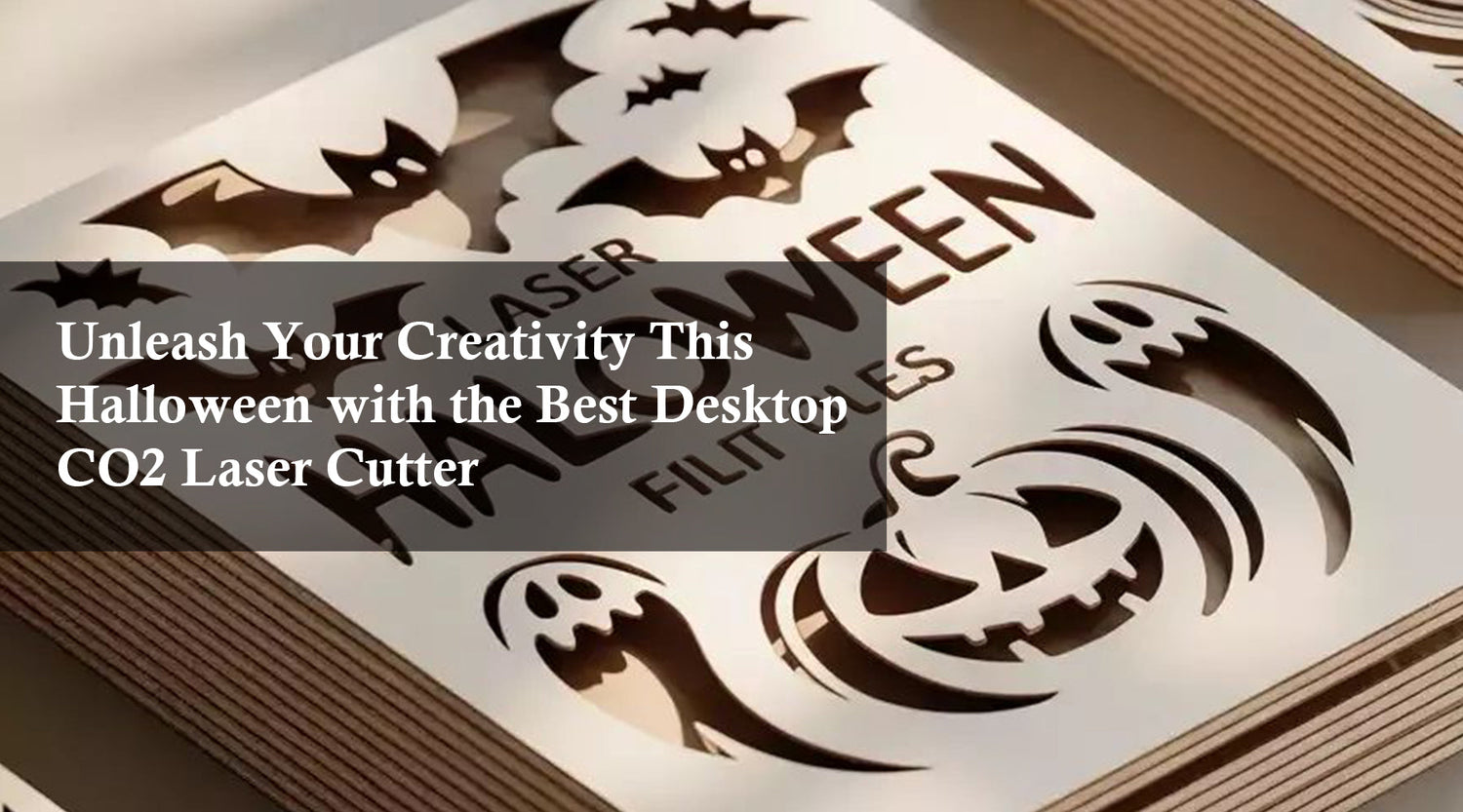
Unleash Your Creativity This Halloween with the Best Desktop CO2 Laser Cutter
Get ready for a creative Halloween! Discover how the best desktop CO2 laser cutter from Monport’s Reno Series helps you craft stunning DIY decorations and gifts. Enjoy up to $5800 OFF, hidden prizes, and exclusive discounts during the Halloween Sale from Oct 14–Nov 2!

The Secret to Creepy Outdoor Halloween Decorations Using a CO2 Laser Cutter
When it comes to making unforgettable creepy outdoor Halloween decorations, nothing delivers precision, creativity, and efficiency like a c02 laser cutter. Among the many choices available, the Monport Reno45 Pro Vision 45W Desktop CO2 Laser Engraver & Cutter (16" x 12") is a standout. With advanced features like an 8MP HD camera, Magnetic Assisted Autofocus, and powerful cutting capabilities, it’s designed for makers who want professional-quality results. The advantage of Monport lies not just in its durability and accuracy, but also in how user-friendly it is for both beginners and advanced creators. By choosing Monport, you’re investing in a machine that’s engineered for speed, precision, and long-term value, making it perfect for seasonal projects like Halloween props, as well as year-round crafting and business use. Monport Reno45 Pro Vision 45W Desktop CO2 Laser Engraver & Cutter (16" X 12") Why a CO2 Laser Cutter is Perfect for Creepy Outdoor Halloween Decorations If you’ve ever wanted to design creepy outdoor Halloween decorations that truly stand out, a c02 laser cutter is the tool you need. Unlike manual cutting tools, a CO2 laser engraver offers unmatched precision and clean finishes, so you can create intricate designs like haunted house signs, tombstones, spiderwebs, or eerie silhouettes for your yard. The Monport Reno45 Pro Vision takes it a step further with its 16" x 12" working area, giving you plenty of space to cut and engrave large decorative pieces. With its 600mm/s engraving speed, you can produce multiple decorations in a fraction of the time compared to traditional methods. This makes it ideal for anyone who wants to decorate their entire yard or even start a small business selling handmade Halloween items. Monport Reno45 Pro Vision: The Ultimate Tool for Creepy Outdoor Halloween Decorations The Monport Reno45 Pro Vision isn’t just another c02 laser cutter; it’s packed with innovations that make it the best machine for holiday projects. Here’s why: World’s First Multi-Graphic-Smart-Filling™ Technology: This feature lets you scan and batch-fill designs across multiple materials within seconds. For Halloween, that means producing several gravestone cutouts, bats, or pumpkin stencils at once. 8MP HD Camera with Distortion-Free Preview: Positioning complex shapes like ghosts or jack-o’-lanterns becomes effortless. You can preview the design exactly as it will appear, saving materials and reducing trial-and-error. Magnetic Assisted Autofocus: Beginners often struggle with laser focusing, but Monport’s magnetic focus system makes setup incredibly easy, ensuring sharp, detailed cuts every time. Cutting Power: Thanks to its advanced laser tube and premium optics, the Reno45 Pro Vision can cut acrylic up to 15mm thick—perfect for durable creepy outdoor Halloween decorations that withstand autumn weather. This combination of speed, precision, and convenience ensures your projects not only look professional but also last longer outdoors. Project Ideas with a CO2 Laser Cutter for Halloween A c02 laser cutter like the Monport Reno45 Pro Vision unlocks endless creative potential for your Halloween projects. Here are some standout ideas: Laser-Cut Tombstones: Engrave realistic inscriptions and cracks on acrylic or wood for spooky gravestones. Spider Web Panels: Cut intricate spiderweb designs to hang from porches or fences. Lantern Covers: Create eerie cutouts that project shadows when lit with LED candles. Custom Yard Signs: Engrave “Haunted House” or “Enter If You Dare” signs with bold, precise lettering. 3D Props: Use layered plywood to build dimensional skeletons, bats, or haunted house windows. By taking advantage of Monport’s batch filling technology, you can quickly reproduce these items in bulk, making it ideal for decorating a large yard or selling at Halloween markets. Ready to bring your Halloween ideas to life? Explore the Monport Reno45 Pro Vision CO2 Laser Cutter and see why makers everywhere choose Monport for precision and quality. Monport’s Advantages Over Other CO2 Laser Cutters When compared to other brands, the Monport Reno45 Pro Vision offers unique advantages that make it perfect for creepy outdoor Halloween decorations: Safety and Convenience Upgrades: The design includes handles, no-gap sealing to prevent light leakage, and an adjustable air assist device for optimal cutting results. Rotating Shaft Fixed Positioning: This eliminates the risk of material shifting, which is critical when engraving detailed Halloween designs. Lightweight Yet Sturdy Build: At just 67 lbs, the machine is easy to set up without sacrificing durability. Software Compatibility: Works seamlessly with LightBurn (Pro), AutoLaser, and even mobile apps, making design work flexible and intuitive. These thoughtful upgrades show Monport listens to creators and adapts to their needs, making their c02 laser cutter the most reliable choice on the market. Key Takeaways A c02 laser cutter is the perfect tool for making durable, intricate, and professional-quality creepy outdoor Halloween decorations. The Monport Reno45 Pro Vision stands out with unique innovations like Smart-Filling™ technology, an 8MP HD camera, and Magnetic Assisted Autofocus. Its superior cutting power and speed allow you to produce bulk Halloween items quickly, whether for personal decorating or business use. Monport machines are designed with safety, convenience, and productivity in mind, making them a smart long-term investment. Q&A About Monport Reno45 Pro Vision CO2 Laser Cutter Q1: Can the Monport Reno45 Pro Vision cut thick materials for outdoor use?Yes, it can cut acrylic up to 15mm thick, making it perfect for weather-resistant Halloween decorations. Q2: Is the Monport Reno45 Pro Vision suitable for beginners?Absolutely. Its Magnetic Assisted Autofocus and intuitive camera system make it simple for beginners to use effectively. Q3: What software can I use with the Reno45 Pro Vision?It’s compatible with LightBurn (Pro version), AutoLaser, and TopwisdomLaser (mobile app), giving you flexibility in design. Q4: How does the 8MP HD camera help with projects?The camera provides distortion-free previews, ensuring precise placement and reducing wasted material. Q5: Why choose Monport over other CO2 laser cutters?Monport machines combine power, speed, safety, and convenience, offering professional results at a competitive price. Conclusion Creating creepy outdoor Halloween decorations has never been easier or more exciting than with a c02 laser cutter. The Monport Reno45 Pro Vision 45W Desktop CO2 Laser Engraver & Cutter offers unmatched precision, power, and ease of use, making it the ultimate choice for makers who want their Halloween projects to stand out. With its advanced features, thoughtful upgrades, and cutting-edge design, Monport proves why it’s the brand trusted by creators everywhere. Transform your ideas into reality this Halloween with the Monport Reno45 Pro Vision CO2 Laser Cutter. Your perfect Halloween starts here.

Celebrate the 2025 Autumn Festival with the Best Laser Engraver Machine
Celebrate the 2025 Autumn Festival with creativity using a laser engraver machine. Discover Monport’s best bundle and special offers with unbeatable prices on CO2 and MOPA Fiber Lasers. Perfect for gifts, crafts, and business projects — shop now before stocks run out!

Celebrate Creativity with a CO2 Laser Engraver Machine – Monport’s 2025 Festival Sale
Festivals are the perfect time to unleash your creativity, whether you’re crafting personalized gifts, designing intricate decorations, or starting a small business. And what better tool to bring your ideas to life than a CO2 laser engraver machine? This year, Monport is making that dream even more exciting with incredible laser engraving machine discounts during their 5th Anniversary Celebration. From hobbyists to professionals, there’s never been a better time to upgrade your workspace. With CO2 laser engraver machines offering unmatched precision, speed, and versatility, your creative potential is limitless. Why a CO2 Laser Engraver Machine is Perfect for Festivals Festivals are all about uniqueness, and a CO2 laser engraver machine lets you create one-of-a-kind pieces that stand out. Imagine engraving names on ornaments, crafting detailed signage, or cutting intricate patterns for décor. Top festival uses include: Custom wooden or acrylic ornaments Engraved festival souvenirs Personalized leather goods Intricate paper or fabric cutouts Customized drinkware and party favors Monport 2025 Sale – Unmissable Laser Engraving Machine Discounts Monport is celebrating its 5th Anniversary with one of the biggest sales ever — up to 70% OFF, plus exclusive gifts and double member points. Model Power Working Area Highlights Sale Offer Monport Effi16S 150W 150W 36" x 24" Autofocus, Built-in Water Chiller Huge discount + Free gift Monport 130W Bundle 130W 55" x 35" Large format, bundle savings Free rotary attachment Monport 130W Built-in Chiller 130W 55" x 35" Space-saving chiller, precision cutting Festival price drop Monport 130W 130W 55" x 35" Safe, reliable performance Anniversary special offer Benefits of Choosing Monport During the Festival Sale A CO2 laser engraver machine from Monport isn’t just a purchase — it’s an investment in creativity and productivity. Why buyers choose Monport: Massive savings with laser engraving machine discounts up to 70% Professional-grade build quality Easy-to-use interface for beginners and experts Wide compatibility with materials like wood, acrylic, glass, leather, and fabric Free gifts and bonus rewards for members How to Use Your New CO2 Laser Engraver Machine for Profit During Festivals Buying during Monport’s festival sale means you can start earning quickly. Many crafters use their machines for side businesses during peak seasons. Popular profitable ideas: Selling engraved wooden keychains at holiday markets Offering custom wine glass engraving for events Creating personalized wedding décor for clients Designing branded merchandise for local businesses Quick Buying Tips When choosing your CO2 laser engraver machine, consider: Power & Size: Larger wattage for thicker materials Working Area: Bigger beds allow larger projects Cooling System: Built-in chillers save space and time Accessories: Rotary attachments expand creative options FAQs Q: Are the Monport sale machines beginner-friendly?A: Yes. Monport provides intuitive controls and learning resources for all skill levels. Q: Can a CO2 laser engraver machine work on metal?A: They can mark coated metals, but deep engraving typically requires a fiber laser. Q: Do the discounts apply to all models?A: The laser engraving machine discounts apply to select featured models in the sale. Q: Is there a warranty included?A: Yes. Monport machines come with a solid warranty for peace of mind. Key Takeaways Festivals are the perfect time to create unique and profitable designs. A CO2 laser engraver machine gives unmatched flexibility for materials and styles. Monport’s laser engraving machine discounts make now the best time to invest. Free gifts and extra member points add more value to your purchase. Conclusion – Don’t Miss Monport’s Festival Deals If you’ve been waiting for the right moment to buy a CO2 laser engraver machine, the Monport 5th Anniversary Celebration is it. With up to 70% OFF, exclusive gifts, and massive value-packed bundles, you can finally bring your creative visions to life — and even turn them into profit. Shop now and take advantage of the biggest laser engraving machine discounts of 2025 → Check the Monport Sale Here

Transform Your Ideas with a CO2 Laser Cutter and Laser Engraver for Wood
The Monport 40W Pro is more than just a co2 laser cutter—it’s a complete creative solution for makers, entrepreneurs, and hobbyists. With precision engineering, versatile features, and compatibility with the industry’s best software, it’s a laser engraver for wood that transforms your ideas into professional-quality results.

Squid Game-Inspired Laser Crafts: A Hit at Pop Culture Festivals
If you're serious about selling at pop culture festivals, or just want to create high-quality collectibles, the Monport 40W Pro is the best tool you can buy. Knowing how to make Squid Game badges with a laser has never been this easy or professional. From detailed cuts to smooth engraving, it’s all powered by a dependable acrylic cutting machine built for makers like you.

Turn 4th of July Designs Into Keepsakes with Laser Engraving
Get ready for the 4th of July with creative laser engraving projects using the Monport 60W CO2 Laser Engraver. From patriotic flags to personalized gifts, learn how to create, sell, and celebrate with high-speed precision and effortless engraving.