


Learning how to cut plastic sheets starts with choosing the right tool for the material, thickness, and shape you need. Whether you are working on DIY crafts, signage, display panels, or custom plastic components, the correct cutting method can help you achieve clean edges and accurate dimensions.
Common plastic cutting methods include scoring and snapping, using a circular saw or jigsaw, and laser cutting compatible materials. For detailed designs and repeatable results, the Monport 40W CO2 Laser Engraver offers another option for suitable plastic-cutting projects.

How to Cut Plastic Sheets: 5 Common Methods
Before cutting plastic, identify the material. Acrylic, polycarbonate, PVC, and HDPE have different properties and cannot always be processed using the same tools. Always check the manufacturer's recommendations before selecting a cutting method.
1. Measure and Mark the Plastic
Start by measuring the dimensions required for your project. Use a ruler or straightedge and a suitable marker to draw the cutting line.
Measure twice before cutting to reduce waste and improve accuracy. Place the plastic on a stable work surface and secure it properly without applying enough pressure to crack or deform the sheet.
2. Score and Snap Thin Plastic
Scoring can work for certain thin plastic sheets, particularly acrylic designed for this method.
Use a compatible scoring tool to create several controlled passes along a straightedge. Once the groove is sufficiently deep, position the sheet appropriately and carefully snap it along the scored line.
This technique is best suited to suitable thin materials and straight cuts. It is not appropriate for every plastic type or thickness, so follow the sheet manufacturer's instructions.
3. Cut Plastic With a Circular Saw
A circular saw can cut thicker plastic sheets when equipped with a blade suitable for the material.
Secure the sheet firmly and support it on both sides of the cutting line. Follow the saw manufacturer's instructions for blade selection, speed, and cutting technique.
Feed the material steadily to reduce chipping and overheating. Wear appropriate eye protection and keep your hands away from the blade.
4. Use a Jigsaw for Curved Cuts
A jigsaw is useful when you need curved, angled, or irregular shapes. Choose a blade designed for the plastic you are cutting and secure the sheet to prevent vibration.
Guide the saw carefully along the marked line without forcing it through the material. Test your technique on a scrap piece first to check for melting, cracking, or rough edges.
5. Use a Laser Cutter for Compatible Plastics
Laser cutting can produce detailed shapes and repeatable designs without requiring a conventional cutting blade. A CO2 laser system, such as the Monport 40W CO2 Laser Engraver, may be suitable for cutting compatible materials within its verified capabilities.
Laser cutting is particularly useful for decorative shapes, signs, templates, and custom components. However, not every plastic is safe to laser cut. PVC and other chlorine-containing plastics can release highly hazardous fumes, while some materials can produce harmful emissions or damage the machine.
Only process materials positively identified as compatible with your laser. Follow the manufacturer's safety instructions, use appropriate exhaust ventilation, and never leave the machine operating unattended.
Monport 40W CO2 Laser Engraver for Plastic Cutting


For makers who regularly create custom designs, the Monport 40W CO2 Laser Engraver can provide a convenient way to explore compatible cutting and engraving projects.
Features listed for this machine include:
-
Engraving speeds up to 350 mm/s: Supports a range of engraving workflows.
-
LightBurn compatibility: Allows users to prepare and position designs using compatible software.
-
Built-in air assist: Helps manage debris and heat around the processing area when used correctly.
-
Adjustable laser head: Supports appropriate focusing for different workpiece setups.
-
Red-dot guidance: Helps with positioning and alignment.
-
Dual workbed: Provides flexibility for different workpiece shapes.
-
Ventilation provisions: Support smoke extraction when installed and operated according to the manufacturer's instructions.
These features can be useful for custom craft projects, but actual cutting performance depends on the plastic type, thickness, machine configuration, and settings. Verify the machine's specifications before relying on it for a particular material.
Tips for Clean and Precise Plastic Cutting
Achieving clean cuts on plastic sheets requires more than choosing the right tool. Preparation and technique also matter.
Choose the Right Plastic
Acrylic is commonly used for laser-cut signs and decorative components when the specific sheet is confirmed to be laser-compatible. Polycarbonate can melt, discolor, or produce poor results under laser processing, while PVC must not be laser cut.
For mechanical cutting, select the blade or scoring tool according to the material manufacturer's recommendations.
Secure the Sheet
Movement during cutting can cause uneven edges, inaccurate dimensions, or damage. Secure the workpiece using an appropriate method and make sure it is adequately supported.
Test Before Cutting the Final Piece
Test your method on a scrap piece of the same material and thickness. Check the edge quality and dimensions before proceeding with the final project.
For laser cutting, use only manufacturer-approved settings and material guidance. Do not assume that settings for one plastic will work for another.
Finish the Edges Carefully
After cutting, inspect the edges for sharp points, chips, or rough sections. Use an appropriate finishing method for the material and wear suitable protective equipment.
Avoid excessive sanding or heat that could deform the plastic.
Is Black Laser Marking Spray Suitable for Plastic Cutting?
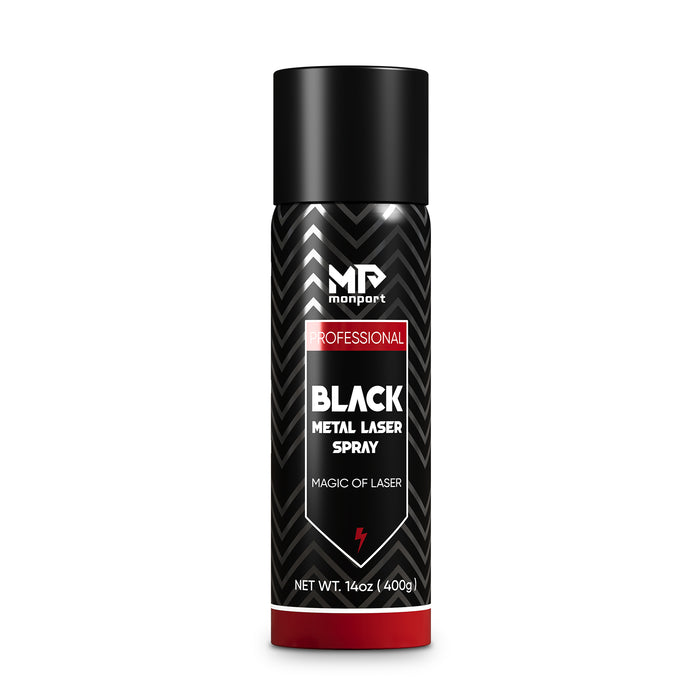
Monport Black Laser Marking Spray is intended for specific marking applications, particularly creating contrasting marks on compatible metal surfaces using suitable laser systems. It is not a plastic-cutting product.
The product information identifies compatibility with certain CO2 laser engraving machines for metal marking. However, it should not be assumed to be suitable for plastic cutting or every engraving application.
For plastic projects, focus on material compatibility, appropriate machine settings, and safe operation. Use marking spray only when the product manufacturer confirms that the material and laser system are supported.
Frequently Asked Questions
1. What is the easiest way to cut plastic sheets?
For suitable thin acrylic sheets, scoring and snapping can be a straightforward method. A jigsaw or circular saw may be more appropriate for other shapes and thicknesses.
2. Can a 40W CO2 laser cut plastic?
A 40W CO2 laser may cut certain compatible plastics, depending on the material, thickness, and machine specifications. Verify the manufacturer's guidance before processing any sheet.
3. Can you laser cut PVC plastic?
No. PVC should not be laser cut because it can release hazardous chlorine-containing fumes and damage equipment.
4. How do you get smooth edges when cutting plastic?
Use the correct tool and blade, secure the sheet, avoid excessive heat, and test the cutting method on scrap material before working on the final piece.
5. Is laser cutting better than using a saw?
It depends on the project. Laser cutting is useful for intricate shapes and repeatable designs on compatible materials, while saws and scoring tools can be more practical for many straight cuts or materials unsuitable for laser processing.
Key Takeaways
-
Choose a cutting method based on the plastic type, thickness, and design.
-
Use scoring tools for suitable thin sheets and saws for appropriate mechanical cutting projects.
-
Consider the Monport 40W CO2 Laser Engraver for compatible, detailed designs.
-
Never laser cut PVC or unidentified plastics.
-
Test your technique and follow the tool manufacturer's safety instructions.
Conclusion
Learning how to cut plastic sheets becomes easier when you understand the material and select the right tool. Scoring, circular saws, jigsaws, and laser cutting each offer different advantages depending on the project.
For intricate designs and repeatable results on compatible materials, the Monport 40W CO2 Laser Engraver can be a useful option for DIY makers and small businesses. With careful preparation, suitable equipment, and appropriate safety precautions, you can create accurate plastic components for a wide range of crafting projects.


