


Introduction
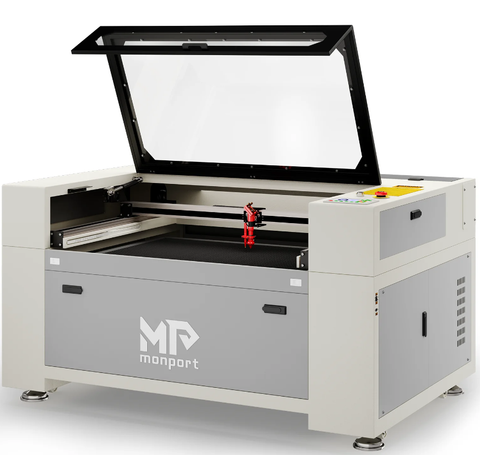

Unlock Big Savings at Monport Laser! Use code BESTMP10 at checkout for an exclusive discount – Click here to shop now!
What is plywood?
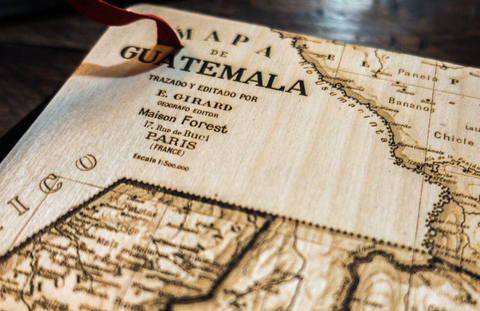
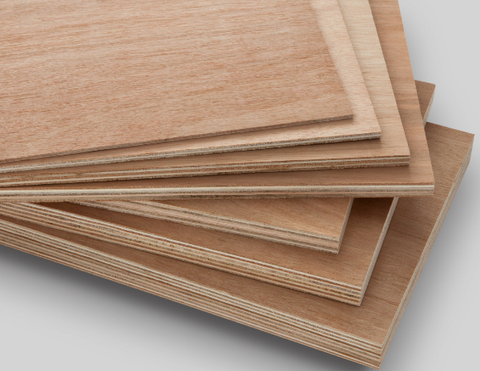
Plywood is a multi-layered board made from thin sheets of wood, glued with adhesive. Layers are usually arranged with fibers at right angles for stability. Plywood can be hardwood (birch, maple, or poplar) or specialty types like bamboo and cork. Available in various thicknesses, plywood is commonly used for furniture, decorative items, and jewelry, making it ideal for plywood laser cut projects.
What is the best plywood for laser engraving?
-
Birch Plywood: Durable, lightweight, and produces clean edges in laser cut plywood projects.
-
Bamboo Plywood: Offers beautiful, detailed edges with light brown coloring when laser cutting plywood.
-
Maple Plywood: Soft, tightly textured, and requires careful plywood laser cut settings to avoid darkened edges.
-
Poplar Plywood: Lightweight and easy to process, ideal for small items or plywood laser cut designs.

How to choose the right plywood for carving? Before you start, you need to check the type of plywood and its shade. The type of plywood will give you a better idea of resin content, texture, available shadows and finishes. Not all plywood is suitable for laser engraving, but some manufacturers produce special plywood for engraving and plywood laser cut applications, which can be purchased through dedicated suppliers.
Here are some common types of plywood:
- Birch plywood
Birch plywood is one of the most commonly used in home engineering. It is durable, lightweight, and has a good finish. Laser cut plywood of birch produces a clean cut with light brown edges, making it a favorite choice for plywood laser cut beginners who want sharp, clean results.
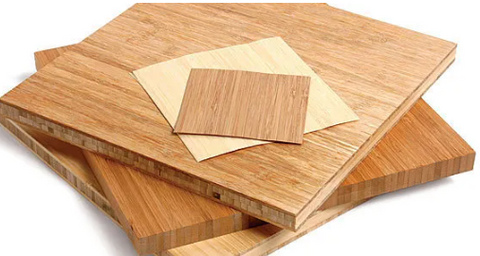
- Bamboo plywood
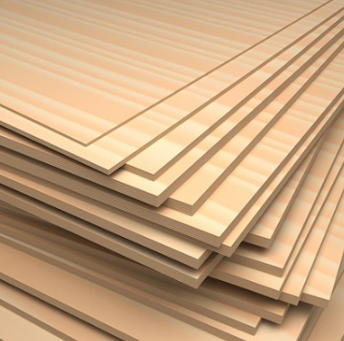
This plywood is known for its excellent cutting results and natural grain. When used in plywood laser cut projects, bamboo offers beautiful, detailed edges with a light brown color.
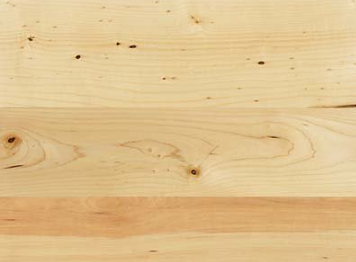
- Maple plywood
Soft maple is tightly textured and light in color. It is easy to burn, so careful adjustment of plywood laser cut settings is essential to avoid darkened edges.
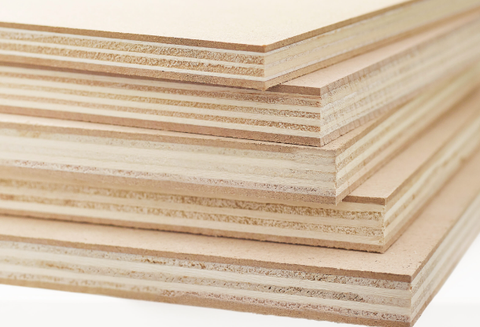
- Poplar plywood
Poplar is lightweight and easy to process, making it ideal for models, jewelry boxes, and other small items. It works well for carving and plywood laser cut designs that don’t need to support much weight.
Choosing the Right Laser Machine for Plywood Laser Cut
Not all lasers are suitable for plywood laser cutting. CO2 and diode lasers are ideal. Fiber lasers are generally unsuitable as plywood can easily catch fire.
-
Low-power lasers may require multiple passes, reducing efficiency.
-
Monport 40W or higher can carve thin plywood, while 100W machines handle thicker sheets efficiently.
|
Description |
Cutting Thickness of Plywood |
||
|
3 mm |
5 mm |
||
|
60W |
Power |
23 mA |
23 mA |
|
Speed |
12 mm/s |
3 mm/s |
|
|
80W |
Power |
23 mA |
23 mA |
|
Speed |
15 mm/s |
7 mm/s |
|
|
100W |
Power |
23 mA |
23 mA |
|
Speed |
20 mm/s |
12 mm/s |
|
For those seeking a powerful and efficient laser engraving machine for cutting plywood, consider upgrading to our 100W laser engraver. With higher power, our machine can carve through thicker materials with greater ease and precision, minimizing the need for multiple passes and maximizing your productivity. At the same time, we provide you with a 10% discount code "BESTMP10" so that you can buy your favorite engraving machine at a more favorable price.

Common Challenges in Plywood Laser Cutting
Hardness and Glue Layers
Plywood is often easier to cut than solid wood, but glue layers can be harder than the wood itself. Test plywood before engraving to ensure optimal results.
Smoke Generation
Adhesives in plywood produce smoke during plywood laser cutter operations. Use air assistance or honeycomb benches to remove fumes, prevent overheating, and reduce edge burns.
Overburned Edges
High power or low speed can burn edges. Adjust laser settings and use air assist to maintain clean cuts in laser cut plywood.
Effortless Laser Marking with Monport Black Laser Marking Spray
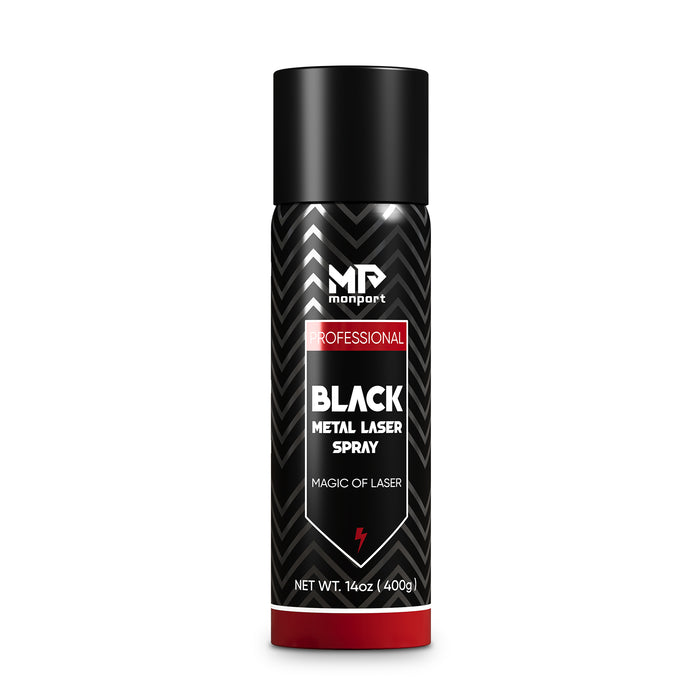
Looking to elevate your laser engraving projects? Monport Black Laser Marking Spray is the solution you’ve been waiting for. This high-performance aerosol spray is designed for use with CO2 laser engraving machines, ensuring easy and precise results with every application. Whether you're personalizing jewelry, customizing glassware, or serializing tools, this spray provides you with high-contrast, permanent marks that stand out.
The Benefits of Using Black Laser Marking Spray
-
Compatible with CO2 Laser Engraving Machines Designed for use with CO2 laser engraving machines of 25 watts and above, Monport Black Laser Marking Spray is the ideal companion for your engraving needs. It transforms your metal surfaces into highly legible, permanent black marks after laser engraving, making it perfect for a wide range of applications from metalwork to custom art pieces.
-
Permanent, High-Contrast Marks When you apply Monport Black Laser Marking Spray, the result is a high-contrast, dark black mark on your metal surface that is permanent and durable. This spray works on various metals, including aluminum, stainless steel, and brass. The fine-grained formula ensures deep penetration into the metal, producing heat-resistant markings that will last for years, even under challenging conditions.
-
Even and Powerful Application With the advanced spray technology in Monport Black Laser Marking Spray, you can achieve a smooth, even application every time. The 14 oz can features an anti-clog nozzle that guarantees no blockages, making the spray process both easy and efficient. The nanoparticle formula delivers more coverage with a thinner coating, which results in a professional-quality finish for all your metal marking projects.
-
Easy to Use and Quick Drying Using Monport Black Laser Marking Spray couldn’t be simpler. Just shake the can for 2 minutes, spray from a distance of 6 to 8 inches, and let the surface dry for 5 minutes. Once it’s dry, you’re ready to engrave, saving you valuable time. After engraving, rinse and wipe away the residue to reveal your crisp, dark black markings without any fuss.
-
Effortless Cleanup and Maintenance After marking your metal pieces, simply rinse and wipe the surface to reveal your high-contrast engraving. The black laser marking spray ensures there is no residue left behind, so your workpieces remain clean and ready for immediate use. The easy cleanup means that you can maintain a smooth and efficient workflow, whether you’re working on a small DIY project or a larger-scale production.
Tips for Successful Plywood Laser Cutter Projects
-
Test small pieces first to fine-tune settings.
-
Use air assistance to prevent smoke accumulation.
-
Choose high-quality plywood with minimal resin variations.
-
Regularly maintain your laser machine for consistent performance.
FAQs: Plywood Laser Cutting
Q1: Can all types of plywood be used for laser cutting?
A: No. Some plywood contains adhesives or resins unsuitable for plywood laser cutter machines. Specialized plywood ensures clean cuts.
Q2: What thickness of plywood can be laser cut efficiently?
A: CO2 lasers between 40W and 100W can cut 3–10 mm thick plywood, depending on the machine and number of passes.
Q3: Do I need air assist when laser cutting plywood?
A: Yes. Air assist helps remove smoke and heat, preventing edge burns and improving laser cut plywood quality.
Q4: Which laser machines are best for plywood engraving?
A: CO2 and diode lasers are ideal for plywood laser cutting, while fiber lasers are not recommended.
Q5: How can I achieve clean edges in plywood laser cut projects?
A: Use proper speed, power, air assist, and a honeycomb work surface to minimize edge burns.
Takeaways
-
Mastering plywood laser cut techniques improves quality and efficiency.
-
Selecting the right plywood and laser machine is critical.
-
Air assist and proper settings reduce smoke and edge burns.
-
Testing and maintenance are key to successful laser cutting plywood projects.
Why Choose Monport Black Laser Marking Spray?
By understanding the nuances of cutting and engraving plywood, you can unlock new creative potential and produce high-quality, intricate designs. Mastering plywood laser cut techniques ensures cleaner edges, better efficiency, and professional-quality results.
If you're ready to take your woodworking to the next level, consider investing in a high-powered CO2 laser engraver for efficient and precise plywood laser cut projects.
Add this versatile spray to your toolkit today and experience effortless laser marking like never before!
Read More: Exploring Colored Plywood Sheets: Finding the Best for Laser Engraving





